Introduction
Changing an outfit in a photo used to mean arranging another shoot or editing the image by hand. An AI clothes changer makes the idea more accessible: I can start with a normal person photo and choose a different look without working through layers and masks.
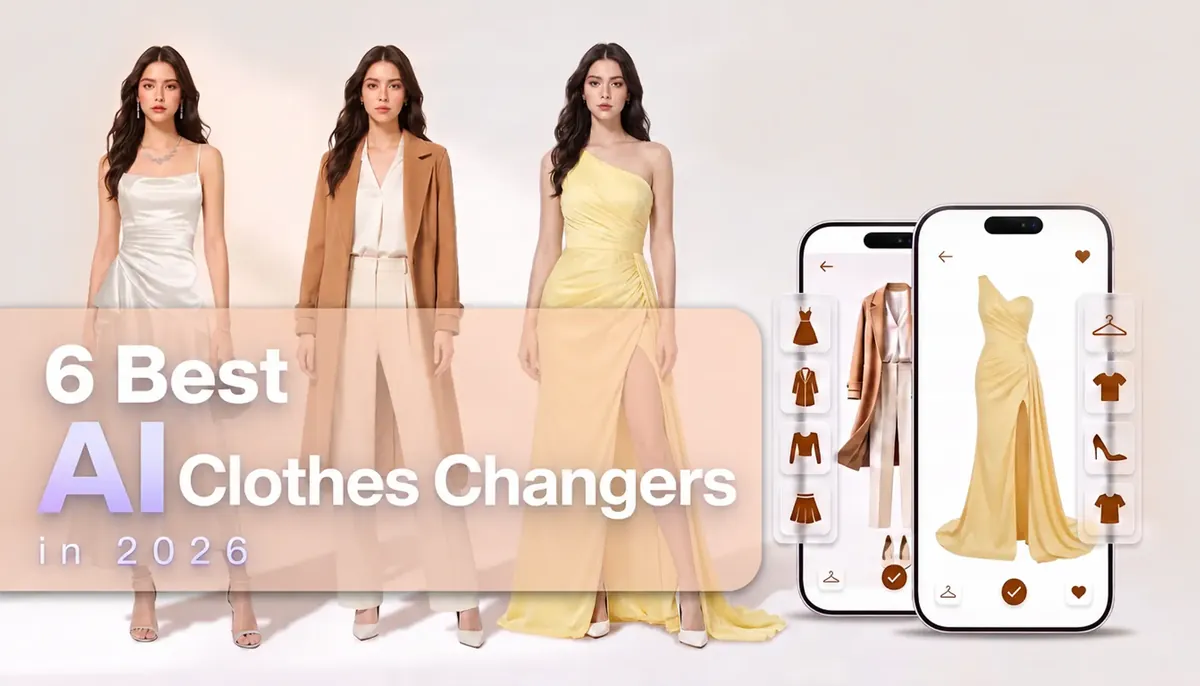
However, “changing clothes” means something different across the tools in 2026. EasyFaceSwap offers presets and custom outfit uploads. Fotor and OutfitGen accept text descriptions, Google connects try-on to shopping products, and FASHN AI addresses fashion production.
I compared their current inputs and workflows rather than treating them as identical. My favorite for a quick personal change is EasyFaceSwap. It gives me a purpose-built path: upload the person, select a preset or provide an outfit, and generate. I prefer it when changing clothes is the whole task.
How I Compared the Tools
I considered how each AI clothes changer handles outfit selection. Presets provide inspiration, prompts describe an idea, and uploads work when I already have a garment reference. I also looked at the number of steps and whether the workflow suits personal photos, shopping, or fashion production.
I did not score realism because results vary with the photo, pose, reference, and outfit. I focused instead on confirmed functions and where I would choose each tool. However, AI clothes swap can help you explore a style, but it cannot confirm fit, comfort, fabric feel, or sizing.
Best AI Clothes Changer Tools at a Glance
| Tool | I would use it for | Outfit input |
|---|---|---|
| EasyFaceSwap | Quick personal outfit changes | Presets or uploaded outfit |
| Fotor | Describing creative outfit ideas | Text, reference image, or preset |
| OutfitGen | A simple prompt-or-garment workflow | Text or garment image |
| insMind | Replacing a selected clothing area | Area selection and text |
| Google Shopping Try On | Previewing eligible products | Shopping product |
| FASHN AI | Fashion and ecommerce production | Model and product images |
1. EasyFaceSwap — My Pick for Everyday Outfit Changes
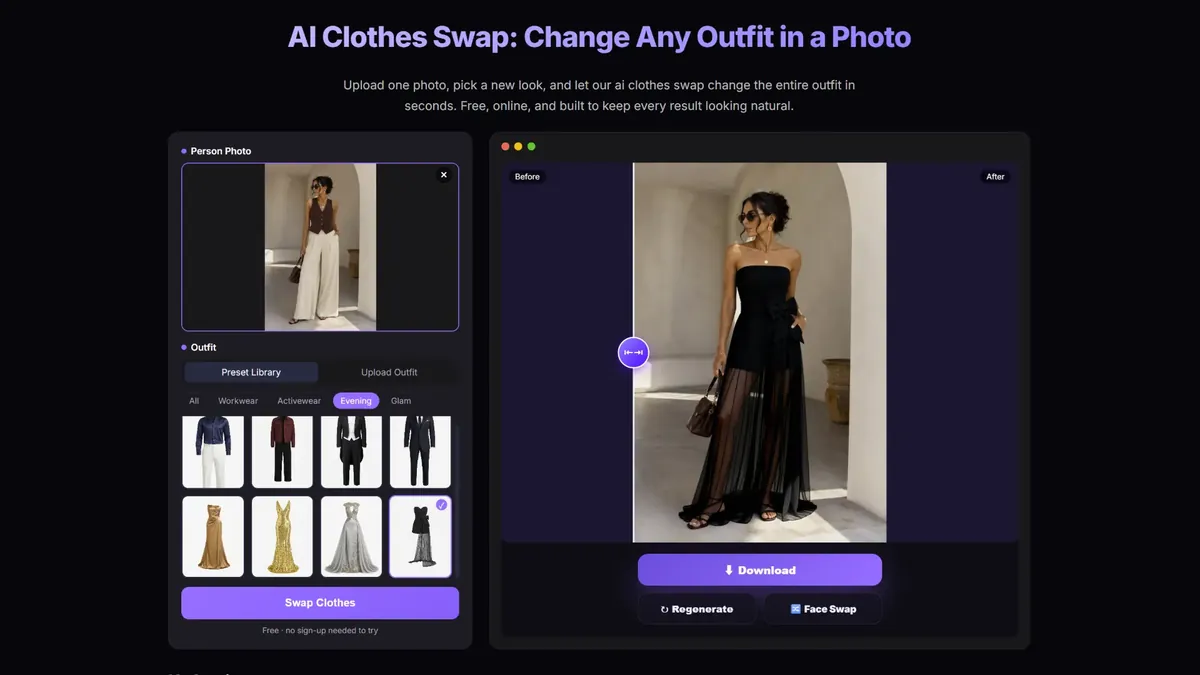
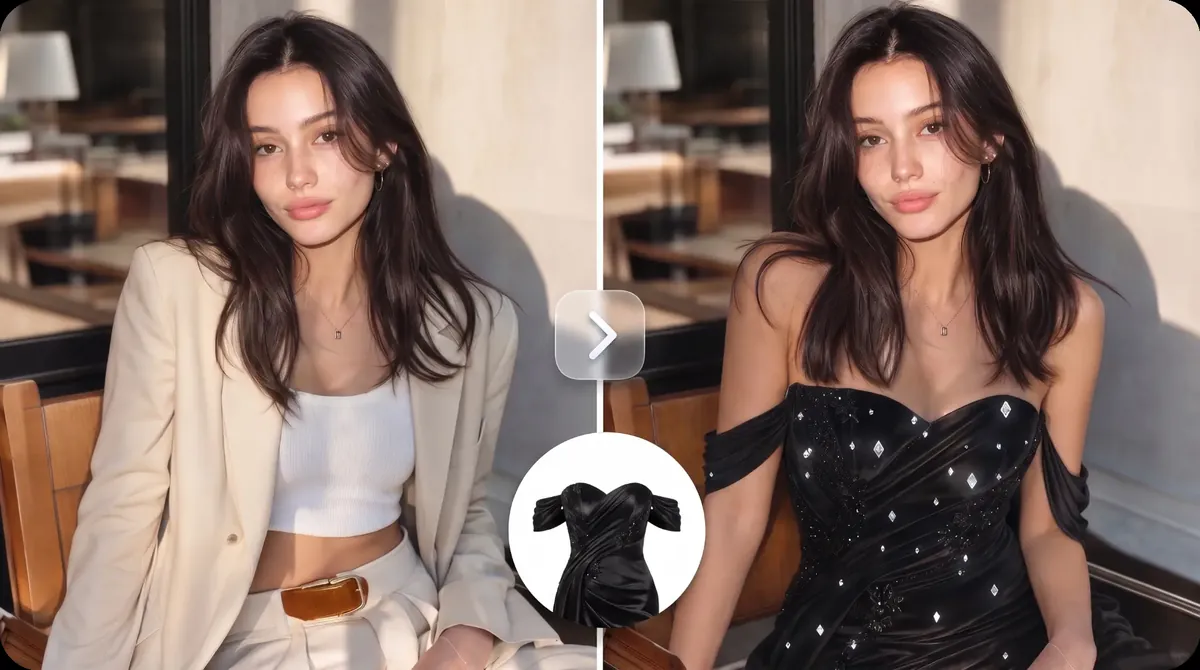
EasyFaceSwap is the most approachable AI clothes changer in this comparison. Its new AI Clothes Swap tool asks me to upload one person photo and choose a new outfit. I do not have to outline the clothes manually or begin with a prompt.
The uploader accepts JPG, PNG, and WebP files up to 20 MB. It asks for one person with the full outfit visible, which tells me what kind of source image to choose before I generate anything.
The Preset Library makes this AI clothes changer stand out for me. I can browse All, Workwear, Activewear, Evening, and Glam and select an outfit directly. That helps when I want a new look but have not decided exactly what it should be. The categories fit recognizable needs. I might browse Workwear for a formal profile photo, Activewear for a fitness-themed image, or Evening and Glam for a dressed-up style. These are choices available in the library.
When I already have something specific in mind, I can switch to Upload Outfit and provide a clothing reference. The preset route helps me discover a look, while the upload route starts with my own idea.
EasyFaceSwap presents the tool as free and online, with no sign-up needed to try it. The workflow is clear: upload the person’s photo, select or upload an outfit, and choose Swap Clothes to generate the image.
I would use it for style experiments, profile pictures, or social photos. It does not surround a simple change with shopping feeds or professional production controls. That focus is exactly why I like it. Open the AI clothes swapper to try a preset or outfit reference.
2. Fotor — Best for Describing an Outfit Idea
Fotor is the AI clothes changer I would pick when my new outfit begins as a written idea. It supports text prompts, clothing reference images, and preset styles. I can describe a clothing type, color, or aesthetic instead of finding a matching image first.
Fotor also belongs to a broader photo-editing platform, which suits me when changing clothes is only one part of the job. I would choose it when writing a clothing description is central to my idea and I expect to continue editing afterward.
The main drawback is its credit system. Each AI Clothes Changer image currently costs two credits, and even paid Pro plans receive a fixed monthly allocation rather than unlimited use of this feature. Free credits can help with an initial trial, but regular outfit experiments may require a subscription or extra credits.
3. OutfitGen — Best for Text or Garment Inputs
OutfitGen offers two clear routes. After uploading a single-subject JPG, PNG, or WebP image, I can describe the desired clothing or upload a garment reference, such as a product photo, store screenshot, or outfit image. I can also select a quality option before generating.
Text works when I am exploring an idea; an image is better when I already have a garment in mind. This AI clothes changer suits users who want both inputs in a simple interface.
OutfitGen currently provides only three generations before signup. Continued use and benefits such as higher-resolution output or watermark-free downloads require one of its paid plans, starting with Plus. I see the free allowance as a short trial rather than a long-term option.
4. insMind — Best for a Selected Clothing Area
insMind uses a more targeted workflow. I upload a photo, select the clothing area, describe the new outfit, and generate the change. I would use this AI clothes changer when I want to focus on one visible garment instead of browsing complete preset looks.
The selection requires another step, but it tells the prompt where the edit should happen. insMind therefore makes sense when I want to mark an area and explain the replacement in words.
Its free access is less generous at export: standard or lower-resolution downloads are available, while high-quality, watermark-free results require Pro. That may be enough for experimenting, but I would check the subscription cost before using it for finished images.
5. Google Shopping Try On — Best for Shopping
Google Shopping Try On is an AI clothes changer for eligible shopping products rather than general photo makeovers. I can use a full-length photo or create a full-body digital version from a selfie for its try-on experience.
Its link to actual products is the main advantage. I can preview a supported shirt, pants, dress, or shoes without leaving the shopping journey. Availability depends on the product, market, account, and rollout.
I would choose Google when I am investigating a real product rather than creating a general outfit edit. It does not require a separate paid try-on subscription, but access is limited by country, age, sign-in status, product eligibility, and rollout. It also cannot confirm sizing, comfort, or real fabric behavior.
6. FASHN AI — Best for Fashion Brands
FASHN AI is the most production-focused AI clothes changer here. Its try-on workflow combines a model image with a product image. Product inputs can include on-model, flat-lay, and ghost-mannequin photos, which are familiar formats for fashion teams.
A brand may need to visualize a particular product on a selected model or connect the function to a larger system. FASHN provides a web studio and API access for these workflows. Its Try-On Max endpoint supports clothes and accessories, optional styling prompts, and output up to 4K.
I would choose FASHN for ecommerce or catalog work tied to specific products. The drawback for casual use is cost: the free plan currently includes only ten introductory credits, while ongoing app use starts with a paid Basic subscription. App and API credits are also handled separately, so businesses need to account for the workflow they plan to use.
AI Clothes Swap vs. Virtual Try On
I use these terms differently. An AI clothes swap changes clothing in a photo using a preset, prompt, or reference. It can be useful for style experiments and creative images when no purchase is involved.
Virtual try-on is more closely associated with visualizing a specific garment for shopping or fashion production. Google connects its preview to eligible listings, while FASHN combines model and product images for professional work.
The distinction is intent: I use an AI clothes changer to create or explore a look and virtual try-on to preview a particular item. Both provide a visual approximation rather than proof of physical fit.
Which AI Clothes Changer Would I Choose?
If I have a personal photo and want to browse complete looks, I would use EasyFaceSwap’s online outfit workflow. It offers presets when I need inspiration and Upload Outfit when I have a reference.
I would use Fotor for a prompt-led idea and OutfitGen for a clean choice between text and a garment image. insMind fits a selected clothing area, Google suits product shopping, and FASHN AI makes sense for fashion production.
For everyday users, EasyFaceSwap offers the clearest balance. It stays focused on the outfit change and does not ask me to learn a general editor, search a catalog, or configure a professional workflow.
How to Change Clothes with EasyFaceSwap
First, I choose a clear photo with one person and the full outfit visible. A well-lit image without heavy obstructions gives the tool a cleaner starting point. JPG, PNG, and WebP files are accepted up to 20 MB.
Next, I browse Workwear, Activewear, Evening, or Glam in Preset Library, or switch to Upload Outfit when I have a reference. I then select Swap Clothes and preview the image before downloading it.
I inspect collars, cuffs, hands, waistlines, and places where hair overlaps clothing. If the look does not work, I would try a clearer source or less obstructed pose rather than expect every outfit to suit every input.
AI Clothes Changer FAQs
What is an AI clothes changer?
An AI clothes changer replaces or redesigns clothing in a person’s photo. Depending on the tool, I may choose a preset, enter a prompt, upload an outfit reference, or select a product. The tool then generates an image with the new clothes.
Is EasyFaceSwap’s AI Clothes Swap free?
EasyFaceSwap describes it as free and online, with no sign-up needed to try. Check the live interface for current usage and download options.
Can I upload my own outfit?
Yes. EasyFaceSwap includes Upload Outfit alongside its Preset Library. I would use a clear clothing image in which the garment’s shape and details are easy to see.
Does AI clothes swap change the background?
EasyFaceSwap’s workflow is intended to change the outfit rather than redesign the complete scene. It would still inspect places where the new clothes meet the person or background, particularly when the original outfit is obstructed.
Can businesses use the results commercially?
Commercial use depends on EasyFaceSwap’s current terms. Review them before using images in advertising, product listings, or other paid work.
Conclusion
The best AI clothes changer is not automatically the one with the longest feature list. Google is useful for eligible shopping products, FASHN serves fashion production, and Fotor, OutfitGen, and insMind provide different ways to direct an outfit edit.
EasyFaceSwap is my first AI clothes changer choice for a straightforward personal change. Its Workwear, Activewear, Evening, and Glam presets help me explore, while Upload Outfit supports a specific idea. Open the EasyFaceSwap AI Clothes Changer, add one clear person photo, and choose how you want to create the new look.