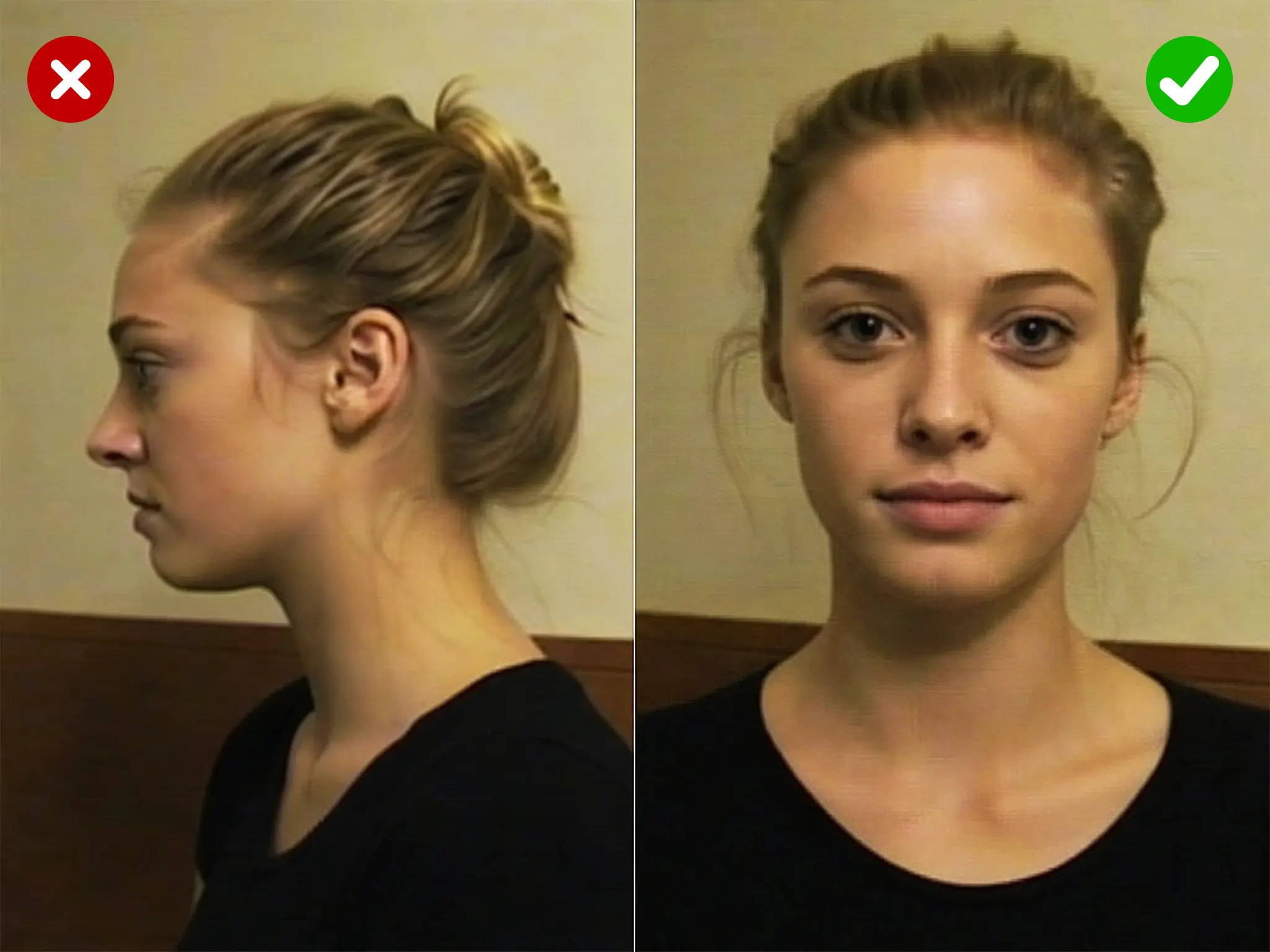
Match the photo angle

If the face in your GIF is turned to the side, a straight on photo can look off. A source photo shot from a similar angle blends more naturally across frames.
More realistic, but may show minor flaws.

Upload an animated GIF, add one clear photo of the face you want, and the tool rebuilds every frame with the new face in place. It keeps the original motion, timing, and expression, so a laugh still reads as a laugh and a nod still lands. You only need one source photo, the same simple input as a photo face swap, so there is nothing to learn and no timeline to edit. Pick your GIF, pick your face, and let the swap run. Most clips are ready in a few seconds, and you can download the result right away or run another face on the same GIF to compare.

Every result comes out clean, with no watermark stamped across your frames. The tool is free to use, so you can test a few faces on the same clip, keep the one that fits, and share it without cropping a logo out first. Free here means free: no trial timer, no locked resolution behind a paywall, and no surprise charge before you can save your GIF. What you make is what you get, watermark free.

Start an AI face swap gif without an account. There is no login wall, no app to install, and no download before you can try it. The whole thing runs in the browser on your phone or your desktop, so you can make a face swap gif on a laptop at your desk or on a phone in a group chat. It is free to use either way. Open the page, upload your files, and go. When you are done, the finished GIF saves straight to your device in one click.

A GIF is many frames, and a rough tool shows its seams when the head turns or the light shifts. This one matches skin tone, angle, and lighting on each frame, then reassembles them in the original order. The output holds up in motion instead of flickering between good and bad frames. Front facing, well lit source photos give the cleanest swap, and the more the face in your GIF stays visible, the more natural the final animated result looks.

Many face swap tools cut you off at a few seconds. This one handles longer clips than most tools on the market, the same generous range as our video face swap. That headroom covers most reaction GIFs, meme loops, and short scenes without forcing you to trim first. More frames just mean a little more time, and the tool still swaps the face across the whole clip and hands you one finished GIF. If a file is very large, compress it and the face swap gif runs the same.

Not every clip has to come out soft. This tool includes an HD output option, so the swapped face keeps more detail instead of looking grainy or blocky. HD helps most when the face fills a good part of the frame, or when you plan to post the GIF somewhere it gets viewed up close. Turn it on before you run the swap, and the tool renders the frames at higher quality before rebuilding the GIF. Standard output stays faster and lighter for quick reactions, while HD is there when the result needs to look sharp. Either way the GIF downloads watermark free, so you pick the quality without giving anything up.
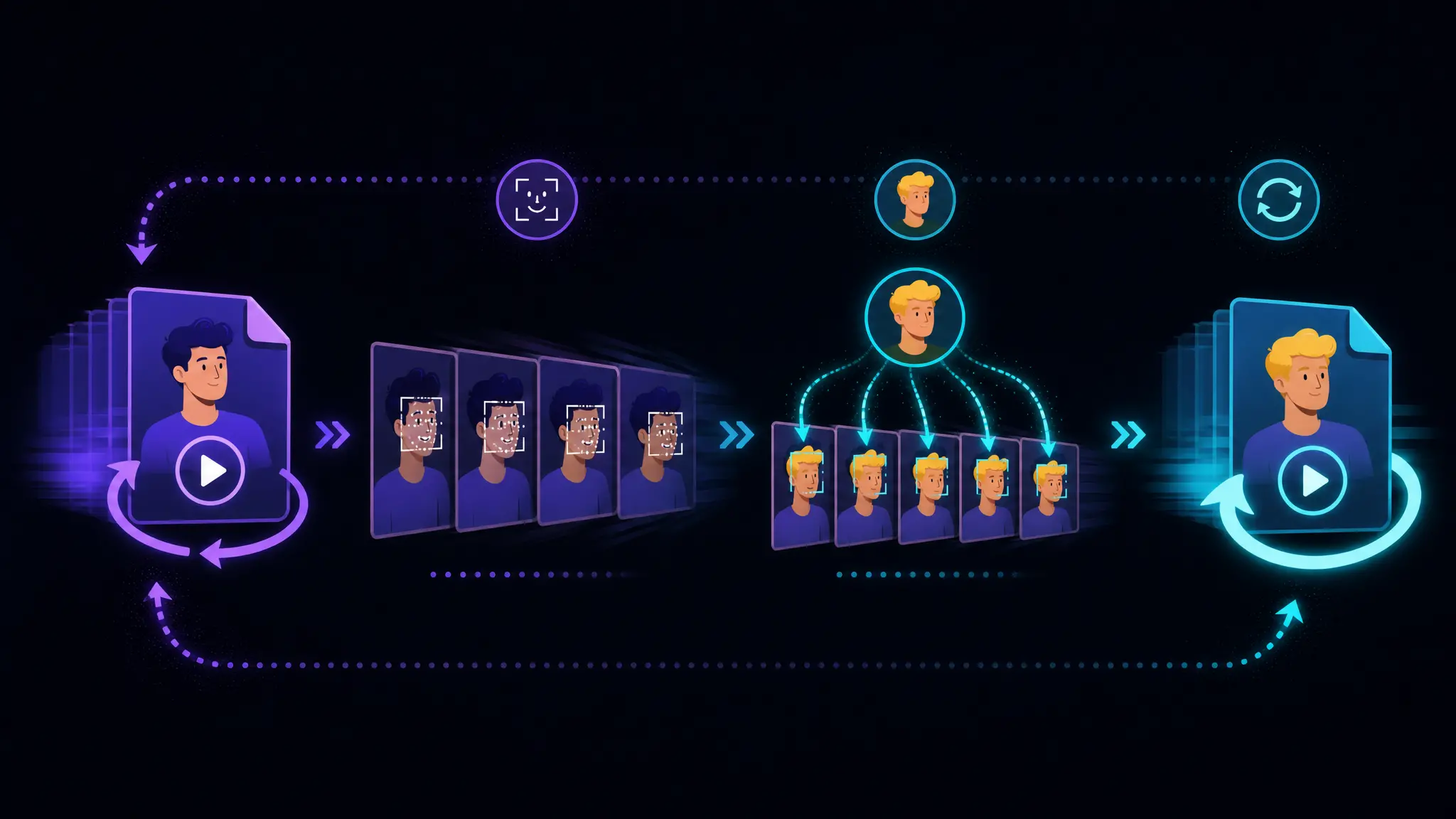
GIF face swap is a free EasyFaceSwap tool that swaps the face in an animated GIF, frame by frame.
When you upload your files, the tool first splits the GIF into its individual frames, so each one can be handled on its own.
Experience the reliable, secure, and user-friendly generator available today.
Start with a face swap gif, then move to video or photo for the same project without switching tools or learning a new flow. One workflow covers every format.
Use the tool on content you own or have permission to edit. Your uploads are there to make your result, not to be sold or reused.
The result is a clean, standard GIF, so it holds up in a post or a campaign, not only a one time joke in a chat. What you make is yours to reuse.
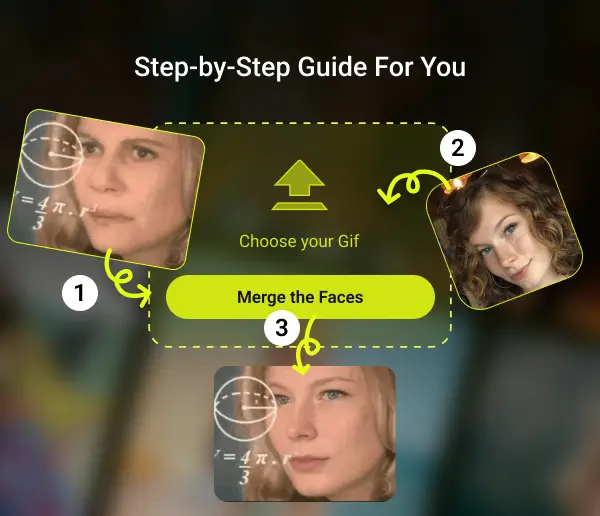
Choose the animated GIF you want to change. Keep it short and reasonably sized. Clips where the face stays visible give the best result.
Add a clear, front facing photo of the face you want to drop in. Good light and a straight angle help the swap match every frame.
Run the swap and wait a few seconds. Preview the result, then download your face swap gif with no watermark, ready to share.
If the face in your GIF is turned to the side, a straight on photo can look off. A source photo shot from a similar angle blends more naturally across frames.
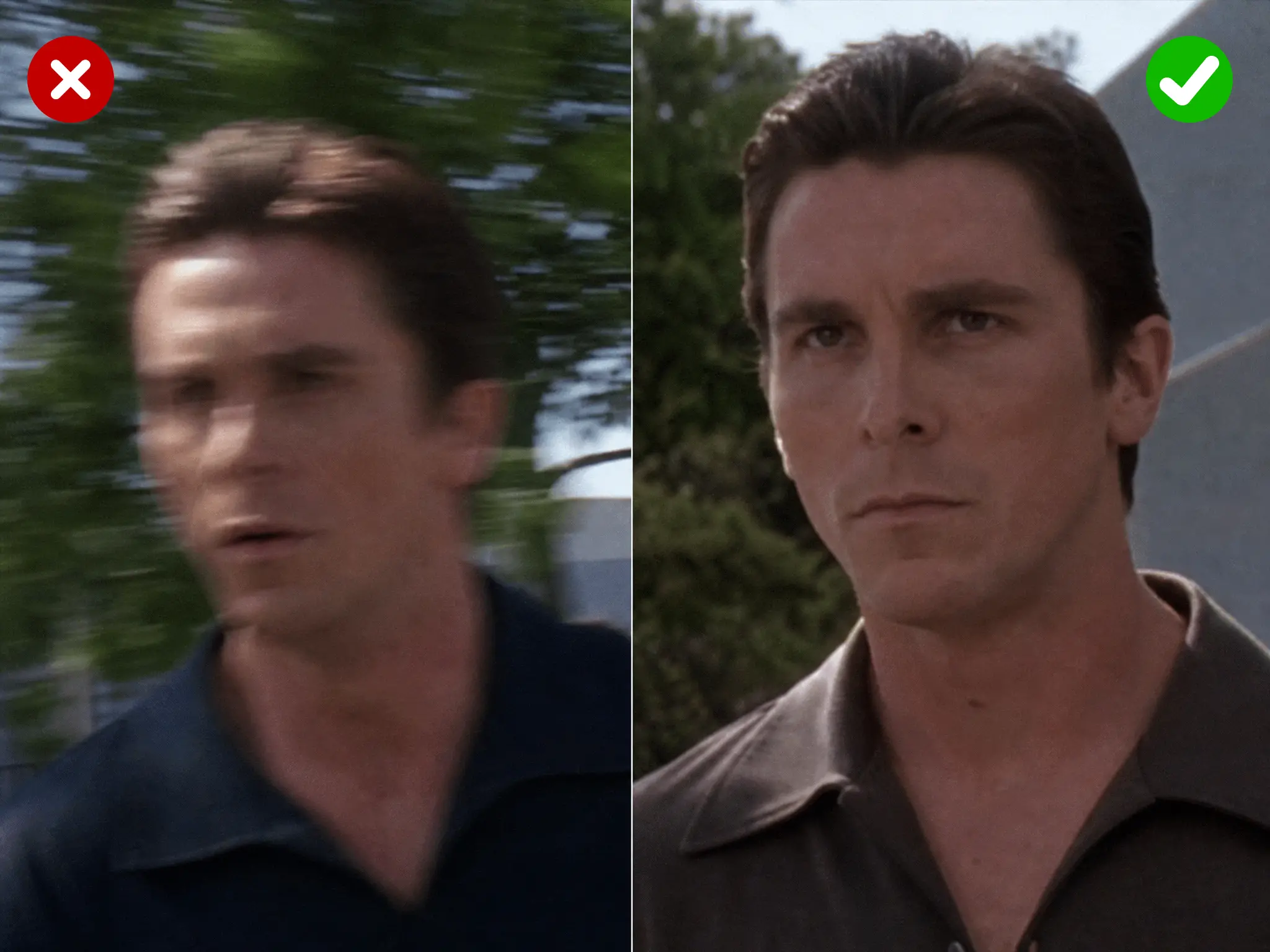
Fast motion, quick cuts, or a face that leaves the frame make tracking harder. Clips where the face is clear and steady give the cleanest swap.
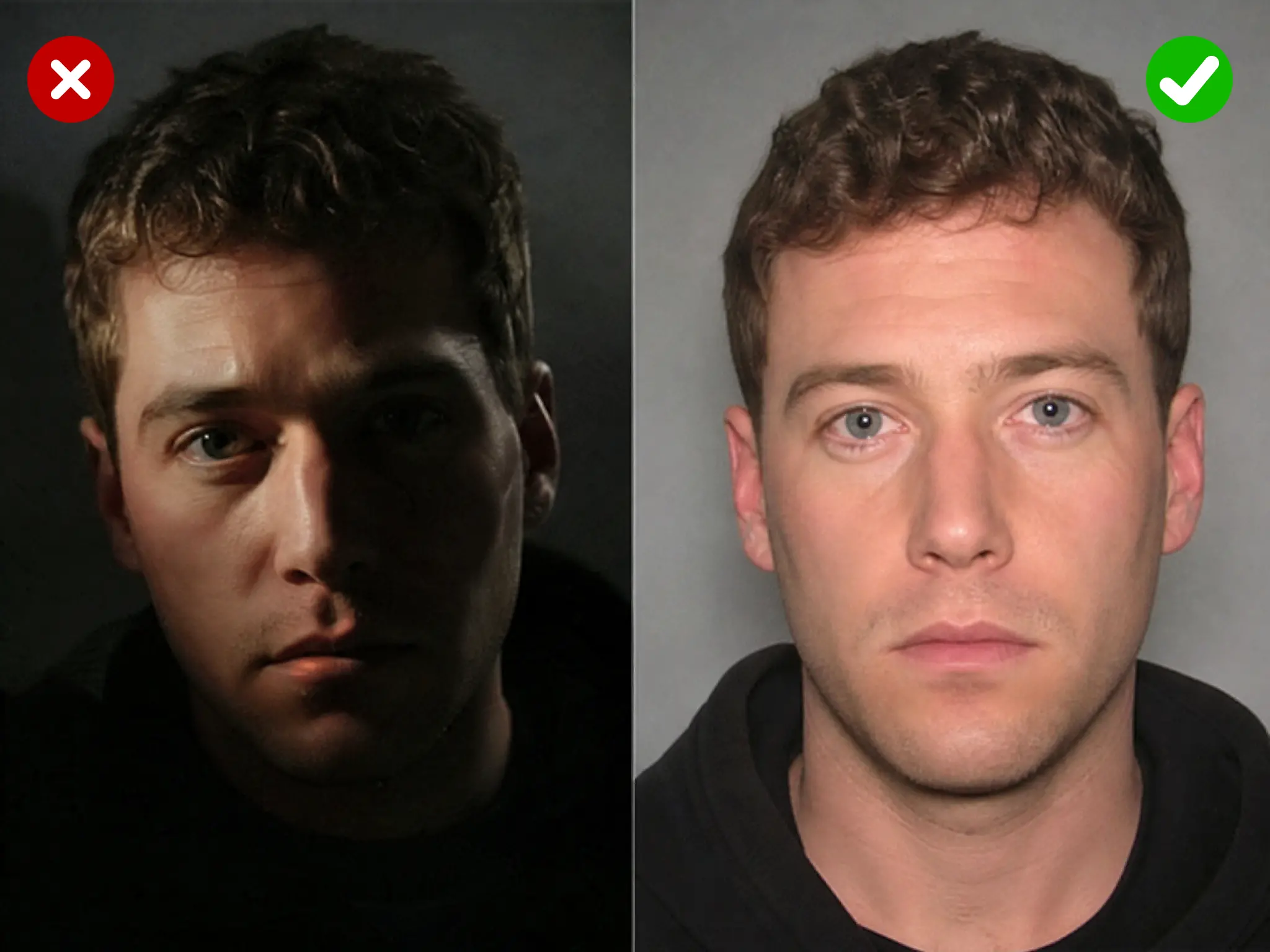
A well lit, front facing photo gives the tool more detail to work with. Harsh shadows or a dark image can soften the result once it is mapped onto every frame.
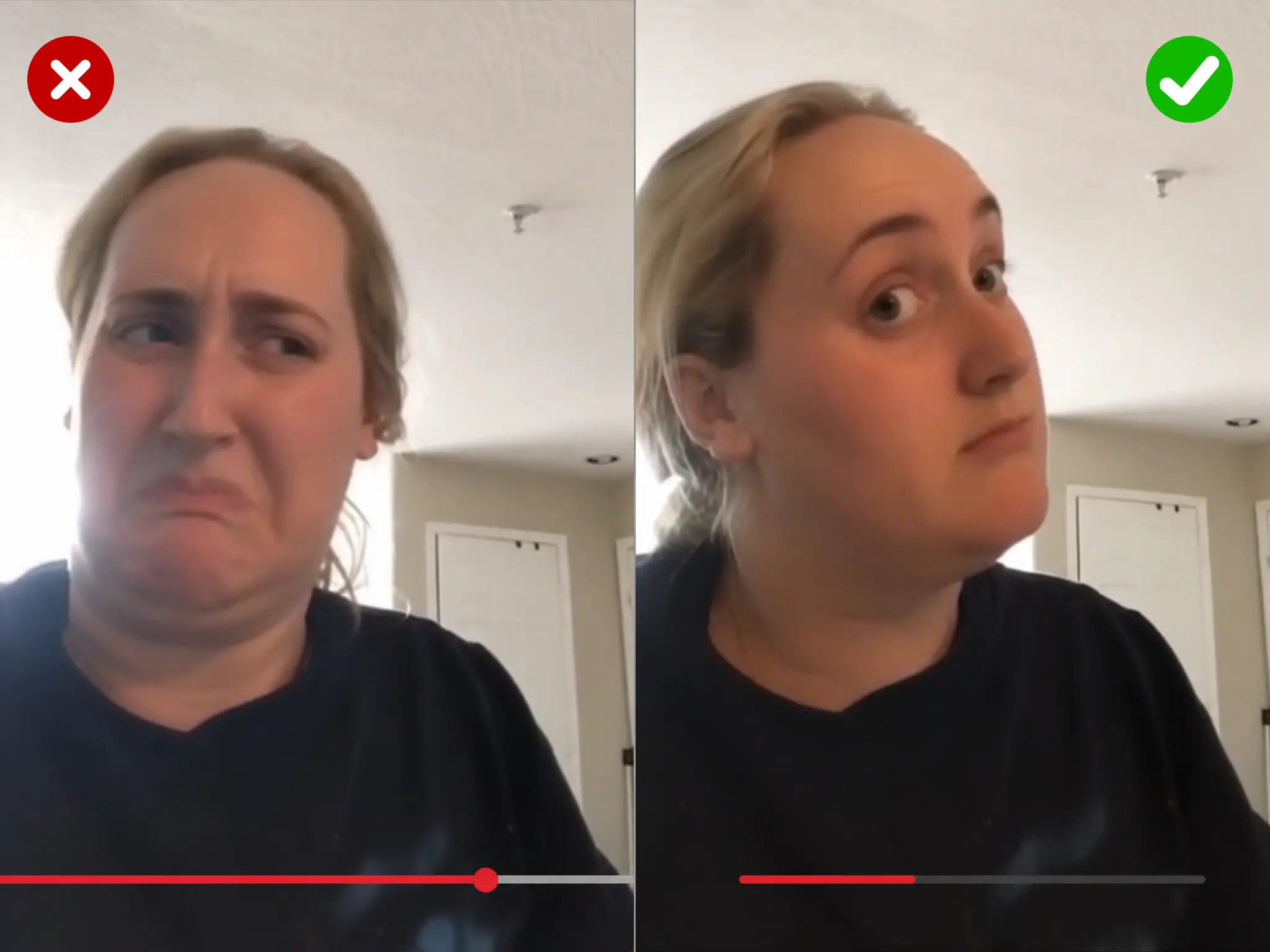
Keep the clip within the upload limit and it processes cleanly. Shorter clips also process faster and let you test a few source photos before you settle on the final GIF.
Most free tools cap you hard or stamp the output. Here is how this one lines up against what free tools usually offer.
| Feature | EasyFaceSwap GIF Face Swap | Other free GIF face swap tools |
|---|---|---|
| Cost | ✓ free to use | ~ free tier often limited |
| Watermark | ✓ none | ✗ common on free output |
| Sign up | ✓ not required | ✗ often required |
| Clip length | ✓ longer clips supported | ~ often capped at 5 to 10 seconds |
| HD output | ✓ free | ~ often locked behind paid plans |
| Output | ✓ clean GIF you can reuse | ~ sometimes personal use only |

Put your own face, or a friend's, into a classic reaction clip. The swap turns a generic eye roll or fist pump into an inside joke that lands in any group chat.

Drop a face onto a well known meme loop and the joke gets personal. Swap in a coworker before a team channel post or your own face for a self roast, then share the GIF as is.

Send a greeting that moves. Add the birthday person's face to a celebration clip and the card animates instead of sitting still. It takes one photo and one GIF.

Face swap your friends into a dramatic scene or a dance loop. Because the tool is free to use, you can run the whole group through the same GIF and post the best ones.

A short face swap gif catches the eye in a feed. Make a clip that fits your handle or your running bit, save it clean, and post it without editing out a watermark first.
Put yourself into a favorite film or show moment. Swap a face into an iconic scene GIF and share it with a fan community that already knows the reference.

Creators need quick, on brand clips. Swap a face into a stock reaction or a bit you reuse, and turn one GIF into several variants without filming again.

For a sports channel, a launch, or a company channel, swap a teammate's face into a highlight or a celebration loop. It personalizes an event moment in seconds.

Have a still photo of the face you want but only a GIF for the scene. That is exactly the flow: one photo as the source, one GIF as the target, one animated result out.
Real feedback from creators who swapped in EasyFaceSwap.

I run a meme page, so I am making reaction GIFs all day. This one has no watermark and costs nothing, so I stopped rationing and just make what I want. The best part is the face lines up frame by frame, so the loop stays smooth the whole way through instead of glitching halfway. I have tried a lot of tools and most either stamp a logo on it or cap you fast. This one just lets me work.

Our server basically runs on inside jokes, and swapping each other into random clips is half the fun. Because there is no sign up, a new member can make a face swap gif right in the browser without installing anything, which matters when you want people to just join in. Results come back in a few seconds, ready to drop straight into chat. Nobody has to learn an app to be part of the bit.

I turn one short clip into a few versions for posts, and I need them to actually look publishable. With the HD option the result comes out clean enough for a campaign, not just a one time laugh. Every export is watermark free, so it goes straight into my feed without editing anything out. For a small brand doing everything solo, that saves me real time every week.

I post a lot of animated GIF reactions, so speed and quality both count. This tool is quick, and I can try a few faces on the same loop before I commit to one. The no watermark part is what actually matters when the GIF goes on my channel. It has quietly become the tool I reach for whenever a plain reaction clip needs to feel like mine.

My friends and I swap faces into meme GIFs constantly, usually mid argument about something dumb. Doing a face swap on my phone in the browser, with no sign up, means I can fire one back before the moment passes. It just works on mobile, no app, no account, no waiting around. Half of our group chat is now GIFs we made of each other.

I make little animated birthday and holiday cards for family. Adding someone's face to a celebration GIF turns a flat greeting into something that actually moves, and people love it. The HD output keeps it sharp on a phone screen, and there is no watermark to crop before I send it. It is a small thing that makes a card feel personal.
Answers to the most common GIF face swap questions.
GIF face swap is a tool that replaces the face in an animated GIF with a face from a photo you provide. You upload the GIF as the scene and one photo as the source, and the tool rebuilds each frame with the new face while keeping the original motion. The result is a new GIF you can download and share. It works for reaction clips, memes, greetings, and short scenes, and the whole thing runs online in your browser.
Three steps. First, upload the animated GIF you want to change, keeping it short and reasonably sized. Second, upload one clear, front facing photo of the face you want to drop in. Third, run the swap, wait a few seconds, preview the result, and download it. There is no timeline to edit and nothing to install. A well lit source photo and a GIF where the face stays visible give the cleanest face swap gif.
Yes. The tool is free to use, and the result is not locked behind a paywall or stamped with a trial watermark. You can test several faces on one clip, keep the version that fits, and save it clean. There is no cost to swap a face and no charge before you can download your GIF. Free means free, from upload to download, with the full quality result yours to share.
No. Every result downloads without a watermark, so there is no logo across your frames to crop out. The finished GIF is ready to post to a chat, a feed, or a thread the moment it saves. This applies to every result, free to use, not a paid extra. What you preview is what you download.
No account is required to start a swap. There is no login wall and no app to install. Open the page, upload your GIF and your photo, and run the swap in the browser on a phone or a desktop. The tool is free to use without an account.
The tool handles longer clips than most face swap tools, so the majority of reaction GIFs and meme loops work without trimming. Very large or very long files may need a quick compress first. If a file is too big, shorten the clip or compress it, then run it again. More frames mean a slightly longer wait, since the face is swapped across the whole clip before the GIF is rebuilt.
A GIF where the face stays clearly visible gives the best result. Front facing angles, steady light, and a face that is not blocked by hands, hair, or fast blur all help the swap match each frame. Very small, dark, or heavily turned faces are harder to track, so the output can look softer. Pair a good GIF with a clear, well lit source photo for the most realistic face swap gif.
The server detects faces and controls which target face is processed so the result stays consistent across frames. If your clip has several people, processing follows the service's detection and selection behavior; the client does not control that choice. The GIF workflow is intended for a clean, reliable single-face result.
Your creations are saved locally on your device first and may be uploaded to the cloud to power features like history and syncing. We don't sell your footage. Please review our privacy policy for full details on how your GIF face swap files are stored and handled.
Most clips finish in a few seconds. Time depends on the length and frame rate of your GIF, since the face is swapped on every frame before the clip is rebuilt. A short reaction GIF is nearly instant, while a longer clip with more frames takes a bit more. Your connection speed also plays a part in how fast the finished face swap gif is ready to download.
Yes. The output is a standard GIF without a watermark, so it drops straight into chats, posts, stories, and threads wherever a GIF plays. Make the face swap gif once, save it, and share it anywhere. Keep it to content you have the right to use, and avoid swapping a real person's face without their consent.
Yes. The tool runs in the browser, so it works on a phone, a tablet, or a desktop without a separate app. The steps are the same on every device. Upload your GIF and photo, run the swap, and download the result to whichever device you are on.
Face swapping for memes, reactions, and creative edits is generally fine when you have the right to the content and consent from the people shown. Use the tool for entertainment and for content you own or are authorized to edit. Do not use it to impersonate, harass, or mislead, and do not create adult or non consensual content. Follow the platform rules wherever you post.
It is a quick, visible edit for fun and creative content: you swap a face into a short GIF for a meme, a reaction, or a greeting. Deepfakes usually aim to convincingly impersonate a real person, often to mislead. This tool is built for entertainment on content you own or are allowed to edit, not for deception. It is meant for reaction clips and jokes among friends, not for passing off a fake as real. Use it responsibly and get consent before you swap a real person's face.
The best gif face swap comes down to a few things. It should be free to use, add no watermark, and need no sign up, so nothing gets in the way of a quick share. It should keep the animation smooth frame by frame instead of flickering, handle longer clips rather than a few seconds, and offer an HD option when you want a sharper result. Running in the browser matters too, so it works on a phone or a desktop without an app. This tool is built around those points, which is why it is a strong pick for a clean, realistic GIF with the fewest limits. The right one for you is whichever gives a natural result with the least friction.
The tool is trained on human faces, so it works best when both the GIF and the source photo show a clear human face. Swapping a person's face onto an animal, or the reverse, is not what it is built for, and the result is usually unreliable because the tool cannot map human features onto a non human face. For the cleanest result, use a human face in the GIF and a clear human photo as the source.
Usually it comes down to the input. If the face in the GIF is small, dark, blurred by fast motion, or turned far to the side, the tool has less to track and the swap can soften. A low quality or poorly lit source photo has the same effect. Try a GIF where the face stays clear and steady, and a bright, front facing source photo. Matching the angle of the source photo to the face in the clip also helps the swap look sharper.
Upload a GIF, add a photo, and get a clean result in seconds. Free to use, no watermark, no sign up.
Start Your GIF Face Swap