AI Virtual Try On Tool: See How Any Outfit Looks on You

Virtual try on uses AI to place a garment onto your own photo. Upload a model image, pick an outfit, and get a realistic on-body preview in seconds.

Person Photo
Outfit
AI Virtual Try On Tool: See How Any Outfit Looks on You

My Creation

Your creations are stored locally in this browser and kept for 1 day.

Your recent clothes swaps will appear here.

How to Use the Virtual Try On Tool

  1. 1

    Step 1: Upload a Model Photo

    Use a front-facing, full-body photo where the person's entire body and the area to be covered by the garment are clearly visible.

  2. 2

    Step 2: Add the Garment

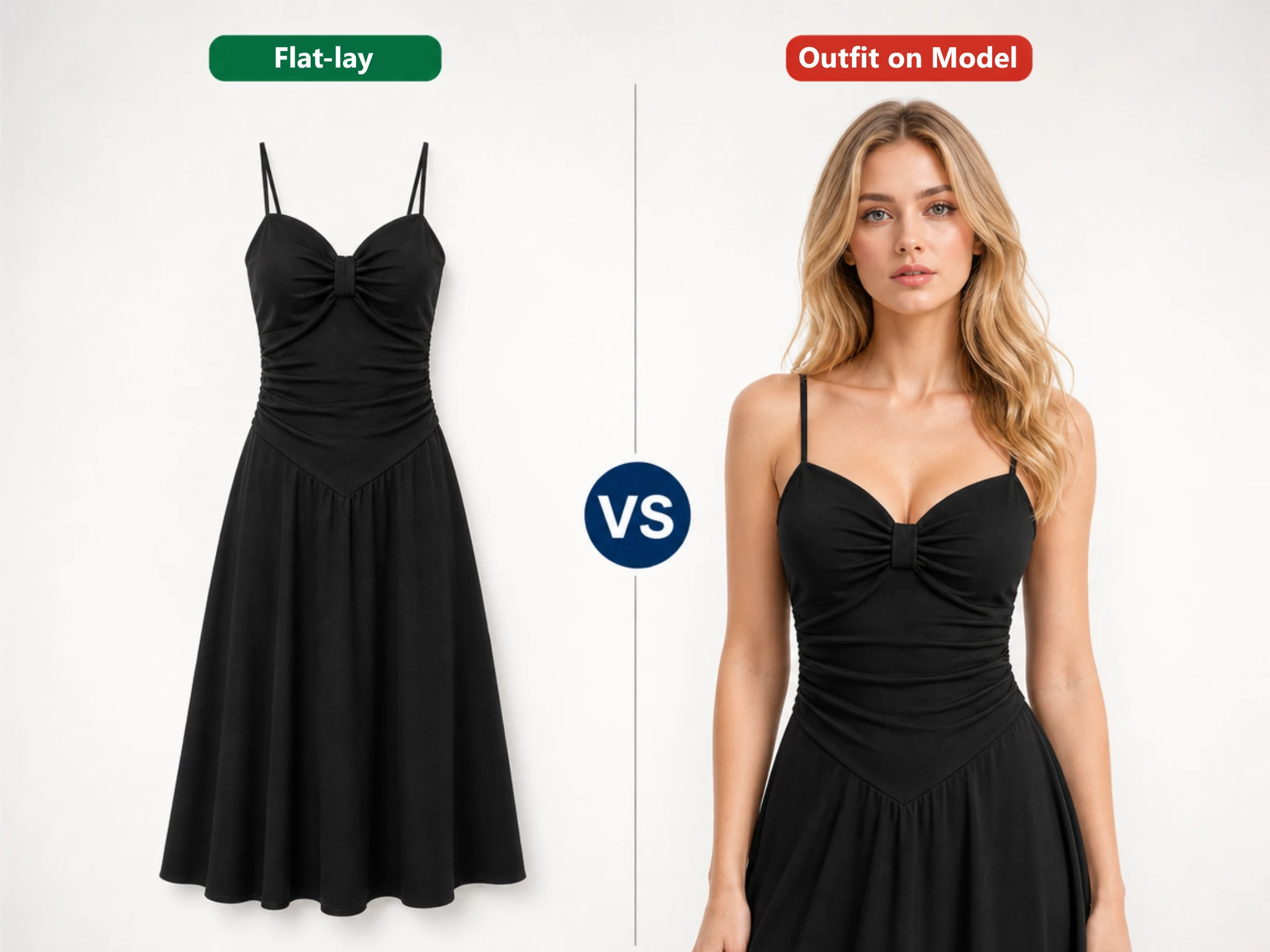
    Upload a single piece or a full look. A flat-lay on white or transparent works best.

  3. 3

    Step 3: Generate and Download

    Click Swap Clothes to try our virtual try on feature. The garment is fitted to the body with natural drape and matched lighting in HD.

How to Use the Virtual Try On Tool

AI Virtual Try ons That Feel Real

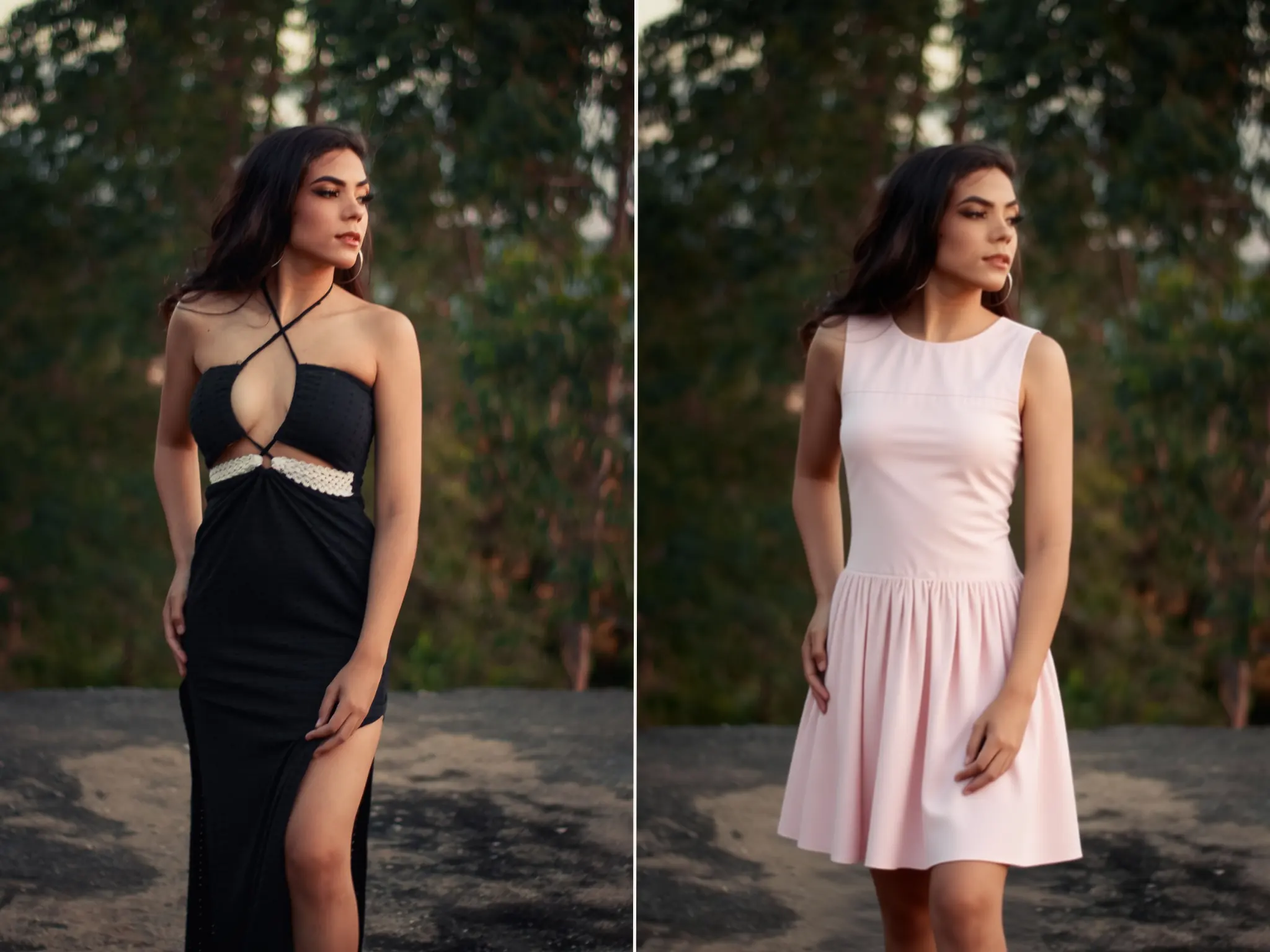
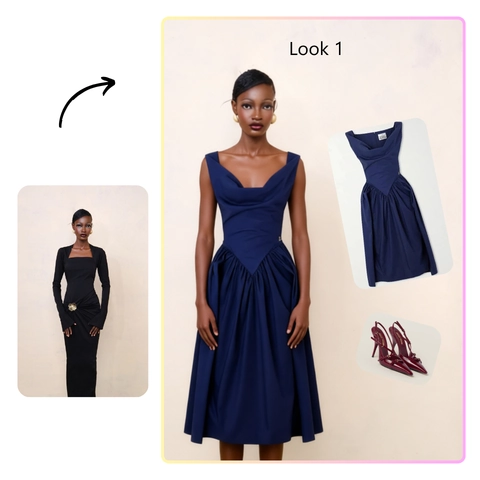
Our AI virtual try on helps you create product images that look like real fashion photography, not clothes pasted onto a model. This virtual try on tool analyzes the model's posture and how the garment fits, rendering natural folds, fabric drape, and contact shadows. Details come from your original garment photo, including weave, print placement, stitching, and hardware, helping preserve the qualities that make each piece unique. From lightweight cotton to heavy knits, the result stays closer to the actual product, giving shoppers a clearer idea of how it looks when worn.

AI Virtual Try ons That Feel Real

Same Model, Same Face

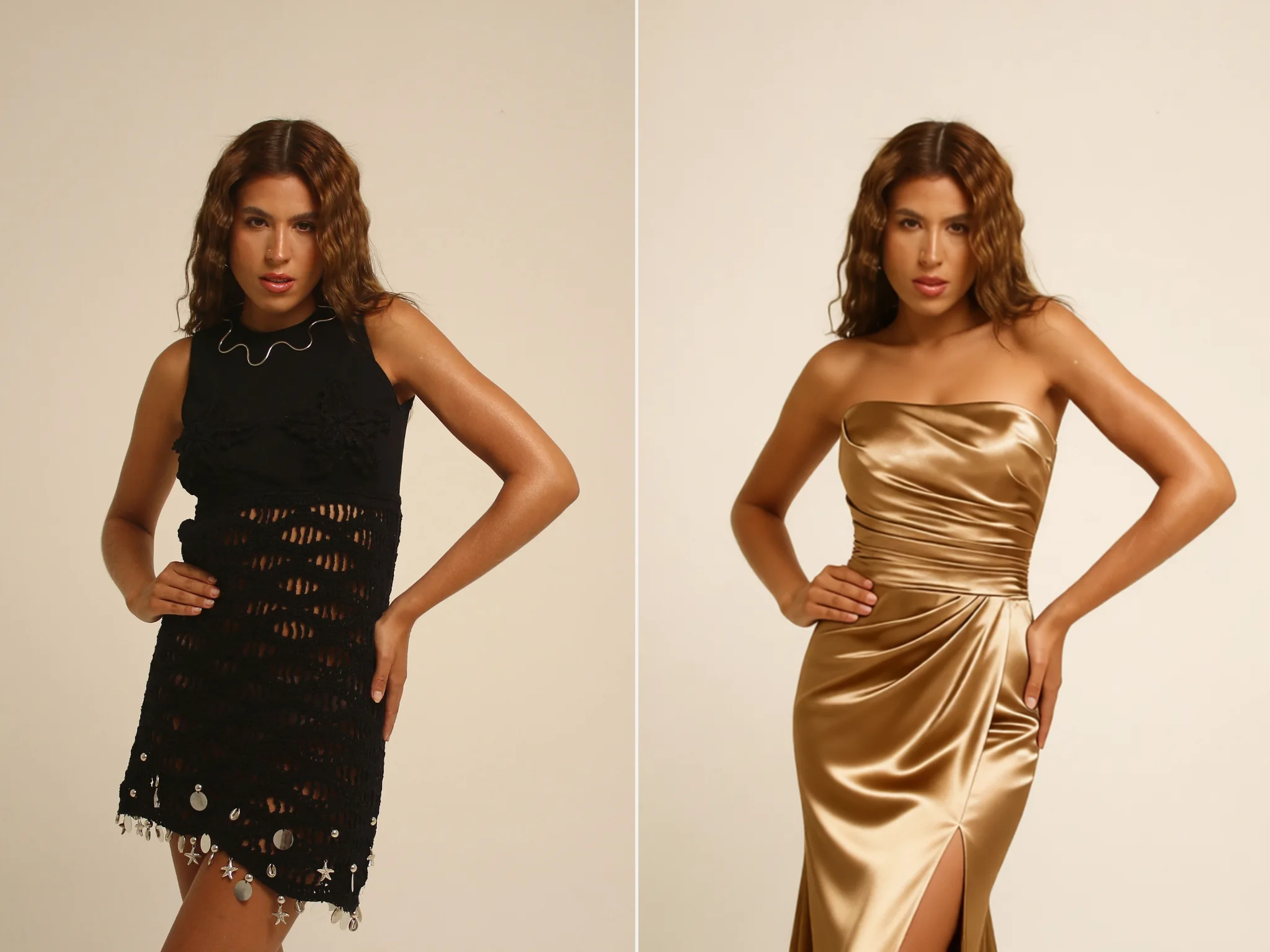
A consistent model helps your product catalog look cohesive across different styles and SKUs. With our AI clothes changer, only the outfit changes while the model's face, expression, pose, proportions, and skin tone remain consistent with the original photo. This AI virtual try on solution lets you create a series of product images featuring the same model without arranging a new photoshoot for every garment. Whether you're building a seasonal collection, updating product listings, or preparing campaign visuals, you can maintain a recognizable look across your store. Need the same outfit on a different face? Try our photo face swap tool.

Same Model, Same Face

Your Background, Untouched

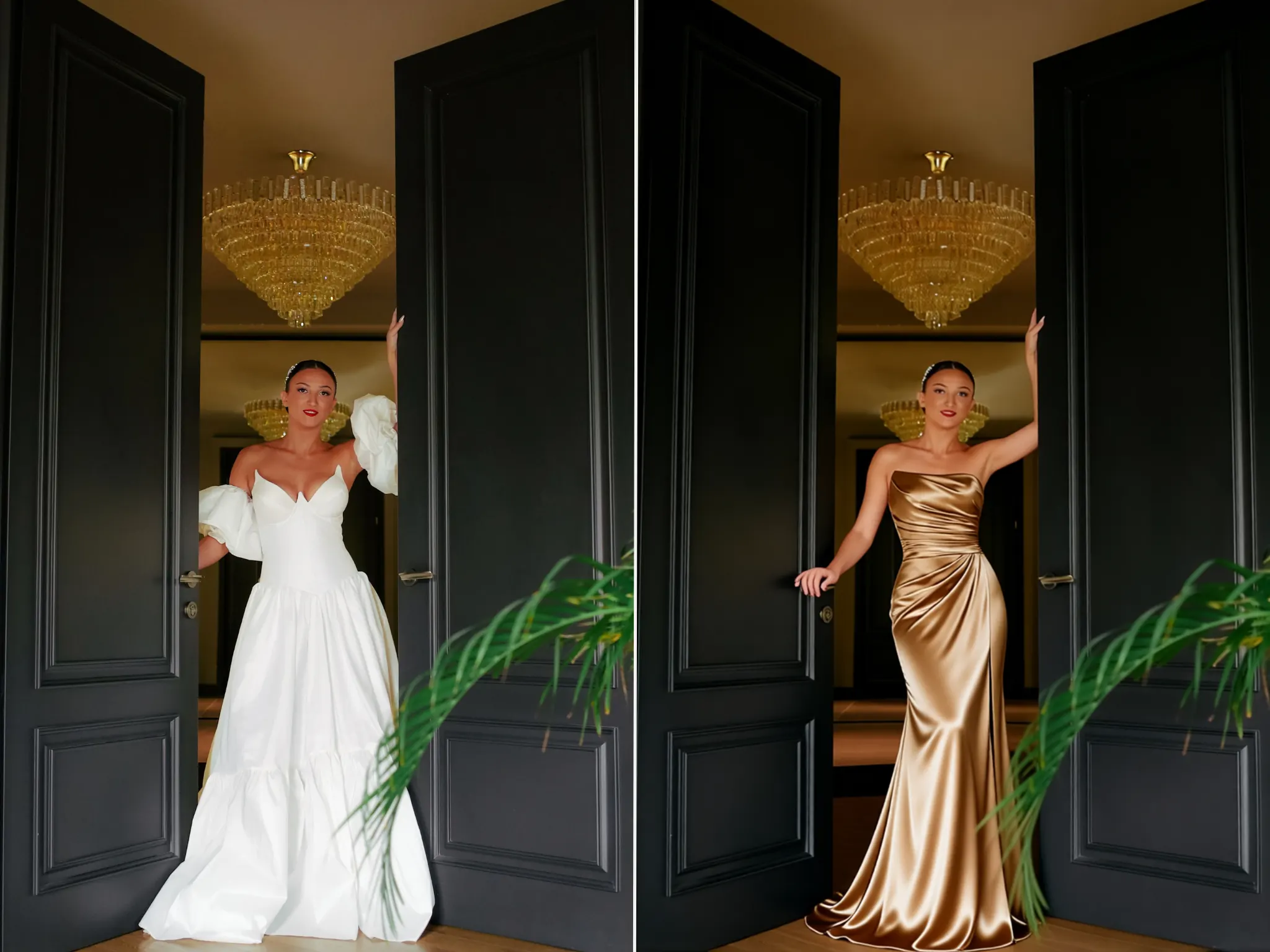
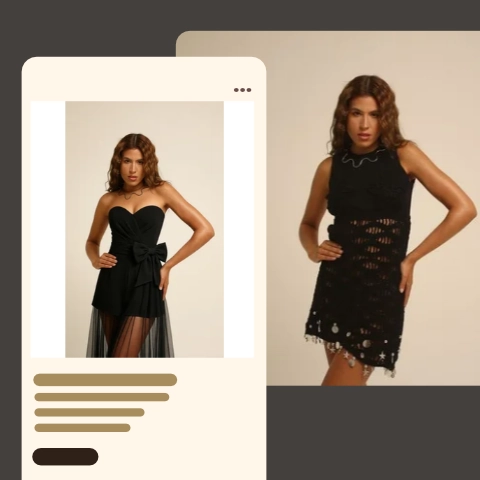
A new outfit shouldn't mean changing the entire photo. EasyFaceSwap's AI Virtual Try On focuses on replacing the clothing to match your flat-lay reference while keeping your original background, framing, and lighting consistent. With this virtual try on tool, you can create product images for an online store or refresh visuals for a new collection while maintaining the original scene without unnecessary AI-generated changes to the surroundings. Natural contact shadows and fabric shading help the new garment blend with the model, creating a more realistic result that looks like it belongs in the original photo.

Your Background, Untouched

Swap a Full Outfit at Once

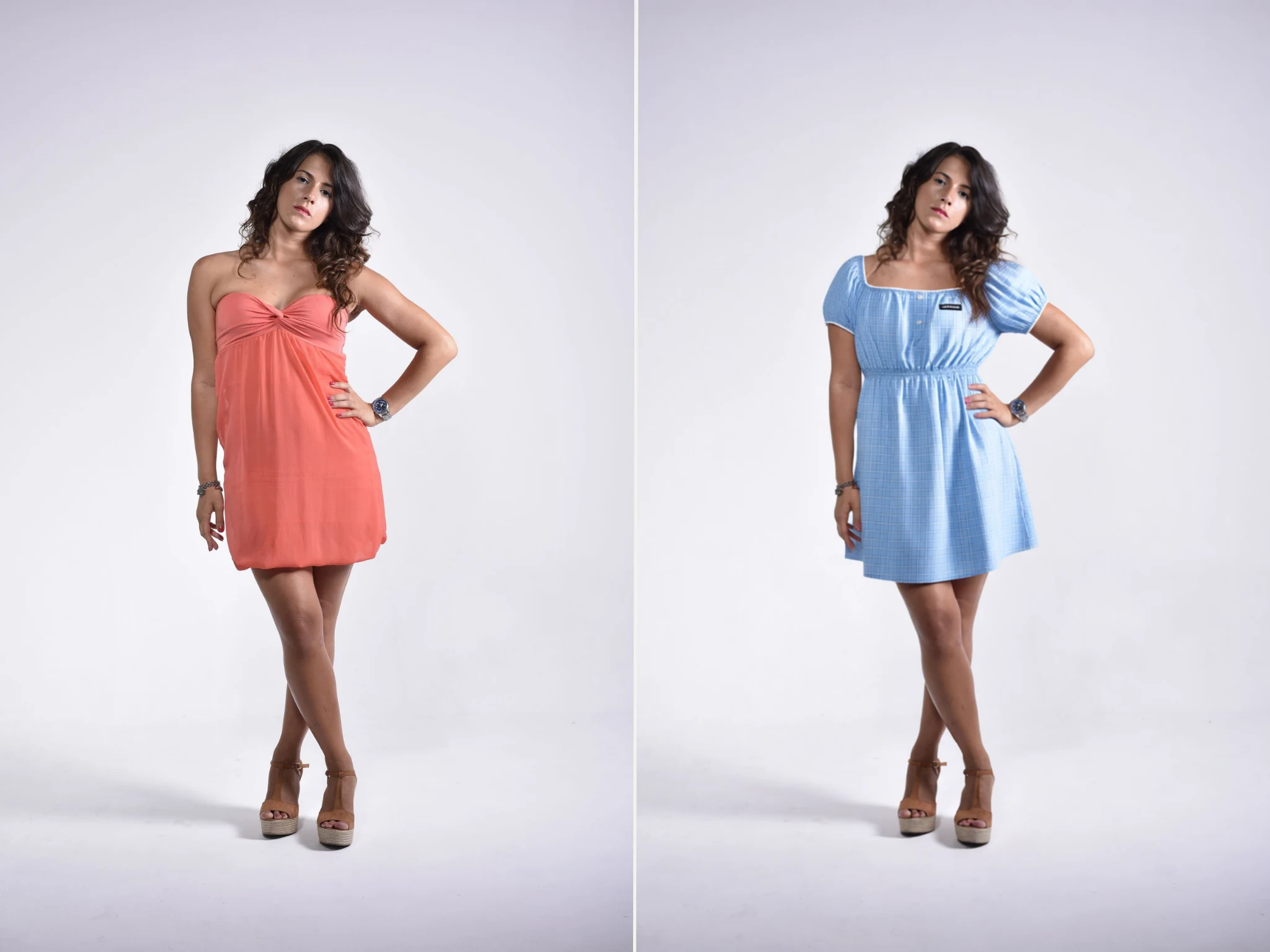
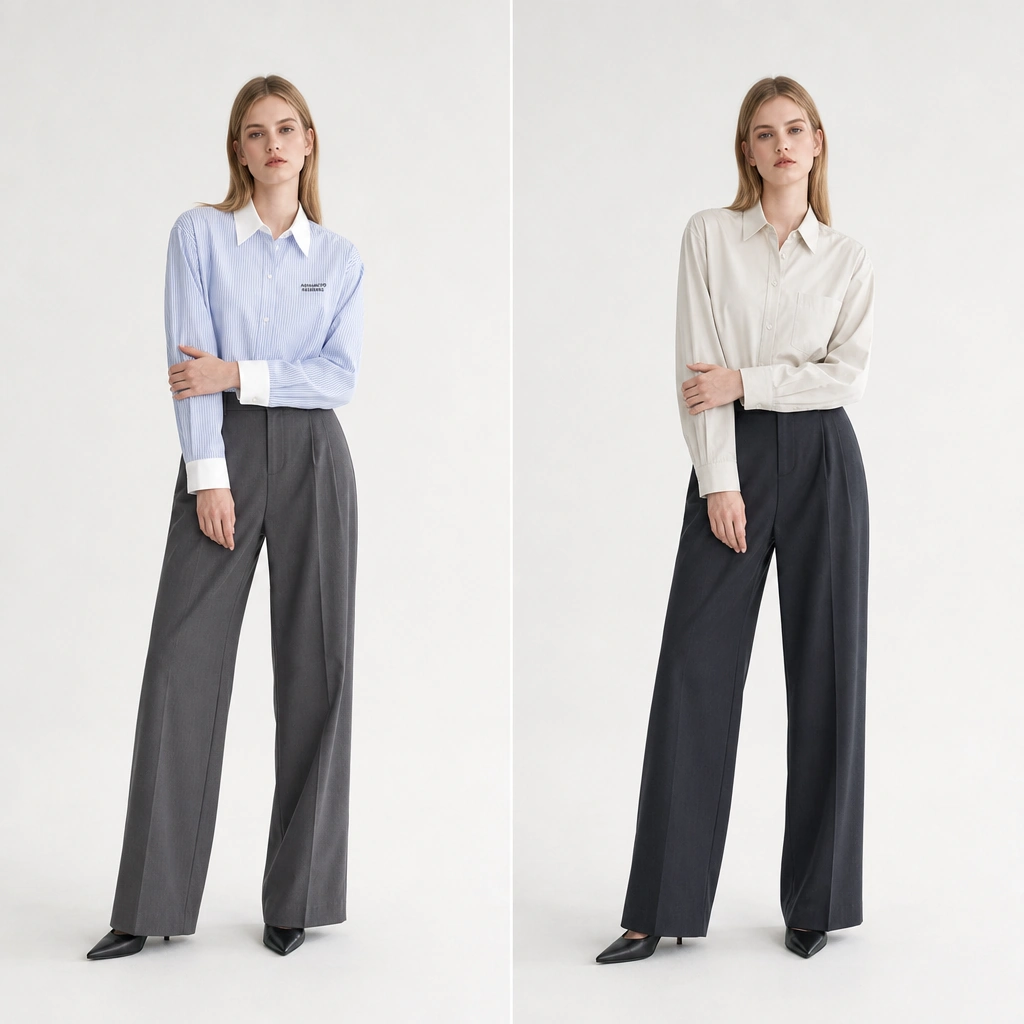
Creating a complete look shouldn't mean editing every garment separately. Our AI Virtual Try On lets you change the top and bottom together in a single generation, helping you create coordinated outfit images with fewer steps. This AI virtual try on feature is especially useful when preparing matching product visuals, showcasing complete looks, or creating new outfit variations for multiple SKUs. Simply upload a garment reference photo that clearly shows the complete outfit, and the AI applies the look to your model while working to preserve the original pose and background.

Swap a Full Outfit at Once

Virtual Try On Use Cases

AI Model Photoshoots

AI Model Photoshoots

Shoot your model once, then dress them in every piece. With AI virtual try on, the model photo stays loaded, so a full seasonal range comes out of one session with no second shoot day. Your catalogue stays visually consistent as it grows.

AI Lookbook for Fashion Design

AI Lookbook for Fashion Design

Check how a piece falls before you cut a sample. With AI virtual try on, drop a tech-pack render onto a fit model, judge silhouette, proportion, and length in minutes, and revise the pattern instead of ordering another sample. The same workflow builds lookbooks for buyer decks and line sheets before production starts.

AI Product Photos for Marketplace Listings

AI Product Photos for Marketplace Listings

Suppliers often send one flat-lay on white, which converts poorly next to on-model listings. With AI virtual try on, pair that photo with a model image to get gallery-ready shots for Etsy, Amazon, Shopify, eBay, Temu, or Shein, with no sample and no photographer.

Social Media Content

Social Media Content

One garment photo, a week of posts. Use AI virtual try on to re-render a piece on different models, in different colours and scenes, and keep one visual identity across channels.

Because the background is preserved, an evergreen catalogue image can be refreshed for a season or sale without a reshoot. Outputs hold up in 4:5 and 9:16 crops for feed, Stories, and Reels.

For moving content, video face swap handles clips up to 30 seconds, tracked frame by frame.

AI Bikini Try On

AI Bikini Try On

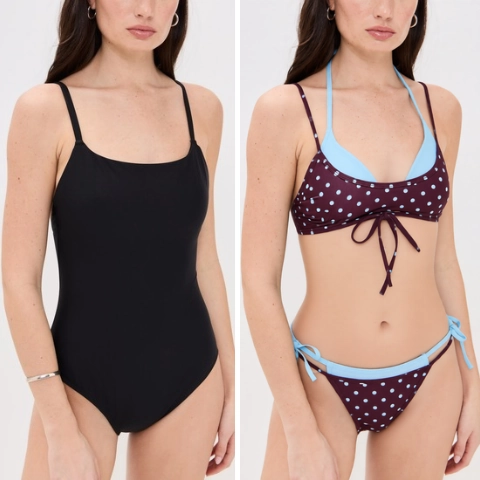
Cut, coverage, and colour are hard to judge from a flat product shot. Use AI virtual try on to upload your own photo and the bikini to see how a style sits on you before you buy or pack. Sellers and brands can use the same workflow to put a whole swimwear range on one model, and because the original background is preserved, a beach or poolside shot stays a beach or poolside shot.

For the cleanest result, use a front-facing, full-body photo in even light, and shoot the swimsuit flat. Only upload photos of yourself or of people who've agreed.

AI Wedding Dress Try-On

AI Wedding Dress Try-On

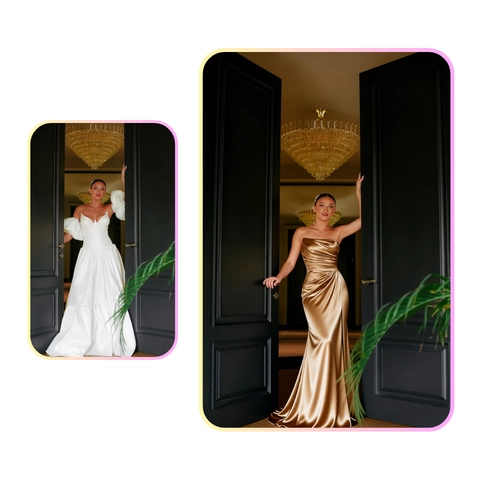
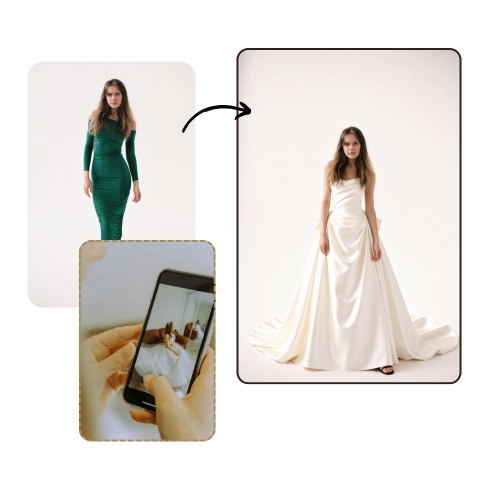
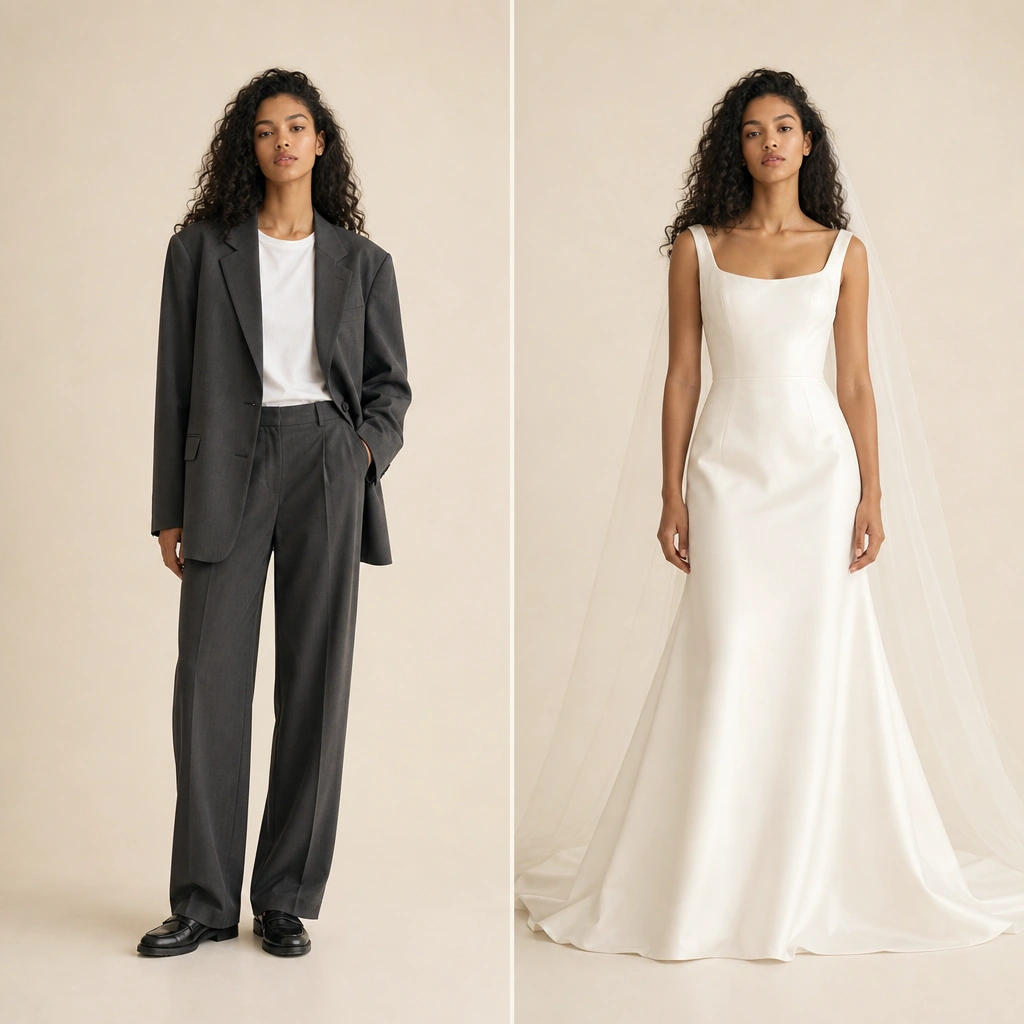
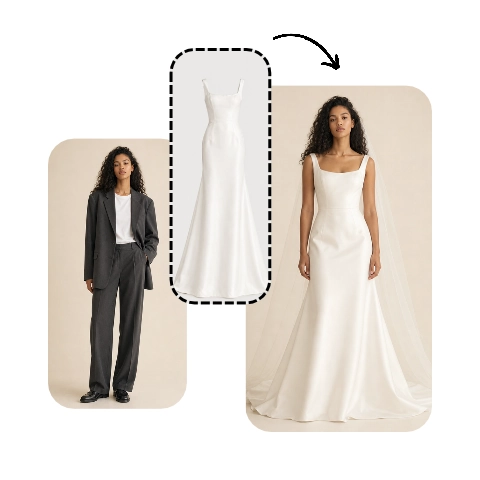
Silhouette, train, and bodice have to work together, and a gown is hard to judge from one fitting. Use AI virtual try on to upload a front-facing photo of the bride and a clear shot of the dress to preview it on her before the appointment. Boutiques can show how a gown sits against her own hair and colouring, and photographers can plan shots and styling ahead of the day.

For the best virtual try on wedding dress result, photograph the gown flat in even light and the bride front-facing.
How to Get the Best Virtual Try On Results

Use a Clean Garment Photo

Use a Clean Garment Photo

Use a cut-out PNG or a garment on plain white. Busy backgrounds are the top cause of bad results: a sofa edge or wooden hanger can be rendered as part of the design. Only have a lifestyle shot? Crop tight to the piece to get the best virtual try on results.

Keep the Model Photo Sharp and Unobstructed

Keep the Model Photo Sharp and Unobstructed

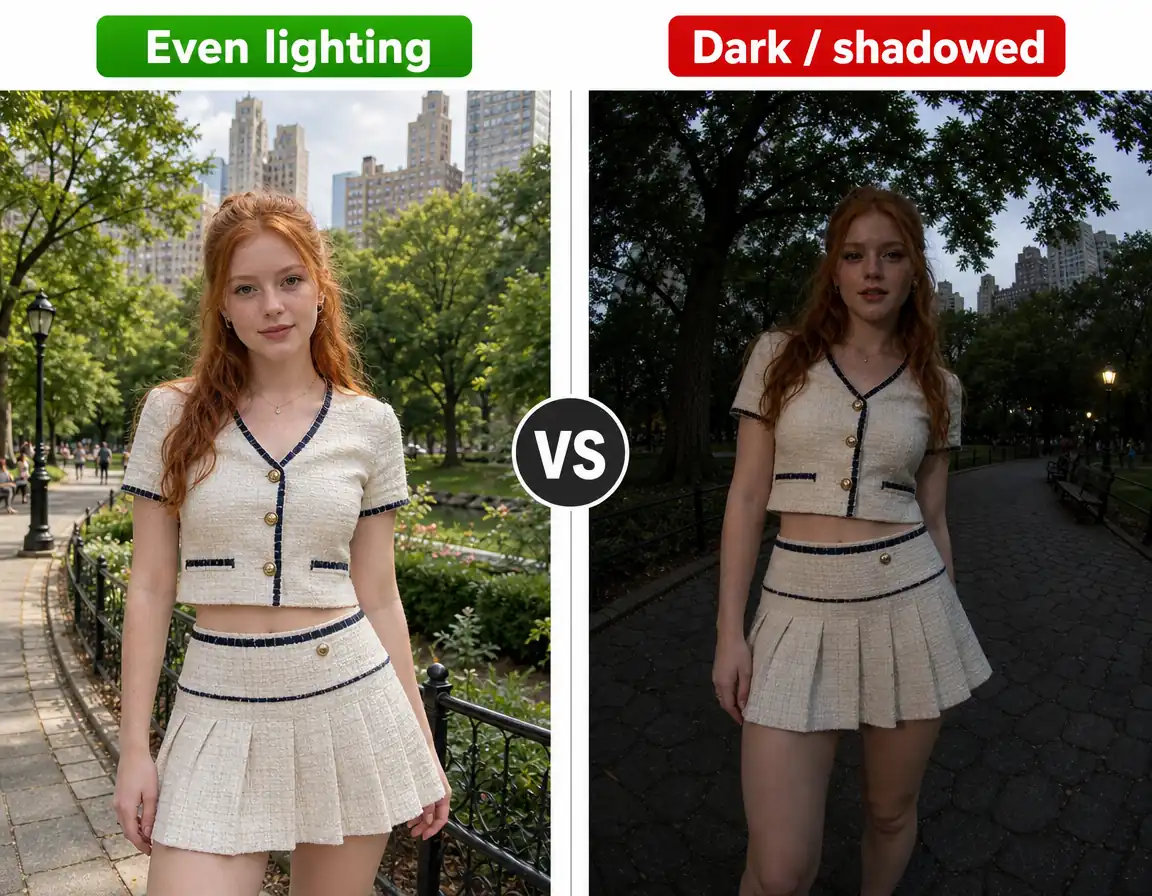
For the best AI virtual try on results, use a full-resolution photo with even lighting and no blur. Avoid backlighting, hard shadows across the torso, and anything covering the garment area, such as crossed arms, a bag strap, or hair over the shoulders. We can't add detail that a low-resolution photo doesn't have.

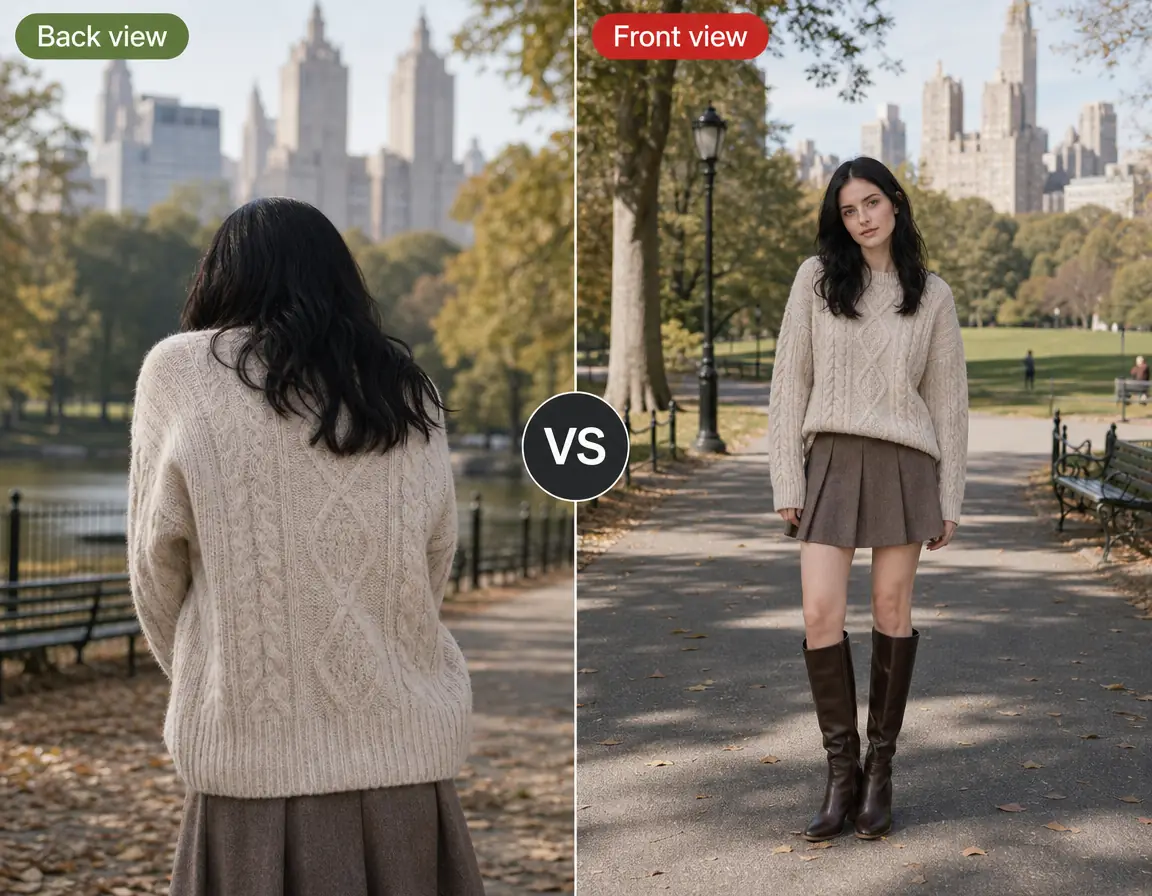
Face the Camera

Face the Camera

A front-facing photo gives the highest accuracy for AI virtual try on. In angled or back shots, the AI has to guess the neckline and shoulder seam, which is where errors show first. Only have an angled shot? Reshoot it head-on.

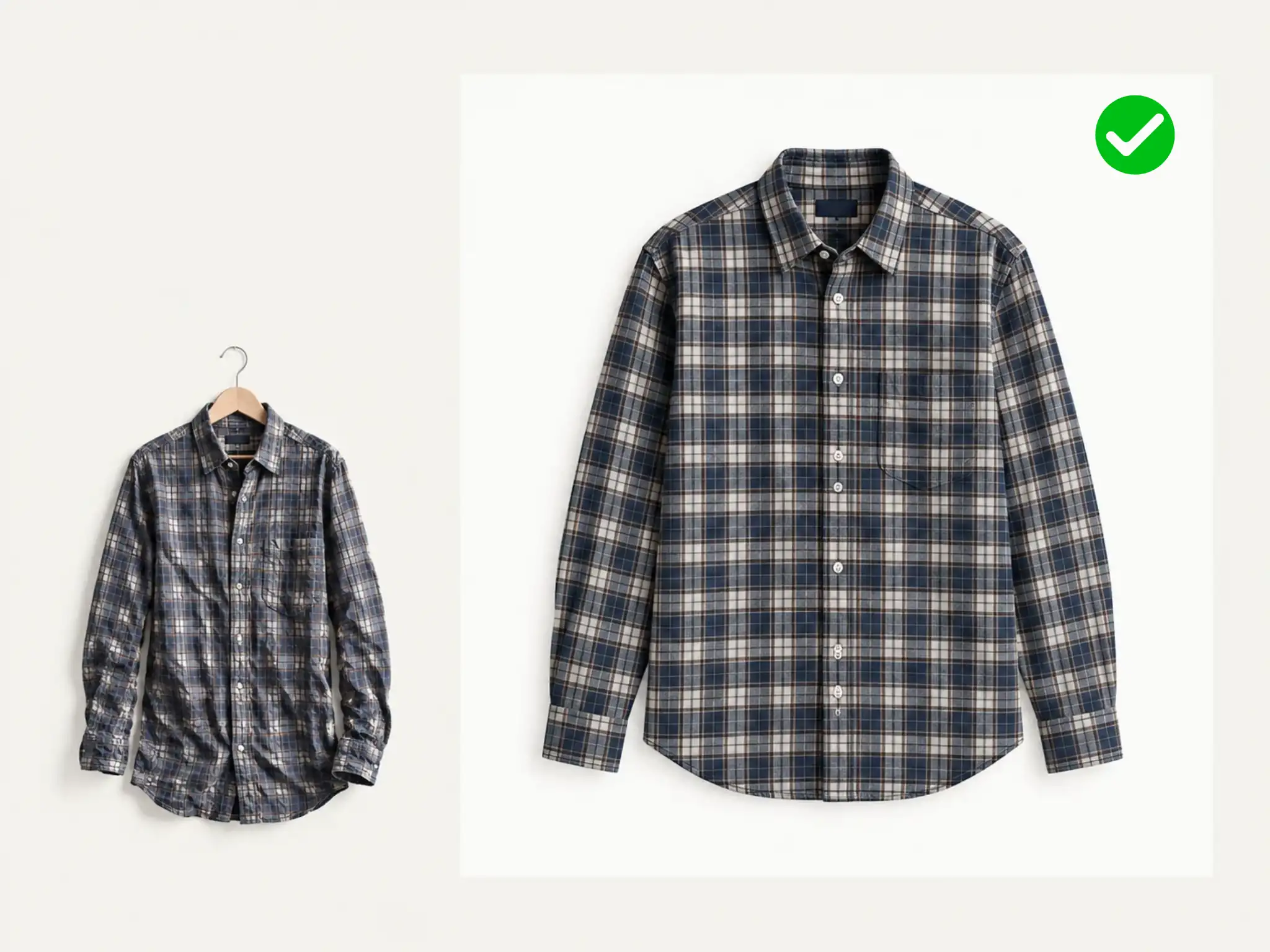
Steam the Garment First

Steam the Garment First

AI virtual try on reproduces what's visible in your garment photo, so a creased shirt may stay creased, hanger marks included. Steam it first, then light it evenly enough to show the weave. Flat, blown-out light hides texture and drape.

What Our Users Say About AI Virtual Try-On

Read how global creators are transforming their workflows with our platform.

Michelle T.
Michelle T.online shopper

I could never tell which neckline suited my face. I used this virtual try on tool to try a round neck and a square neck on my own photo, and the square one was clearly better. Bought it that day.

Daniel R.
Daniel R.e-commerce lead, DTC apparel brand

We replaced a two-day studio shoot with an afternoon of uploads. With AI virtual try on, we can keep the same model and create images for a new season, one outfit at a time. Returns on those listings dropped over the next quarter.

Priya N.
Priya N.womenswear designer

I used to cut a sample to check a colourway. Now I use virtual try on to render different color onto the fit model first and only cut what survives. That's weeks off our sampling calendar.

Ahmed K.
Ahmed K.marketplace seller

My supplier sends one flat-lay per SKU. That was my whole listing. Now I run those photos onto a model and the gallery looks like a real brand's. Not one extra sample ordered.

Lena B.
Lena B.social content creator

Five outfit posts a week across three channels. Re-rendering one piece onto different models keeps the feed looking like one shoot, and I've stopped booking studio days.

Marco M.
Marco M.bridal boutique owner

Brides rarely commit on the first appointment because they can't picture the gown on themselves. Now they send a photo before they come in and use AI virtual try on to preview the dress, already narrowed down. Our appointment-to-sale rate went up within a month.

Virtual Try-On FAQs

Get clear answers to ensure a safe, efficient, and high-quality experience.

A virtual try on places a garment onto a photo of a person, so you can see how it looks on a real body before you buy, list, or produce it. Upload a model photo and a garment photo, and the AI keeps the original pose, face, lighting, and background.

It's accurate for how a garment looks and falls: drape, length, and proportion on that frame. It is not a made-to-measure fitting, so it won't tell you whether a size M will be tight across the shoulders. Judge the look here, then confirm sizing on the brand's size chart.

JPG, PNG, and WebP, up to 20 MB per image. Use at least 512 px on the long edge; 1,200 px or higher for the best fabric detail. Transparent PNGs give the cleanest edges for virtual try on. White background works too.

Yes. Outputs are watermark-free HD images for commercial use: product pages, marketplace galleries, ads, and client work. Where a platform requires a white-background photo as its main image, keep that shot there and use the try-on renders in the gallery, brand content, and ads.

Free users get a set number of AI virtual try on each day. Sign in to access more generations and create more looks. Each run handles one complete outfit, and your model photo stays loaded between runs, so you only need to upload the person once.

Yes. Hanger shots and flat-lays both work for AI virtual try on, and flat-lays usually give the cleanest result. Lay the piece flat, fill the frame, and shoot straight down on white or transparent. Avoid pieces folded in half or partly out of frame.

Yes. AI-generated models work. We read the body in the frame, not the origin of the file. Brand teams pair one consistent AI model with a whole catalogue to keep a lookbook uniform. Front-facing, full-length frames are most accurate.

Uploads are used only to generate your AI virtual try on. We don't train on customer uploads and never share them. Creations made without an account are kept for 1 day; sign up and they're saved for 2 days.

Start Your Virtual Try On Now

Upload a photo, pick a garment, and get an HD try-on in seconds.

Try On an Outfit Now