AI Multiple Face Swap Online Free

Upload a photo, pick multiple faces to swap, and get realistic HD results in seconds.
Source Photo
Your generated result appears here

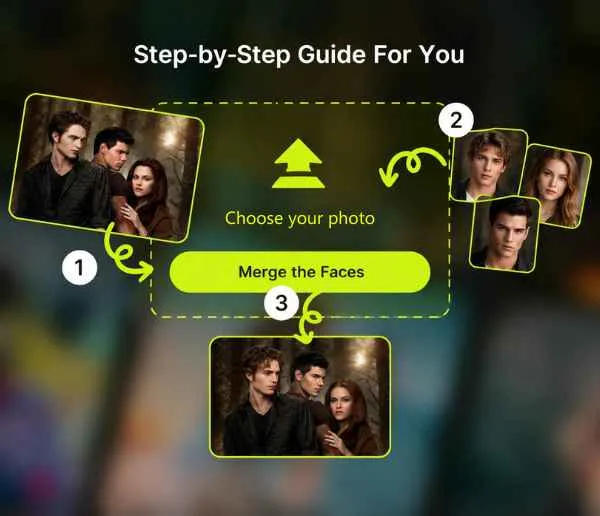
How to Swap Multiple Faces in a Photo with AI

  1. 1

    Step 1: Upload Your Photo

    Click upload and add the photo where you want to swap faces. EasyFaceSwap supports common formats like JPG, PNG, WEBP, and more.

  2. 2

    Step 2: Select Each Face and Assign Replacements

    The AI automatically detects every face in your photo. For any person you want to swap, upload or select a clear photo of the replacement face. Front-facing, well-lit photos give the most realistic multiple face swap results. You can swap all four people or just one — you're in control.

  3. 3

    Step 3: Generate & Download

    Hit generate and watch as our AI swaps every face all at once. Your HD result is ready in seconds with no watermark. Download and post.

Step-by-step guide showing how to swap multiple faces in a photo

AI Multiple Face Swap Online with No Watermark

With EasyFaceSwap's AI multiple face swap, you can replace multiple faces in a single photo with free trial. Upload your image, select every face you want to swap, and download clean HD results with zero watermarks.

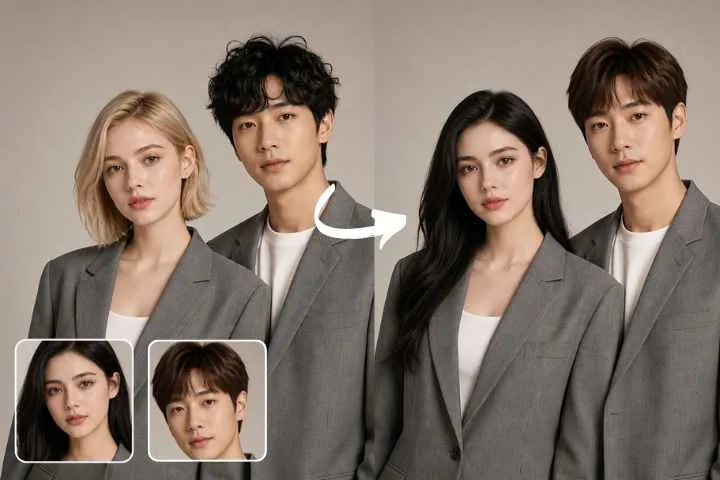
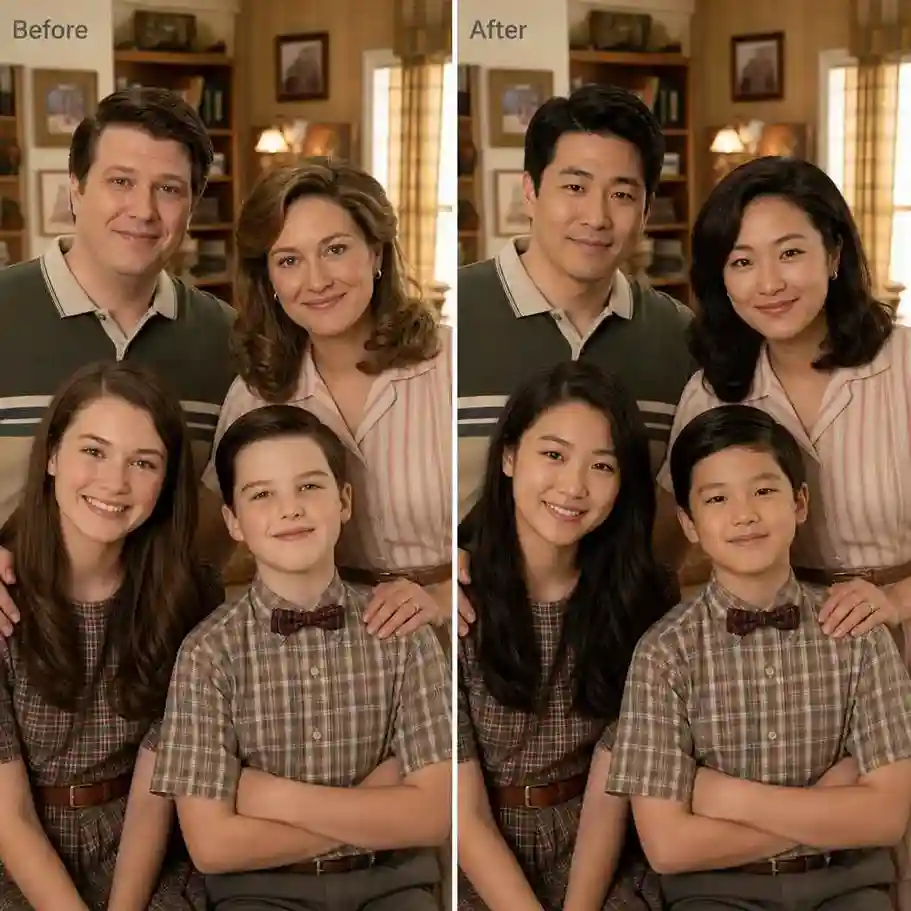
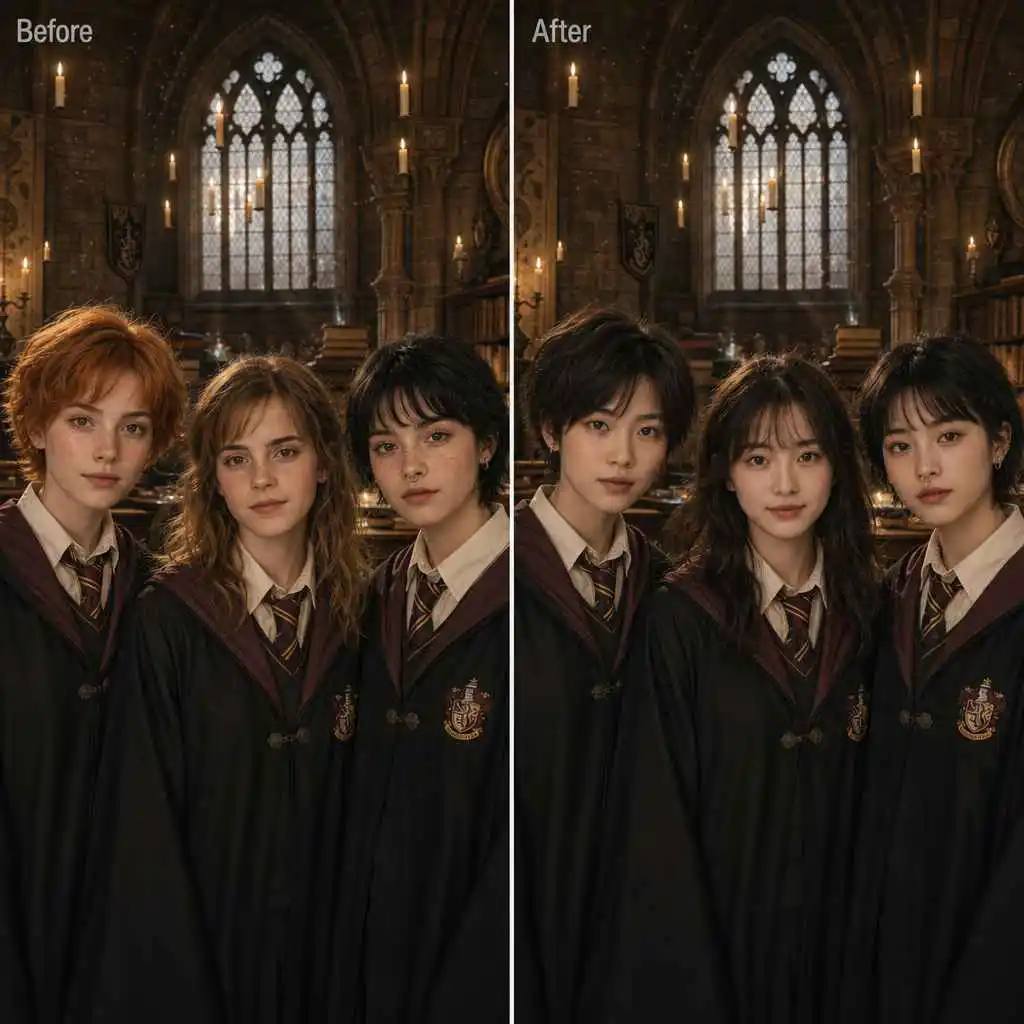
Before and after face swap comparison showing multiple faces replaced in a group photo

Studio-Grade Face Blending

EasyFaceSwap's AI analyzes each face for skin tone, lighting, and angle before blending. When you face swap multiple faces in a group photo, every swapped face naturally matches the scene, with realistic shadows, lighting, and seamless blending.

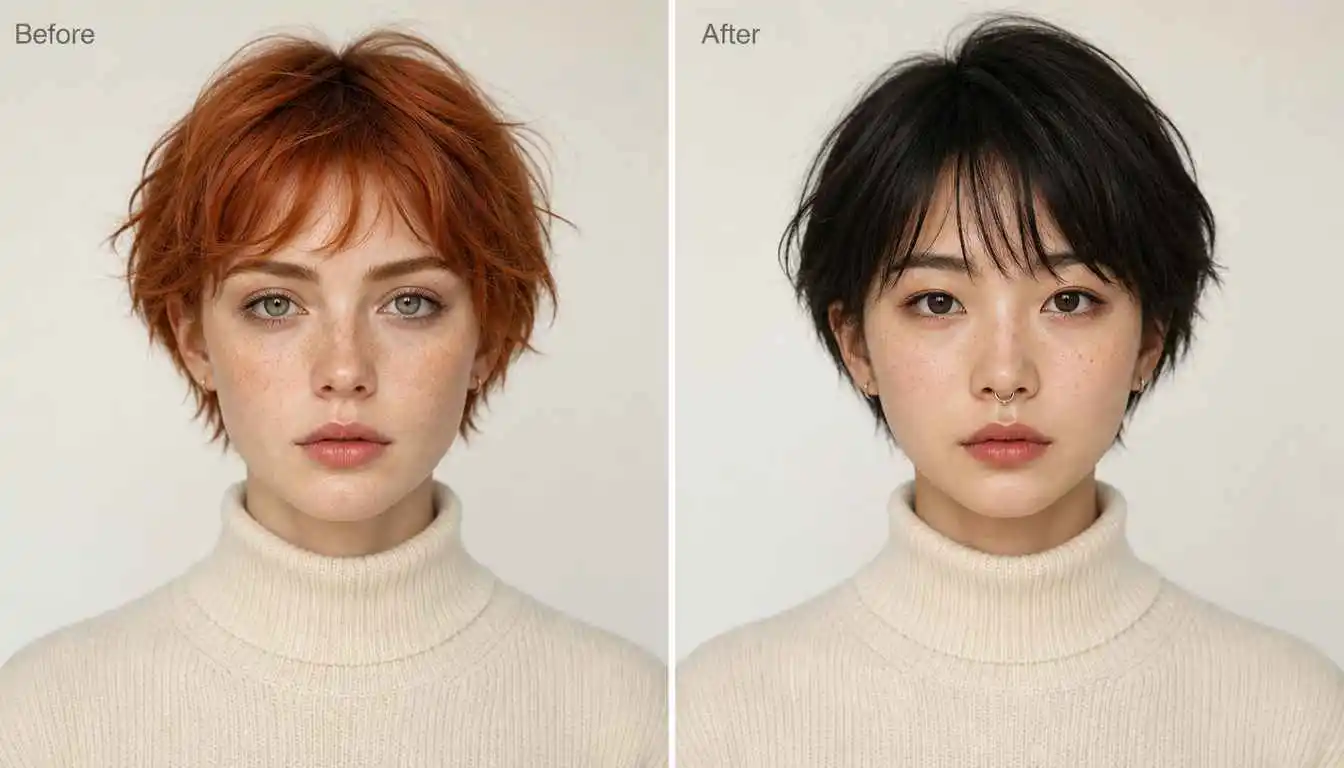
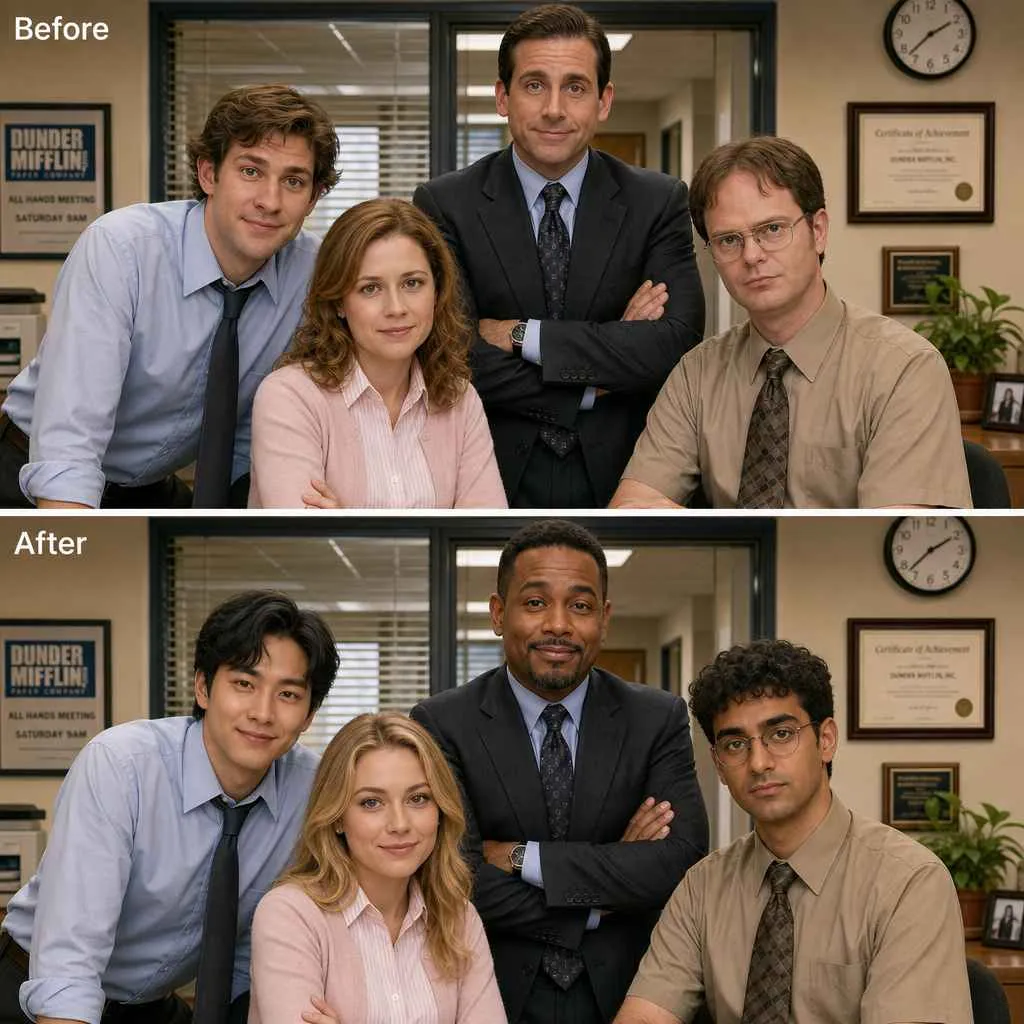
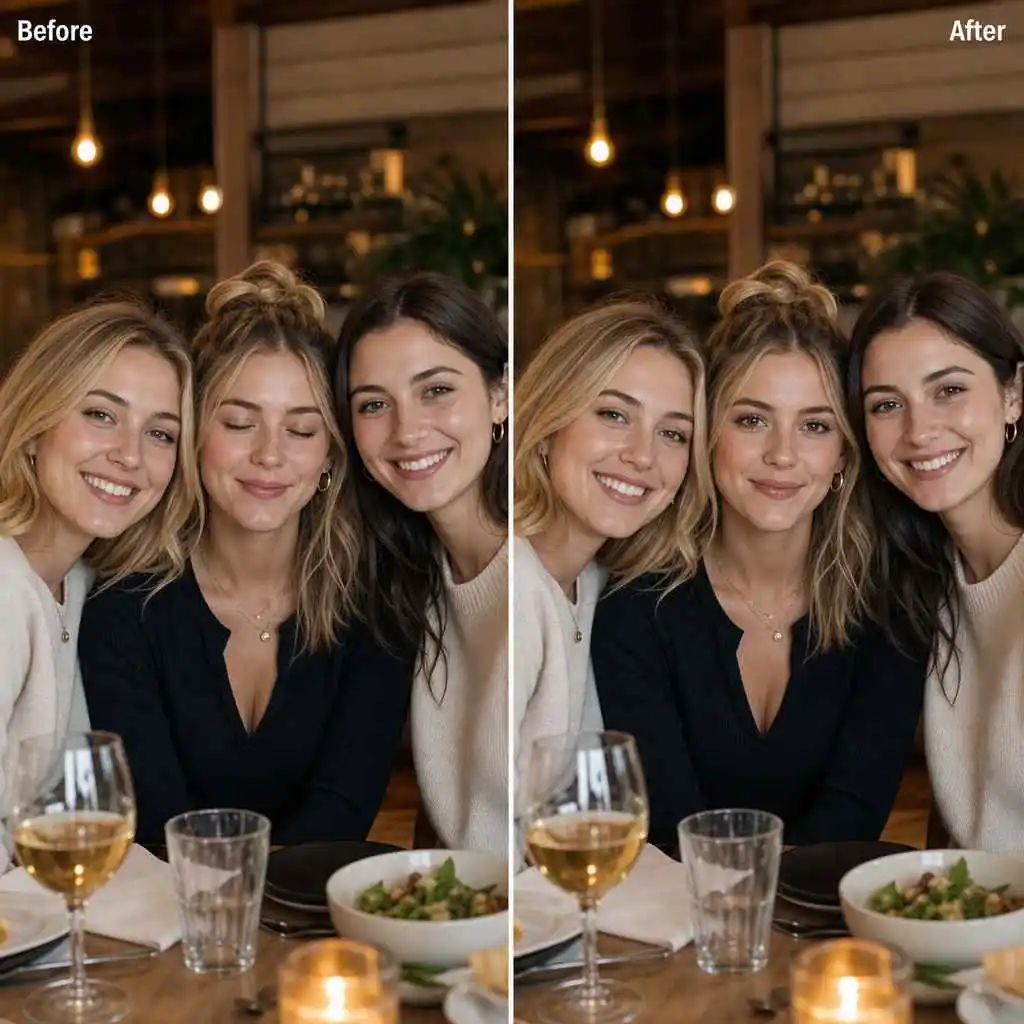
Before and after face swap comparison showing natural facial expressions after face replacement

Instant Identity Transformation

Upload your photo, select the faces you want to swap, and generate them all at once. EasyFaceSwap processes multiple face swaps together for a fast, streamlined experience.

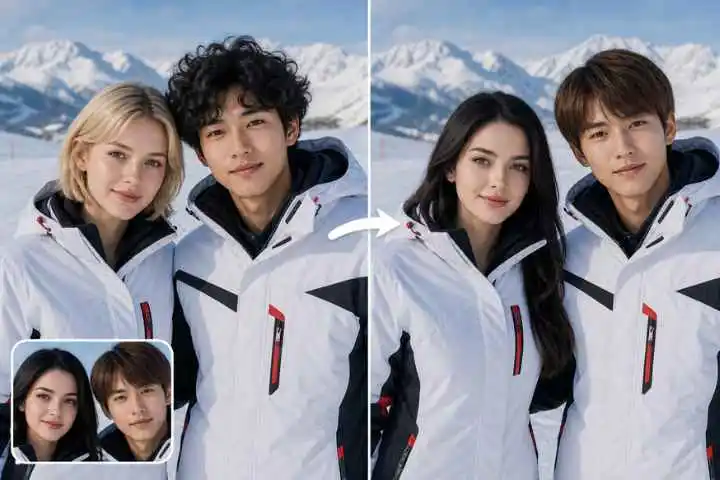
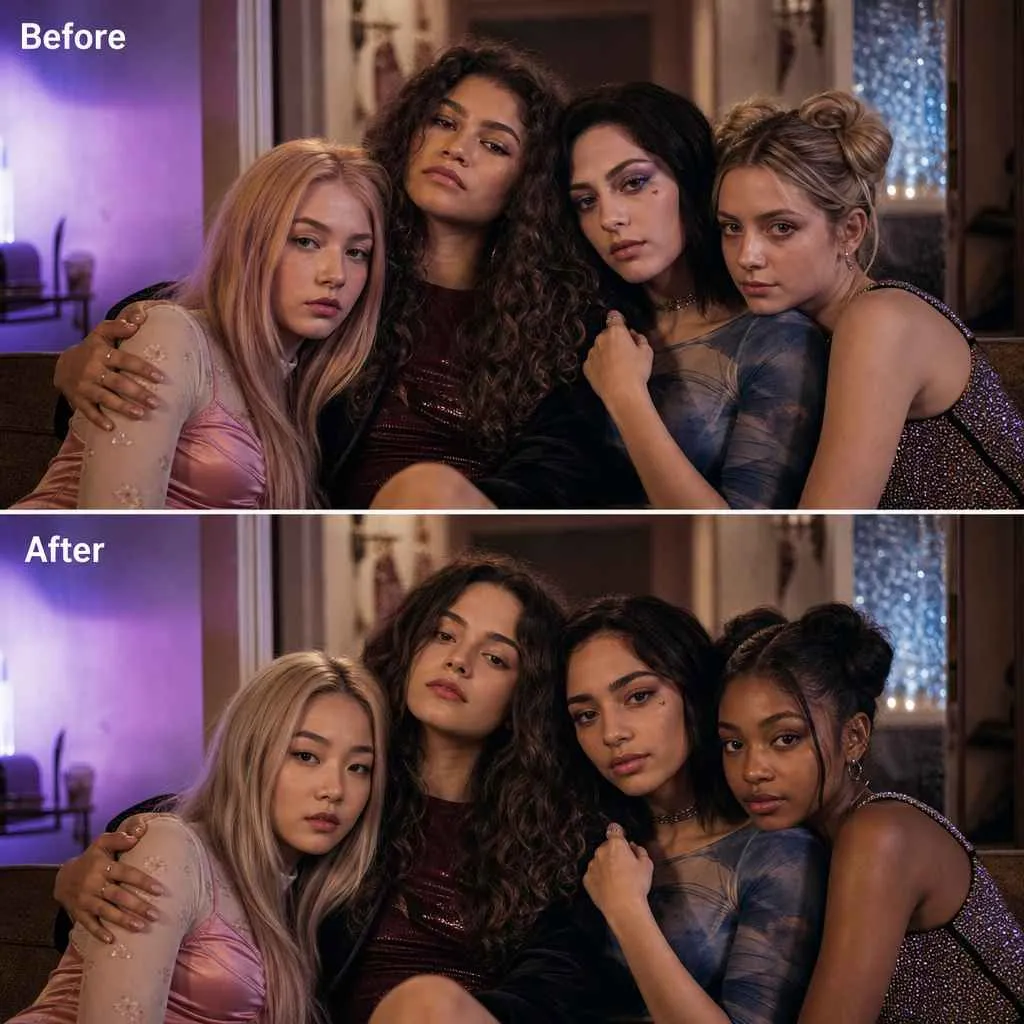
Before and after face swap comparison of a face replacement with matching lighting and skin tones

HD Multiple Face Swap Photo: Crystal-Clear Results

Swap multiple faces without sacrificing image quality. EasyFaceSwap delivers HD results with sharp details, clear hair edges, and natural skin tones across every swapped face. Share or print your multiple face swap with confidence — no blurry faces or washed-out details.

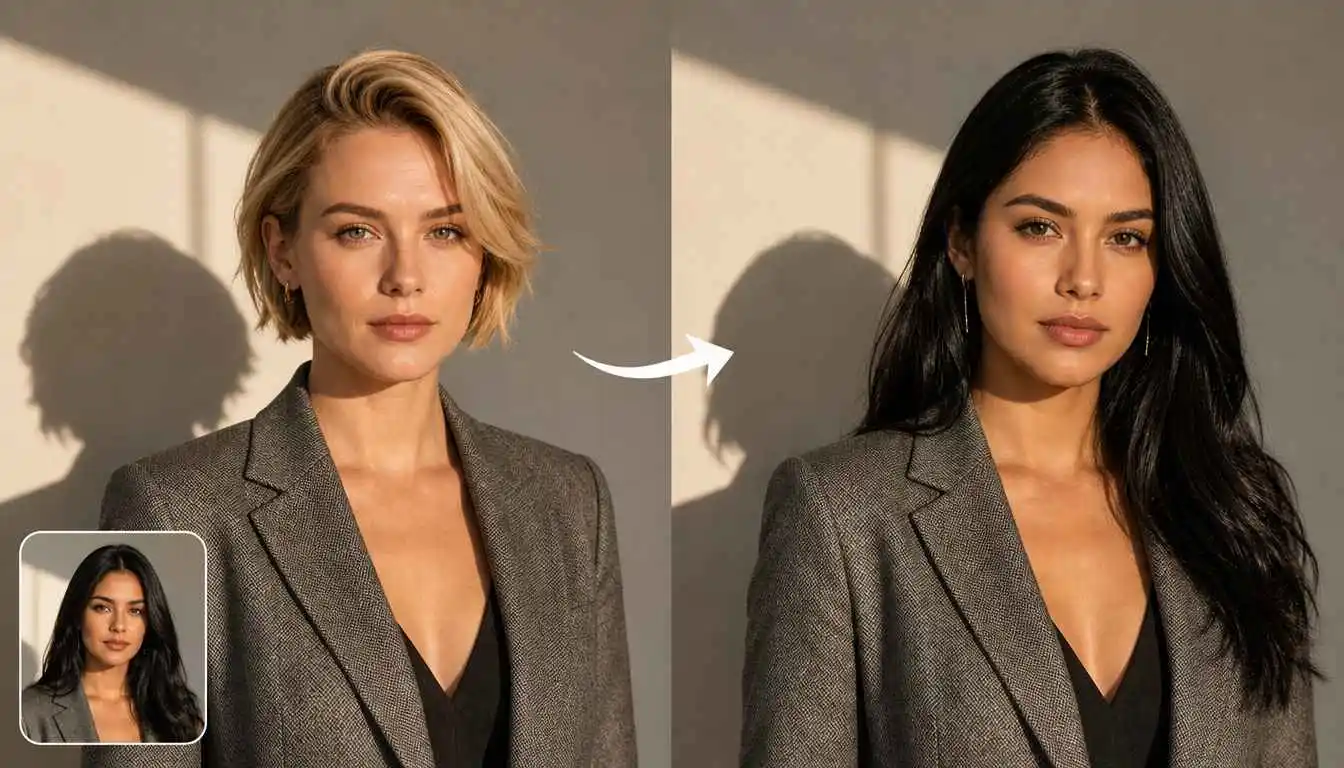
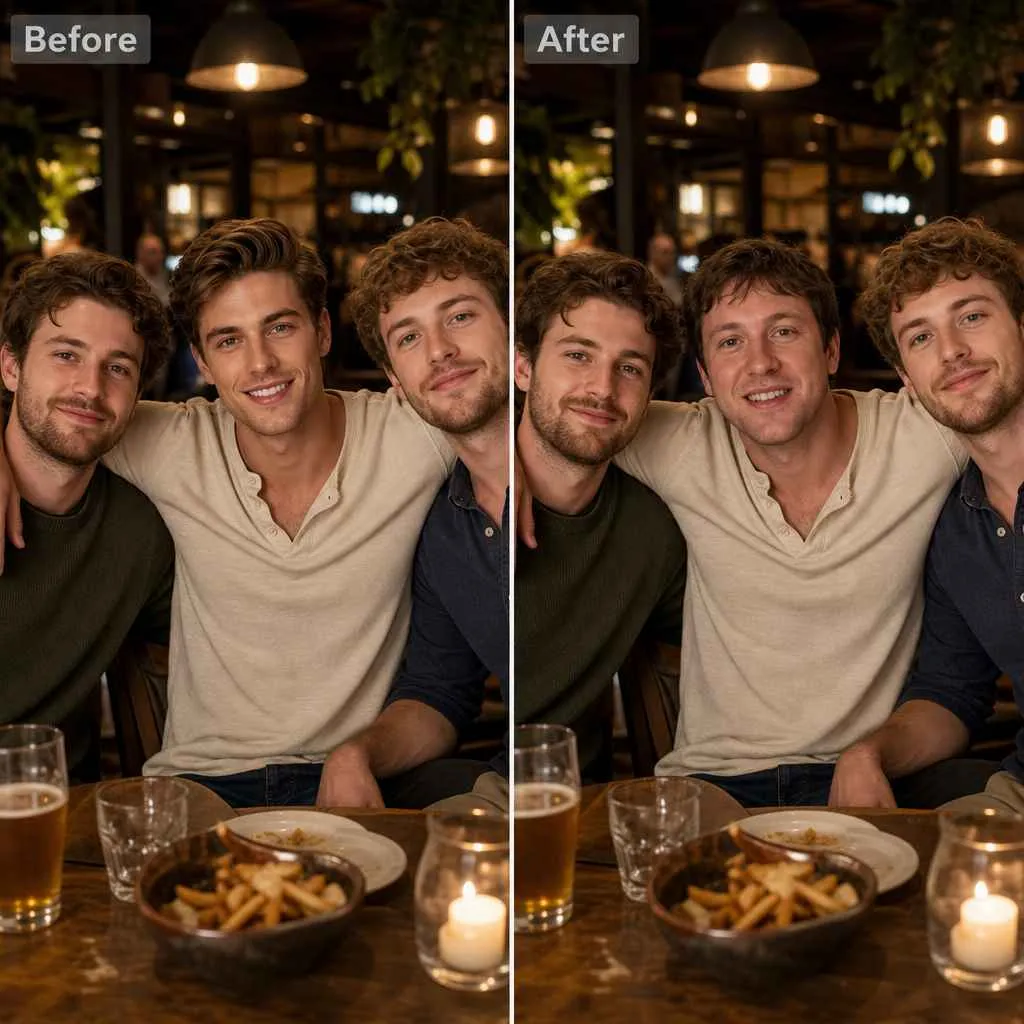
Before and after face swap comparison showing realistic face swaps in a group photo

Why Choose EasyFaceSwap for Multiple Face Swap

Group photo editing has a learning curve. Here's what keeps people picking EasyFaceSwap for multiple face swap over desktop tools and other online alternatives.

Smart AI Face Detection

Our AI analyzes each face's lighting, skin tone, angle, and expression for natural, seamless multiple face swaps.

Natural HD Results with No Watermark

EasyFaceSwap hands you sharp, watermark-free HD the moment your multiple faces swap is done. Your photo, nobody else's branding.

Free to Use

AI multiple face swap online with daily usage available for everyone. Swap multiple faces in one photo and try the feature for free.

Web-Based, Nothing to Download

No GPU, no tutorials, no version conflicts. AI multiple face swap opens in a browser tab and works the same on your phone as on your desktop. Ready the moment you are.

Tips for Best Multiple Face Swap Photo Results

Clear high-resolution source photo with a well-lit, front-facing face for face swapping

Use clear source photos

The clearest possible source photo is your starting point. Use a high-resolution photo taken in good lighting where the target face is clearly visible and fills most of the frame. Front-facing works best — angled or profile shots can make the blend trickier.

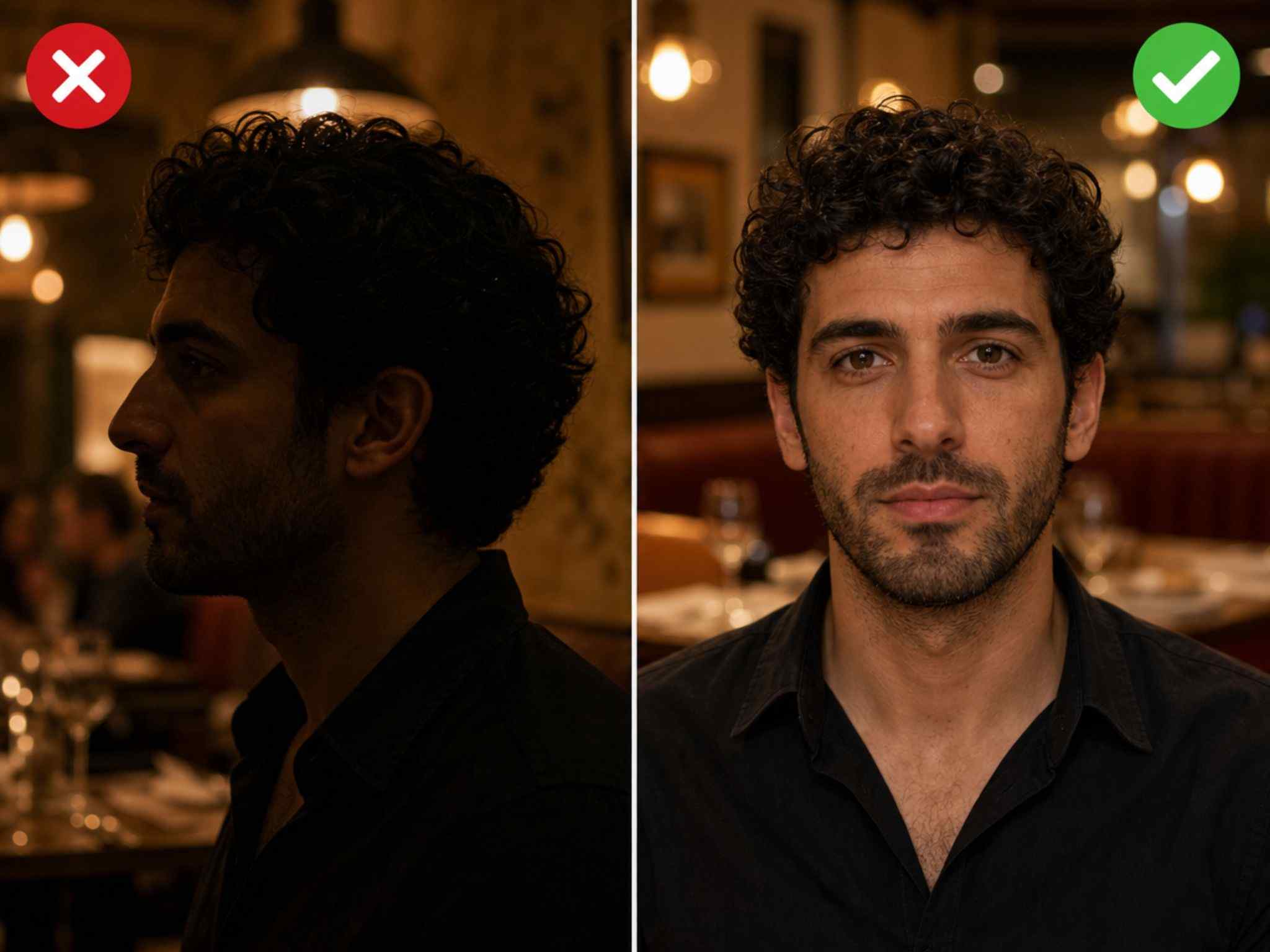
Source photos with matching lighting and camera angles for a natural face swap

Match the lighting and angle

Your source photos don't have to match the original photo perfectly, but the closer they are, the more natural the result.

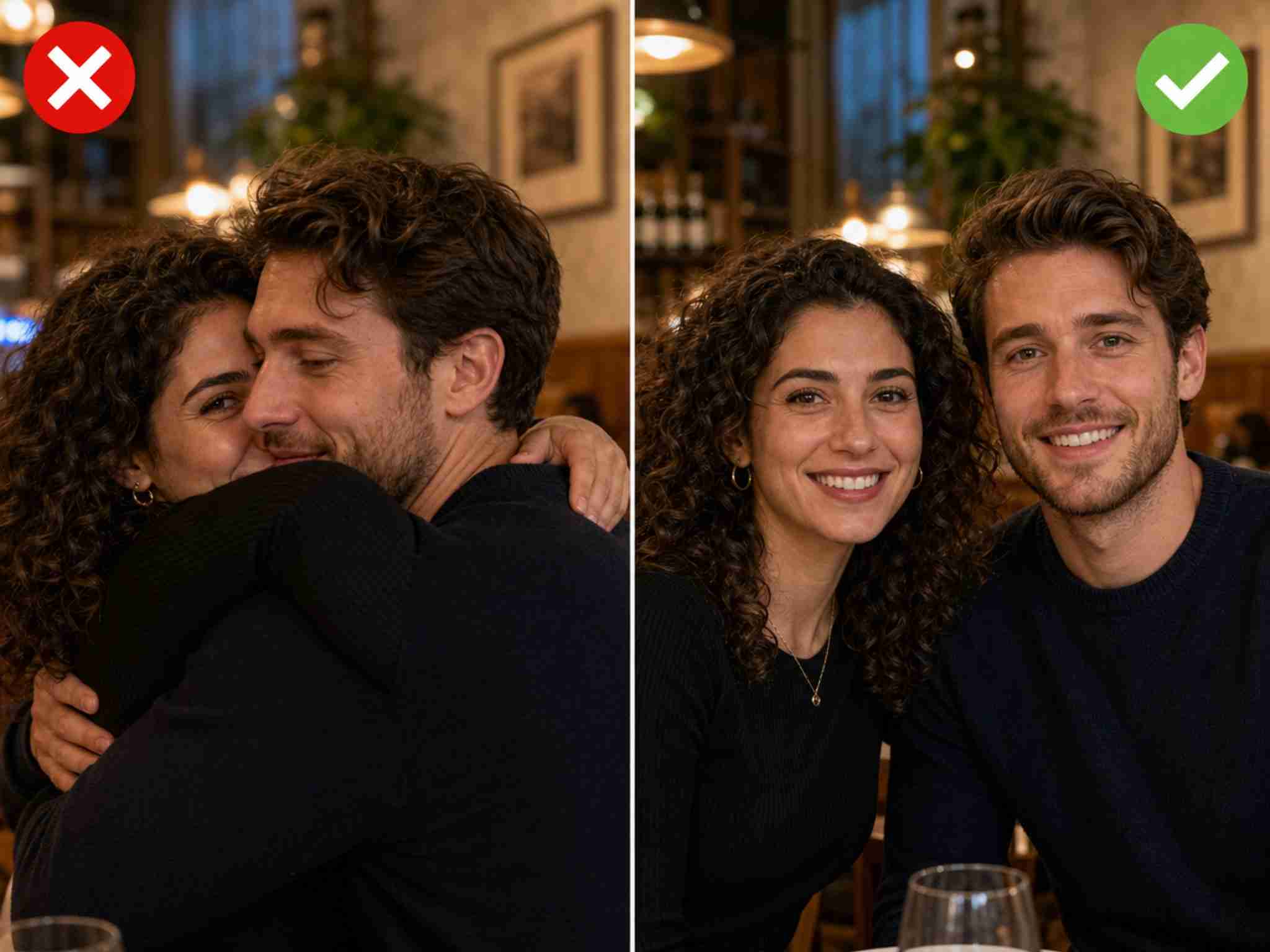
Group photo with clearly separated faces for accurate multiple face swapping

Keep faces separated in the frame

If two people are very close together or overlapping in the original photo, the swap can get confused about which face belongs where. Give the AI clear boundaries to work with: faces that are distinct and separate in the frame.

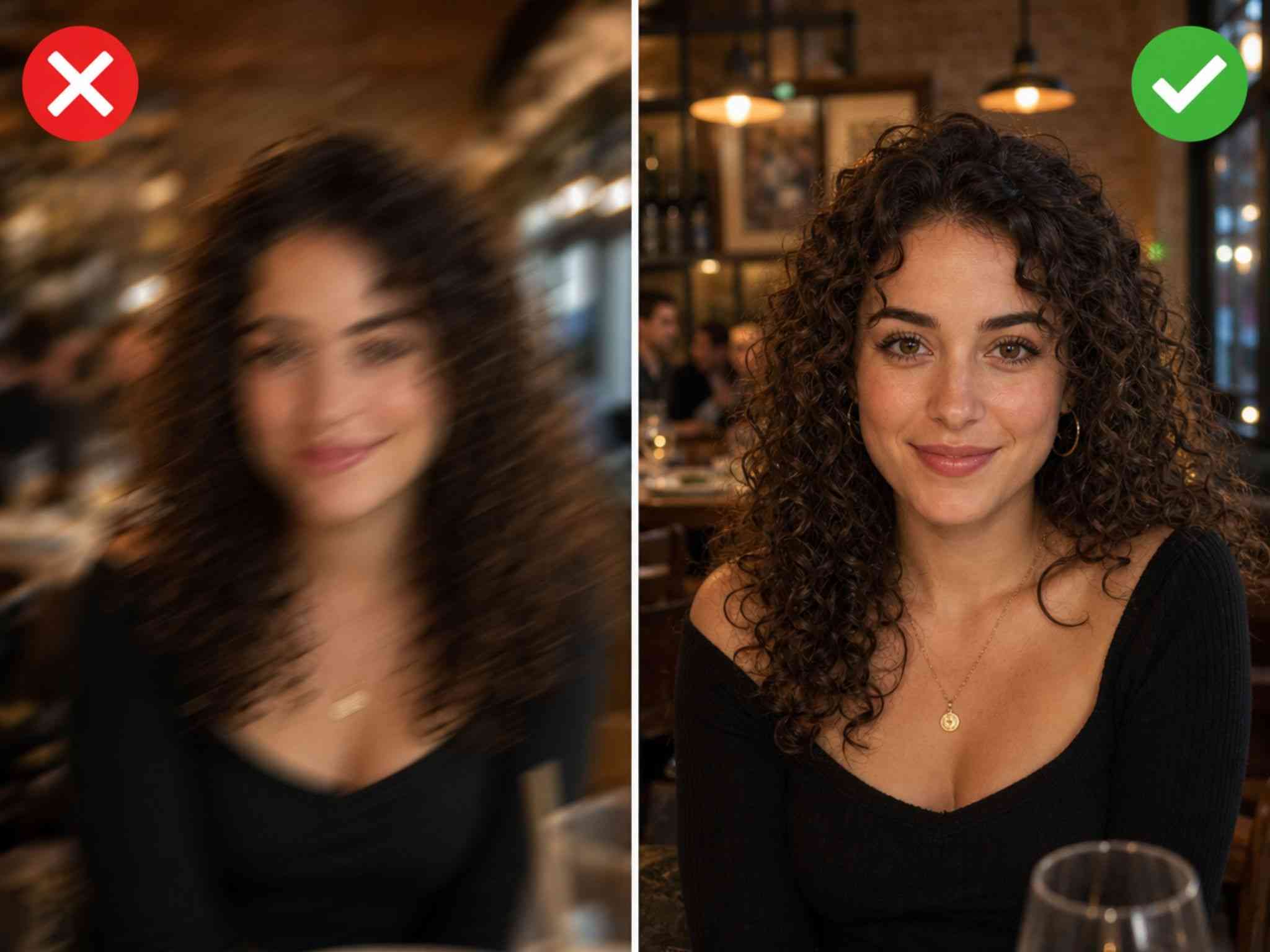
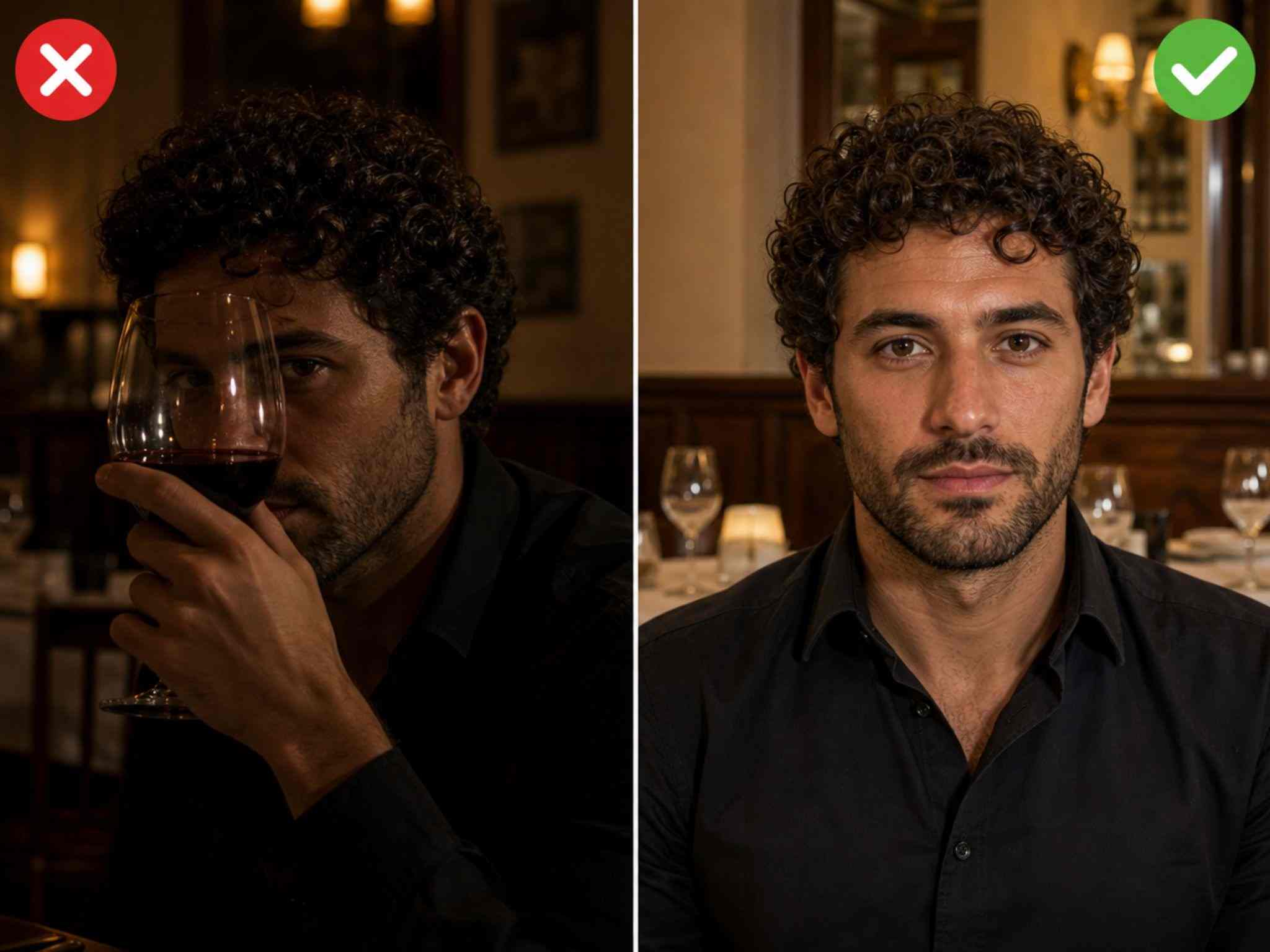
Clear unobstructed faces compared with blurred or blocked faces for face swapping

Avoid heavily blocked or blurred faces

The AI needs to see the full face to understand its shape and expression before replacing it. Stick to faces that are fully visible, in focus, and unobstructed.

What You Can Do with AI Multiple Face Swap

Before and after face swap comparison in a funny family group photo

Funny Family Group Photos

Swap every face in a family photo with one person's face and send it to the group chat. AI multiple face swap online keeps everyone's position and lighting intact while the joke lands perfectly. The memory stays funny because the edit stays believable.

Before and after face swap comparison showing the same face swapped onto multiple people

Team Photo Pranks

Replace your team's faces with the boss in your company photo. Or swap them all with a celebrity. With free multiple face swap, you can edit the whole picture in one go, no single-face limits, and post it before anyone notices.

Before and after face swap comparison for a social media group meme

Friend Group Meme Photos

Take a trending meme template and drop your entire friend group into it — one person's face repeated across, or each friend as a different character. Multiple faces swap means you're not stuck editing one face at a time.

Before and after face swap comparison in a group photo with friends

Dating Profile Group Shots

Swap out faces in a group photo to highlight yourself or feature with different people. AI multiple face swap lets you experiment with different looks in the same photo without reshooting.

Before and after face swap comparison placing faces into a movie scene

Movie & Character Scenes

Put yourself and your friends into iconic movie or character scenes with multiple face swap AI. Swap several faces at once to create fun, personalized scenes without editing each face separately.

Before and after face swap comparison fixing a group photo with a better face

Fix a Group Photo

Give your group photos a quick fix when someone blinks, looks away, or misses the perfect shot. Swap multiple faces to replace awkward expressions and create a better-looking photo in seconds.

What Our Users Say

Read how global creators are transforming their workflows with our platform.

Marcus T.
Marcus T.project manager

Needed to swap faces in a group photo for a work prank. Other tools wanted me to upload each face separately. EasyFaceSwap let me upload once, swap four people, and download in under a minute. Total time-saver.
Sophia L.
Sophia L.photographer

Tried it on a family photo where everyone had different skin tones and lighting. Expected a mess. Every face blended naturally. First tool that treated multiple faces swap like it actually belonged on the same photo.
Aiden K.
Aiden K.casual user

No account, no watermark, works on my iPad. Swapped all four people in a friend group shot and had it ready for the group chat before we even left the restaurant.

Ethan R.
Ethan R.content creator

Used it to put me and my friends into a movie scene for a meme. Swapping all the faces at once was way easier than doing them one by one, and the final image actually looked surprisingly natural.
Claire M.
Claire M.designer

One person in our group photo had their eyes closed, so I tried swapping in a better shot of their face. It fixed the photo without changing everyone else, and took less than a minute.
Ryan P.
Ryan P.social media user

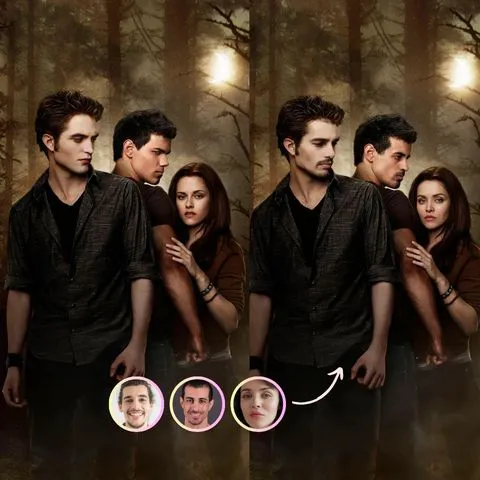
We made a ridiculous group meme by putting the same face on everyone. EasyFaceSwap detected all the faces automatically and handled the whole photo in one go. Exactly the kind of silly experiment I wanted to try.
AI Multiple Face Swap Online FAQs

Get clear answers to ensure a safe, efficient, and high-quality experience.

Upload a photo with multiple faces, select the faces you want to replace, then upload the target faces and generate. EasyFaceSwap processes multiple face swaps in one go, so you don't need to edit each face separately.

Yes. Some AI face swap tools support multiple faces in a single photo or video. EasyFaceSwap lets you detect and swap multiple faces at once, making group photo editing faster and easier.

ChatGPT can edit images, but it may be difficult to precisely control which face should be replaced with which when there are multiple people. A dedicated face swap tool like EasyFaceSwap provides a more focused workflow for multiple face swapping.

The best tool depends on what you need. For quick and easy multiple face swaps, EasyFaceSwap is designed to detect and replace multiple faces in photos, videos, and GIFs with minimal editing.

The safety of a face swap tool depends on how it handles uploaded images and user data. Choose a service with clear privacy practices, and only use photos you have permission to edit. EasyFaceSwap is designed with user privacy in mind.

Generally, face swapping itself is not illegal, but how you use the resulting image can be. Avoid using someone's face without permission for fraud, harassment, impersonation, or other unlawful purposes, and follow applicable laws and platform rules.

It depends on your needs and device. If you want a simple tool for swapping multiple faces without complicated editing, EasyFaceSwap offers a dedicated workflow for photo, video, and GIF face swaps.

Your uploaded photos should be handled according to the tool's privacy policy. EasyFaceSwap is designed to protect user privacy and does not require an account for its current face swap workflow.

Start Your Free Multiple Face Swap Now

Upload a photo, pick the faces you want to swap, and watch the AI handle the rest.

Start multiple face swap now