Video face swapping has moved from a novelty filter to a genuine content-production tool. Creators use it to jump on trending sounds before they fade, marketers use it to localize a spokesperson across regions without a reshoot, and everyday users use it to make a birthday clip their sister will actually screenshot. The catch is that “AI face swap” now covers everything from full photo-editing suites with a face tool bolted on, to dedicated video engines built for frame-by-frame accuracy, and the difference shows up the moment a head turns or the lighting changes.
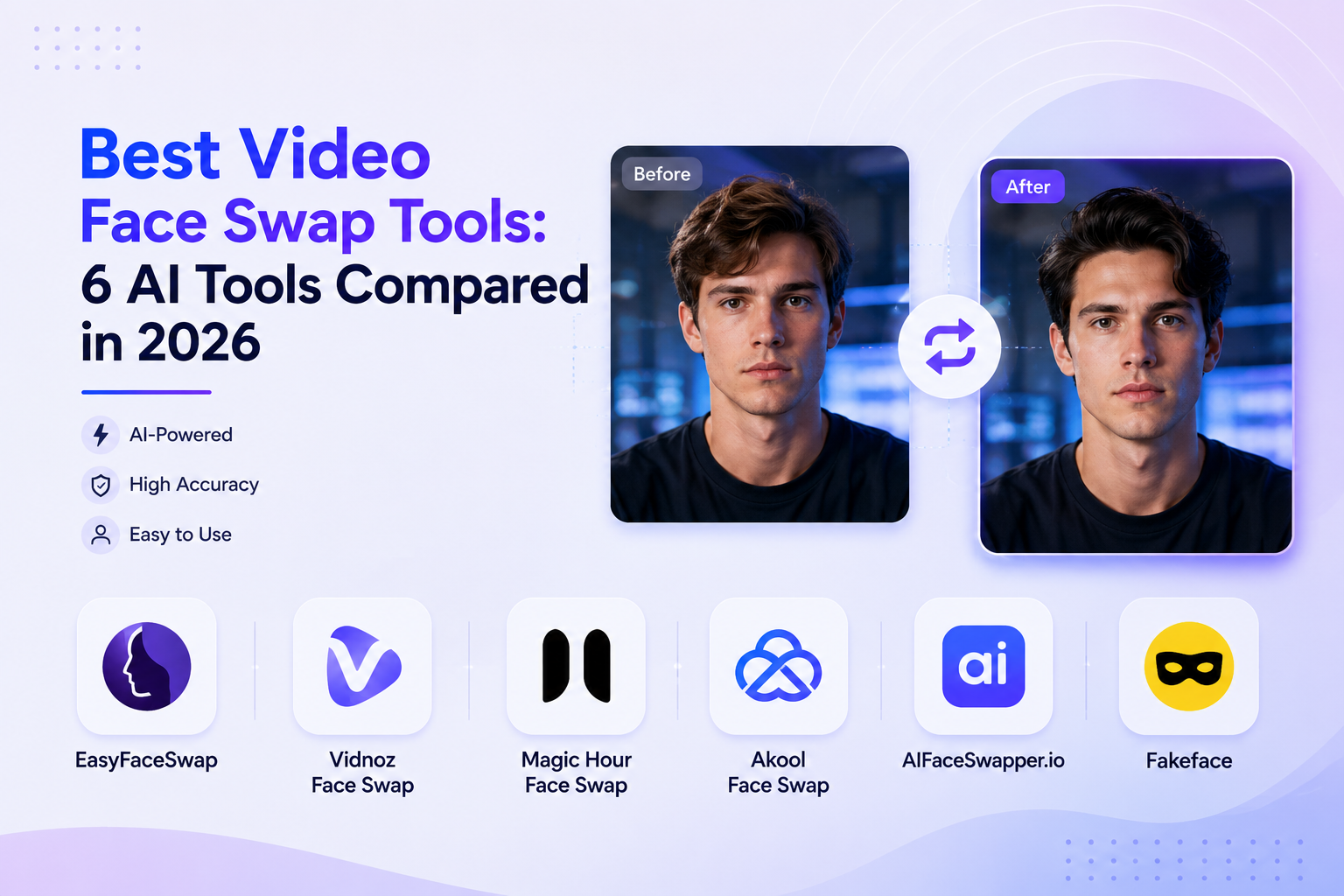
We compared six of the most-searched video face swap tools — EasyFaceSwap, Vidnoz, Magic Hour, Akool, AIFaceSwapper.io, and Fakeface, across free-tier generosity, video length limits, watermarking, multi-face support, and pricing. This guide breaks down what each one actually does (not just what its landing page claims), so you can pick the right tool instead of burning your first upload finding out the hard way.
TL;DR: The Best Video Face Swap Tools at a Glance
| Tool | Best For | Free Tier | Max Video Length | Watermark on Free Output | Watermark-Free Output Available? | Starting Paid Price |
|---|---|---|---|---|---|---|
| EasyFaceSwap | High-quality & affordable video swaps | 100% free, no sign-up | 30 seconds/clip | No | Yes — always, on the free tier | No paid tier — fully free |
| Vidnoz Face Swap | All-in-one AI video creation | Daily free usage (60 secs) | Up to 50 min upload (100MB cap) | Implied on free plan | Only on a paid plan | $26.99/mo (180 credits) |
| Magic Hour Face Swap | Multi-format face swap & creative campaigns | 400 credits, free forever | ~17–33 sec (credit-dependent), watermarked | Yes, on free plan | Only on Creator plan or higher | $19/mo (Creator, annual) |
| Akool Face Swap | Professional marketing teams | 100 credits, never expires | 5 minutes at 720p | Yes | Only on a paid plan | $12/seat/mo (annual) |
| AIFaceSwapper.io | Batch & pay-as-you-go use | Free (higher limits when signed in) | 30 sec/50MB unsigned; no cap/300MB signed in | No (per vendor) | Yes — stated as watermark-free on the free tier | $4.99 - Starter Pack (400 credits) |
| Fakeface | Fun content | Limited free trial | Varies by plan | Unclear on free tier | Unclear — likely requires a paid plan | $9.99 - Starter Pack (600 credits) |
How We Tested the Best Video Face Swap Tools
This comparison is a research-based review, not a hands-on lab benchmark. We went through each tool’s official product pages, pricing and FAQ pages, published terms, and a cross-section of independent reviews, then verified overlapping claims against each other rather than taking any single marketing page at face value. Where a tool’s own copy contradicted independent testing (this came up more than once), we flagged it rather than repeating it.
Our Evaluation Criteria
-
Realism and frame consistency: does the face hold up through head turns, blinks, and changing light, or does it flicker and slide?
-
Free-tier generosity: how much can you actually do before hitting a paywall, and how clearly is that limit stated?
-
Video length and file limits: what’s the real cap on clip duration and upload size?
-
Multi-face support: can it swap more than one face in a single clip?
-
Output quality: resolution, watermarking, and format support.
-
Pricing transparency: is the cost model (credits, subscriptions, one-time packs) easy to predict, or does it require a spreadsheet?
-
Ease of use: browser-based vs. app/download, sign-up friction, and interface complexity.
In-Depth Reviews of the 6 Best Video Face Swap Tools
EasyFaceSwap – Best for High-Quality & Affordable Video Face Swaps
Overview
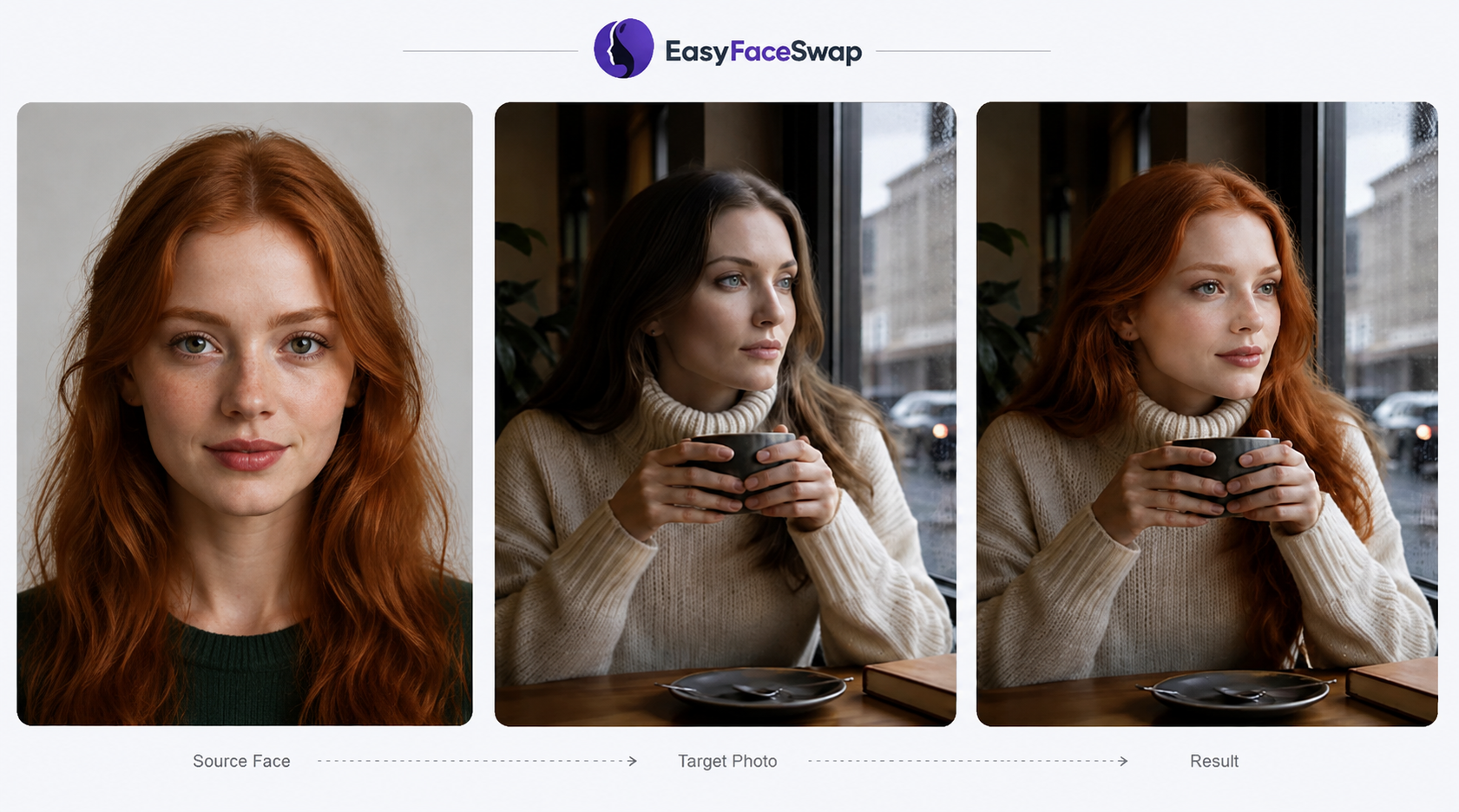
EasyFaceSwap is a browser-based AI face swap tool built specifically around removing the two biggest annoyances in free face swap tools: paywalled quality and stingy time limits. There’s no account creation, no app download, and no GPU required — you upload a source video, upload a target face photo, and generate directly in the browser on desktop or mobile.
Key Video Face Swap Features
-
Face swapping across video, photo, and GIF in one tool.
-
Frame-by-frame processing that tracks the face through head turns, blinks, and shadow changes instead of applying a single static overlay, which is where a lot of cheaper tools fall apart.
-
30-second clip length, well above the ~5-second cap common on other free video face swap tools.
-
True HD output with no watermark, on every generation — not gated behind an upgrade.
-
Broad format support for source video (MP4, MOV, M4V, WEBM) and target face photos (JPG, PNG, WEBP).
-
A template library for trending memes, dance clips, and viral formats you can drop your own face into.
-
Companion tools in the same suite: photo face swap, GIF face swap, and AI clothes swap.
Pros
-
Completely free, no credits, no subscription, no hidden paywall on HD or watermark removal.
-
No sign-up required to generate and download.
-
Frame-by-frame tracking holds up on side angles and movement better than most free-tier competitors.
-
Works entirely in-browser on phone or desktop, with nothing to install.
Cons
-
30-second clip cap, which is generous for free but shorter than what paid tools like Vidnoz or Akool allow on longer footage.
-
Built around a single target face per video rather than native multi-face swapping.
-
No API or developer access for teams that want to automate face swaps at scale.
Pricing & Free Tier
Every feature — HD export, no watermark, no sign-up, is available at no cost. There’s no premium tier to unlock; the free version is the full version.
Who Should Use EasyFaceSwap?
Anyone who wants a fast, no-friction way to swap a face into a short clip without creating an account or running into a paywall mid-project — social media creators, meme-makers, and casual users who don’t need multi-face or long-form video support.
Vidnoz Face Swap – Best for All-in-One AI Video Creation
Overview
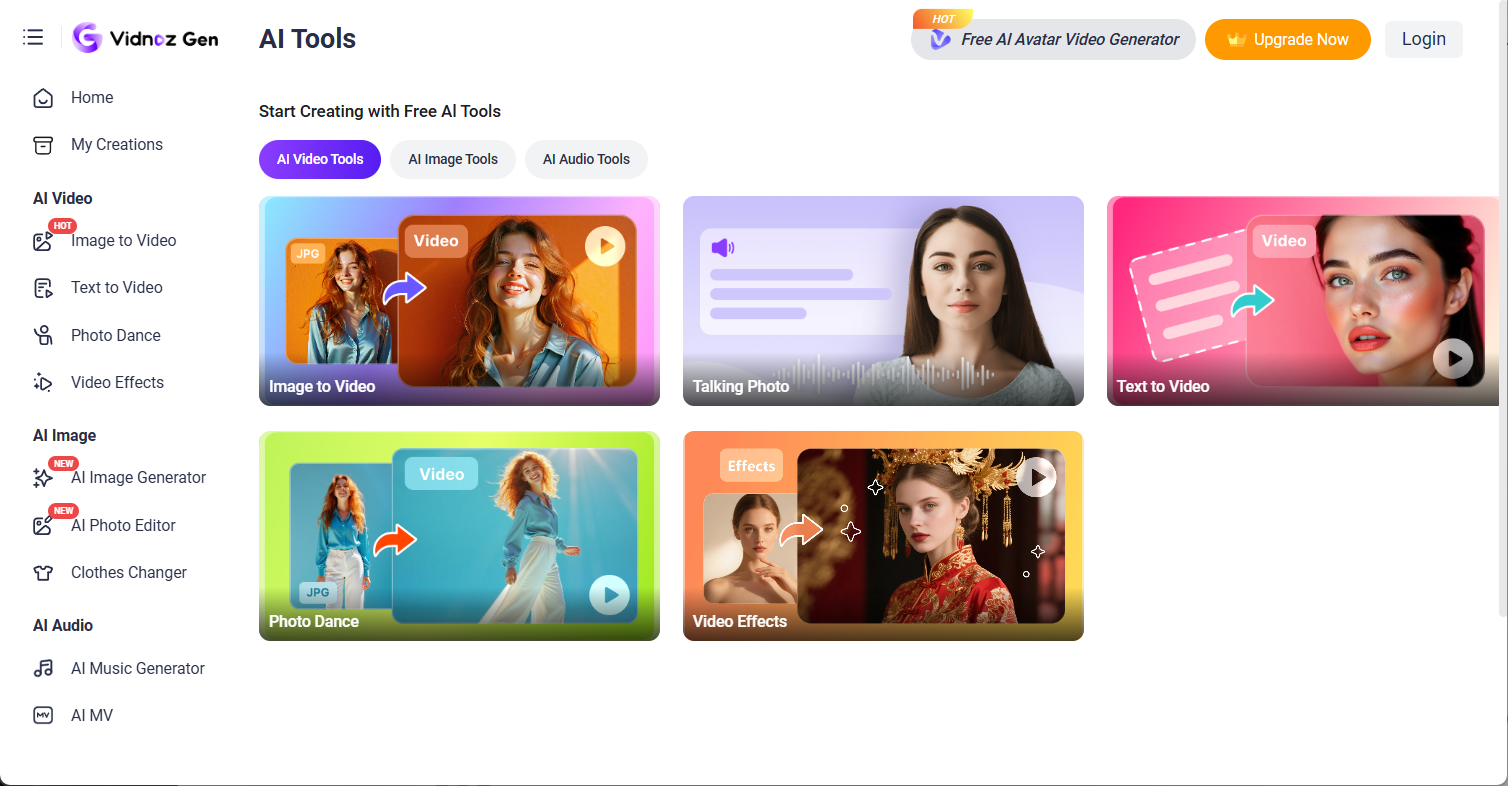
Vidnoz Face Swap is one module inside Vidnoz Gen, a broader AI video platform that also includes AI avatars, text-to-video, and image-to-video generation. If you want face swapping alongside other AI video tools in one account, Vidnoz is built for that workflow rather than being a single-purpose tool.
Key Video Face Swap Features
-
Video uploads supported up to roughly 100MB, with the product pages referencing durations as long as 50** minutes, **which is a much higher ceiling than most competitors, though this depends on file size limits in practice. (Vidnoz’s free plan gives users 30 credits per day, equal to about 60 secs video generation, and exports on the free tier include a watermark.)
-
Format support for MP4, M4V, MOV, and WEBM.
-
Basic video editing add-ons (trimming, cropping, text, and music) bundled into the same platform.
-
Access to 17 AI tools total under one account, including talking avatars and video effects.
Pros & Cons
Pros: Deep feature set beyond face swapping alone; high stated video-length ceiling; useful if you’re already building other AI video content.
Cons: Vidnoz advertises “daily free usage” without stating the actual allowance anywhere on its pages, which makes it hard to plan around; requires account sign-up; independent reviewers have noted the credit system adds friction compared to simpler free tools, and results weren’t reported as meaningfully better than lighter-weight alternatives.
Pricing & Free Tier
A free plan exists with unspecified daily limits. Paid access runs through Vidnoz Gen subscriptions starting at $26.99/month for 180 credits, with credit costs varying by feature and resolution. Watermark-free export is listed as a paid-plan benefit on Vidnoz’s plan comparison.
Who Should Use Vidnoz Face Swap?
Users who want face swapping as part of a bigger AI video toolkit — avatars, text-to-video, and basic editing — rather than a single dedicated app, and who don’t mind working within a credit system.
Magic Hour Face Swap – Best for Multi-Format Face Swap & Creative Campaigns
Overview
Magic Hour is a browser-based AI video platform built around 30+ tools — face swap, lip sync, image-to-video, text-to-video, and more — reportedly used by over 5 million people, with brand names like Meta, L’Oréal, Puma, Shopify, and the NBA cited among its customers for campaign localization and sports content. Its face swap tool covers photos, videos, and GIFs in one workflow, and it’s one of the few tools here that lets you pull a clip directly from a YouTube URL instead of uploading a file.

Key Video Face Swap Features
-
Photo, video, and GIF face swap in a single tool, with support for MP4 and MOV video files.
-
YouTube URL import — paste a link and trim to the exact segment you want to process, instead of downloading and re-uploading a file.
-
Multi-face swap, mapping individual faces to different targets within the same clip — useful for group shots or ensemble scenes.
-
Frame-by-frame tracking with automatic lighting adaptation, aimed at keeping the blend consistent as the scene changes.
-
A dedicated Face Swap API with SDKs in four languages for teams that want to build face swap into their own product or pipeline.
Pros & Cons
Pros: No sign-up needed to try the web tool; covers photo, video, and GIF in one place rather than separate tools; multi-face support built in even on lower tiers; YouTube import saves a step for repurposing existing footage; API access with real SDKs for developers.
Cons: The free plan is watermarked and capped at a low resolution (reported as 512–576px) with a limited credit allotment, so free-tier clips are short — sources put it around 17–33 seconds depending on settings; commercial use rights aren’t included until you’re on the Creator plan or higher; face swap can still warp on fast-motion, low-quality source footage, a limitation shared with most tools on this list.
Pricing & Free Tier
The Basic plan is free, including 400 non-expiring credits, but output carries a watermark and uploads are capped at 100MB. The Creator plan starts at roughly $19/month (billed annually) and removes the watermark, raises resolution and upload size (1GB), and adds priority support. Pro runs about $39–49/month with 2GB uploads and commercial use rights, and Business sits around $99/month for teams. Reported starting prices vary slightly by source and promotion, so check magichour.ai/pricing for the current numbers.
Who Should Use Magic Hour?
Creators and marketing teams who want face swap alongside a broader AI video toolkit — especially anyone repurposing existing YouTube or social footage, working with multiple faces in one clip, or planning to integrate face swap into a product via API.
Akool Face Swap – Best for Professional Marketing Teams
Overview
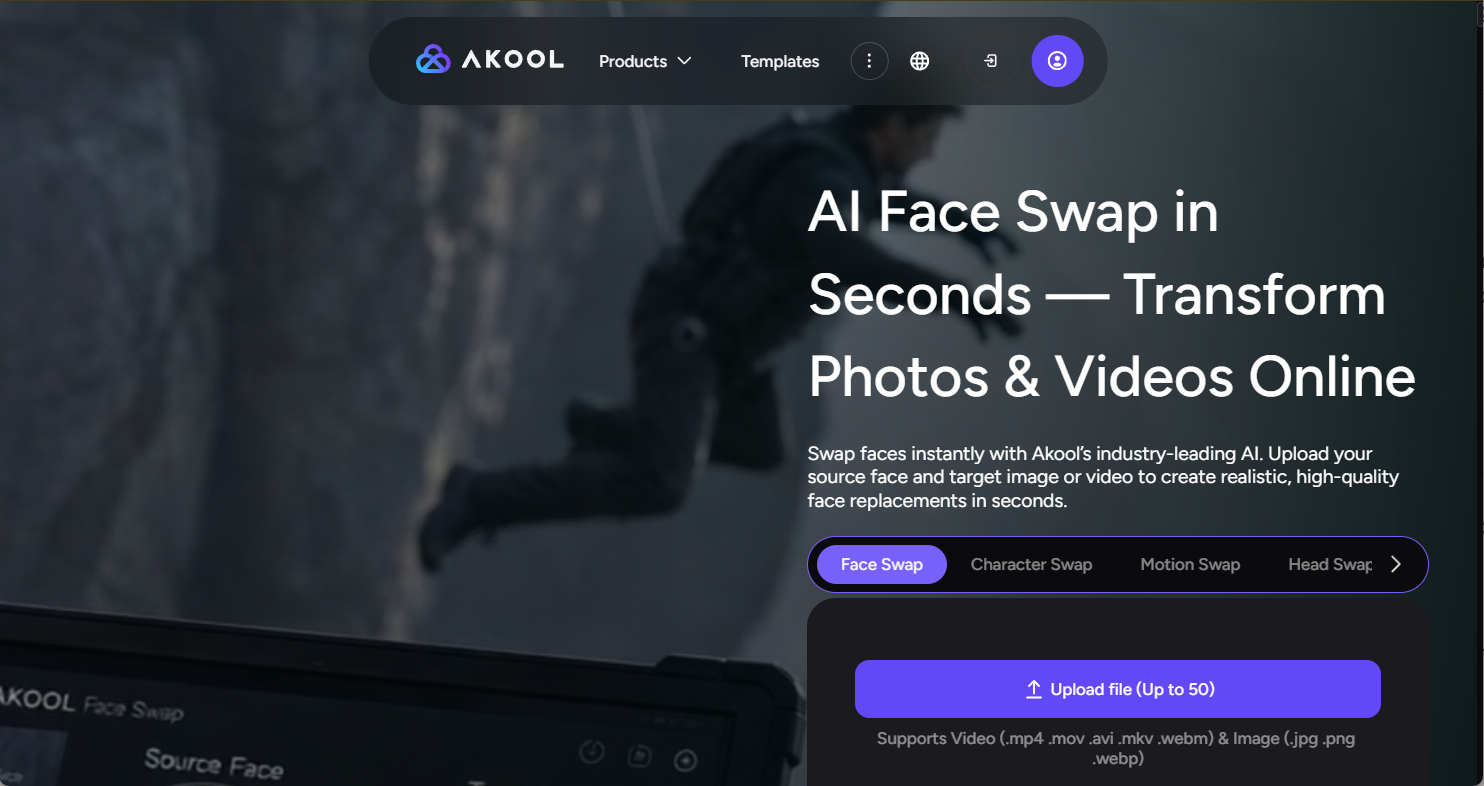
Akool is an enterprise-leaning AI visual content platform built for teams: it bundles face swap with AI avatar video, video translation with lip sync, and a real-time “Live Camera” mode, all behind API access on higher tiers. It’s the most feature-dense option on this list, and priced accordingly.
Key Video Face Swap Features
-
Video and image face swap, with resolution up to 8K on image swaps and high-resolution video support.
-
Multi-face swap with face-to-face mapping — match each source face to a specific target face in the same clip.
-
Live Camera mode for real-time face transformation during livestreams or video calls.
-
API access on Pro Max and higher tiers, for teams that want to build face swap into an automated content pipeline.
Pros
-
Genuinely enterprise-grade: high resolution, API access, and a live/real-time option most competitors don’t offer.
-
Free plan never expires, and includes 100 credits to test the platform with no credit card required.
-
Bundled with avatar video and translation tools, useful for teams already doing localized video content.
Cons
-
Free “Basic” plan output is watermarked and capped at 720p with a 5-minute video limit — fine for evaluation, not for client-facing work.
-
Pricing is per-seat and can climb quickly for teams (Pro Max runs about $29.50/seat/month billed annually; Business tier is around $124.50/seat/month).
-
Credit-based pricing means the real cost depends on resolution and feature mix, which takes some math to predict.
Pricing & Free Tier
Free Basic plan: 100 credits, watermarked 720p output, 5-minute video cap. Paid tiers: Pro around $12/seat/month (annual billing), Pro Max around $29.50/seat/month (includes API access), and Business around $124.50/seat/month. Monthly billing runs higher across all tiers.
Who Should Use Akool Face Swap?
Marketing teams and agencies that need face swap alongside avatar video, translation, and API integration — not casual users, given the per-seat pricing and credit complexity.
AIFaceSwapper.io – Best for Batch & Pay-As-You-Go Use
Overview
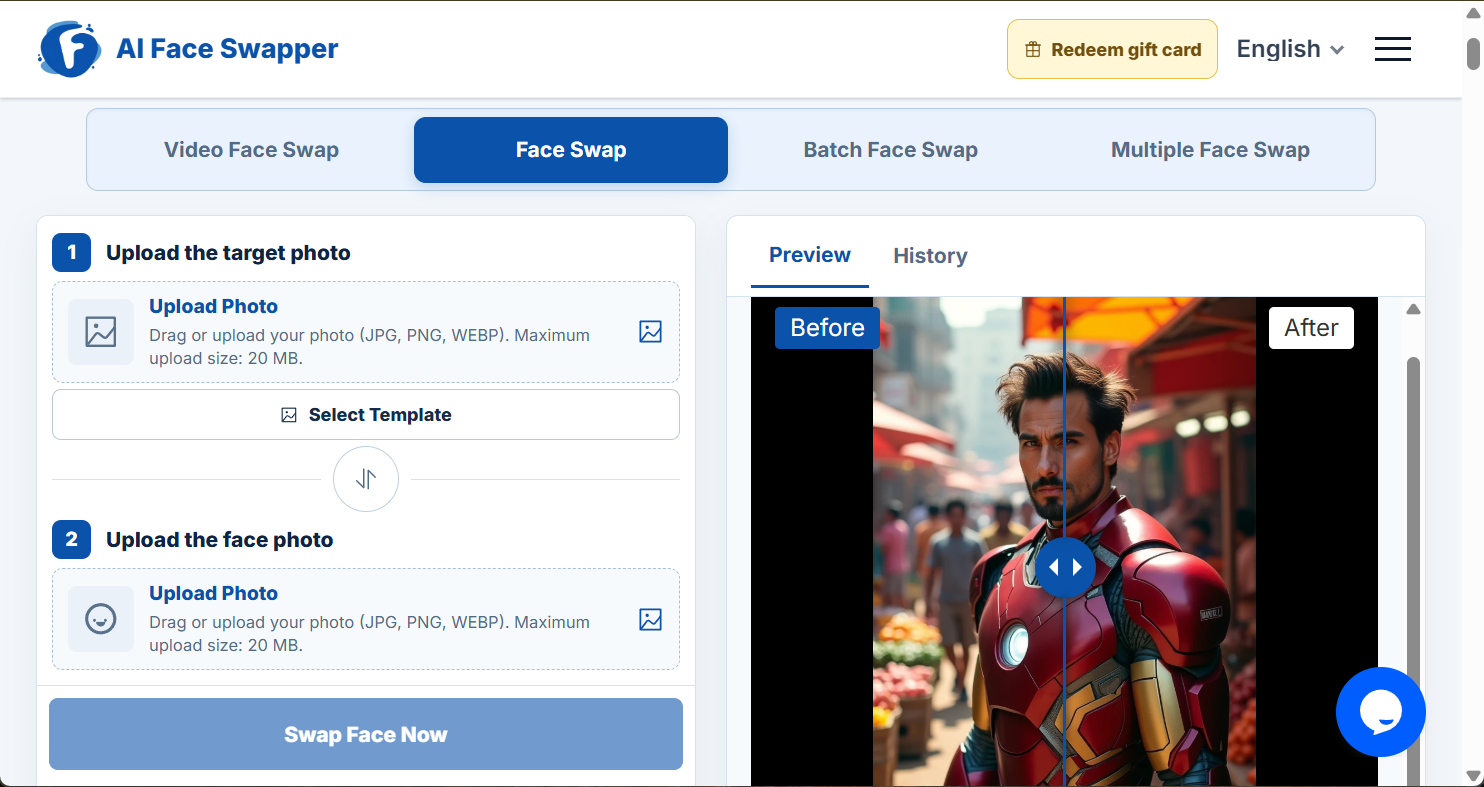
AIFaceSwapper.io is a free, no-sign-up video and photo face swap tool that leans into batch processing and generous upload limits rather than a subscription model. It’s a straightforward web tool: pick a target video or template, upload a face photo, and generate.
Key Video Face Swap Features
-
Single, multiple, and batch face swap options for handling several faces or several files without repeating the process one at a time.
-
Without an account: videos capped at 30 seconds and 50MB. Signed in (still free): no duration limit, with uploads up to 300MB.
-
Face photos accepted as JPG, PNG, or WEBP, up to 20MB.
-
A template library across categories like adventure, business headshots, fitness, and holidays.
-
High-resolution output that preserves the source video’s original resolution.
Pros & Cons
Pros: No sign-up needed to start; signing in (still free) unlocks meaningfully higher limits rather than a paywall; batch processing is genuinely useful for anyone running multiple swaps at once; the vendor states it doesn’t store or share uploaded videos or personal data.
Cons: Content is restricted to personal and entertainment use per the platform’s terms; we found no clear paid pricing page during our review, so if you need guarantees beyond the free tier’s stated limits, confirm current terms directly with the vendor before relying on it for commercial work.
Pricing & Free Tier
The core offering is free, with account sign-up (still no cost) unlocking longer, larger uploads. The starting price is $4.99 for the Starter Pack, which includes 400 credits, while the platform is primarily designed as a free face swap tool rather than a freemium-to-paid funnel.
Who Should Use AIFaceSwapper.io?
Users who need to run several face swaps back-to-back — batch content production, testing multiple faces against one clip — without paying per swap or hitting a hard account paywall.
Fakeface – Best for Fun Content
Overview
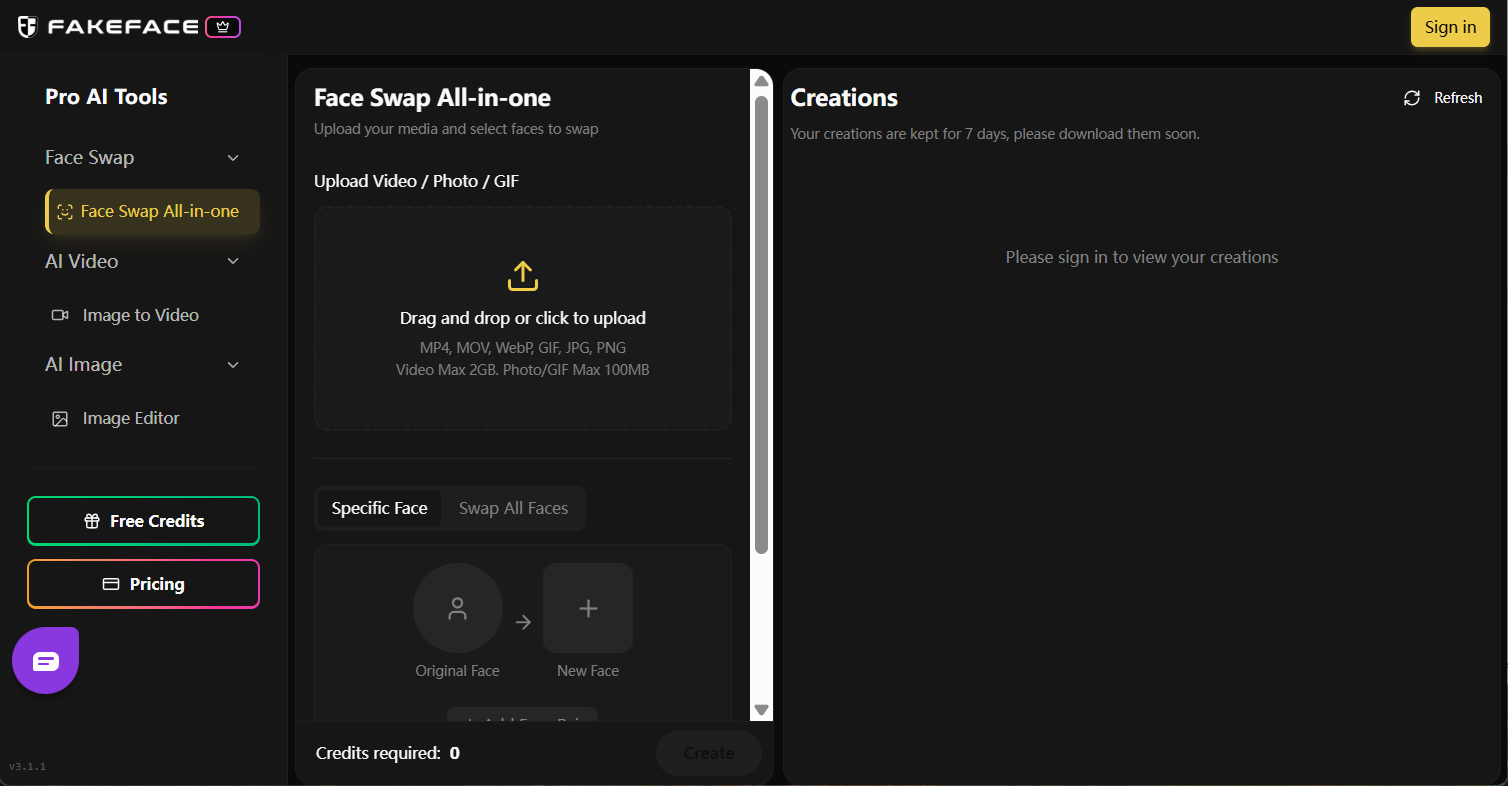
Fakeface is a lightweight face swap tool covering video, photo, and GIF formats, positioned around speed and simplicity rather than professional-grade controls. It’s aimed at casual creators who want a quick, decent-quality swap without a steep learning curve.
Key Video Face Swap Features
-
Face swapping across video, photo, and GIF in one tool.
-
A proprietary AI model the vendor states processes swaps roughly 5x faster than standard methods.
-
Output capped at 1080p Full HD — solid for social content, but no 4K/8K tier like Akool offers.
-
Preview before finalizing, and a template library for quick starts.
Pros & Cons
Pros: Fast processing, straightforward three-step workflow, decent quality for casual use, and support for photo, video, and GIF in a single tool.
Cons: Lacks the layered editing controls or broader AI toolkit competitors like Magic Hour offer; pricing details are inconsistent across vendor and third-party listings (some describe monthly subscriptions from around $9.99, others describe one-time credit packs), so confirm the current billing model before purchasing; resolution tops out at 1080p with no higher tier for professional output.
Pricing & Free Tier
Fakeface offers a Free Plan with around 60 credits, enough for roughly 1 minute of video or 30 photos. Paid plans start at $9.99 for 600 credits, which covers approximately 10 minutes of video or 300 photos. Larger packs include 3,600 credits for $29.99 and 9,000 credits for $59.99, with credits typically valid for life.
Who Should Use Fakeface?
Casual creators who want quick, fun face swap videos and GIFs without needing professional editing controls or high-resolution export.
Which Best Video Face Swap Tool Wins in Key Scenarios?
Best Overall Video Face Swap Quality
EasyFaceSwap and Akool lead here for different reasons. EasyFaceSwap’s frame-by-frame tracking holds up well on movement and angle changes in short clips, while Akool’s higher resolution ceiling and multi-face mapping make it the stronger pick for longer, more complex footage — if you’re willing to pay for it.
Best Free AI Face Swap Video Tool
EasyFaceSwap takes this one clearly: no sign-up, no watermark, no credit system, and a 30-second cap that’s six times longer than the typical 5-second free-tier limit elsewhere.
Best Video Face Swap Tool for Beginners
EasyFaceSwap and AIFaceSwapper.io are both zero-friction — no account required to try either one, and both keep the upload-generate-download flow to three steps.
Best Video Face Swap Tool for Professional Use
Akool, largely because it’s the only tool here with API access, multi-face mapping, and resolution options built for client-facing or campaign work rather than social clips.
Best for Batch Processing & E-Commerce
AIFaceSwapper.io for straightforward batch runs at no cost, or Vidnoz if you want batch face swapping alongside other AI video generation tools in the same account.
How to Choose the Right AI Video Face Swap Tool
What to Consider Before Choosing a Video Face Swap Tool
-
How long are your clips? A 30-second cap is plenty for a TikTok or Reel, but not for a full scene or long-form content.
-
Do you need multiple faces swapped in one video? Not every tool supports this — confirm before you commit to a workflow.
-
Is a watermark a dealbreaker? Several “free” tiers on this list watermark output or gate HD behind a paid plan; a few genuinely don’t.
-
Do you need an account at all? If you want to try before you commit to anything, prioritize tools that don’t require sign-up.
-
Is this for personal fun or commercial output? Read the terms — several tools on this list explicitly restrict free-tier use to personal or entertainment purposes.
Which Video Face Swap Tool Is Right for You?
If you want the best free video face swap tool with no strings attached, start with EasyFaceSwap. If you need enterprise features like API access and multi-face mapping, budget for Akool. If you’re already building other AI video content, Vidnoz’s all-in-one platform may save you from juggling multiple tools. And if you just need a quick batch of casual swaps, AIFaceSwapper.io or Fakeface will get you there without much setup.
Best Video Face Swap: Frequently Asked Questions
What Is the Best AI Video Face Swap Tool?
For most people, EasyFaceSwap is the best overall pick: it’s completely free, requires no sign-up, delivers watermark-free HD output, and holds up well on movement thanks to frame-by-frame tracking. Teams needing API access or multi-face mapping for professional campaigns should look at Akool instead.
What Is the Best Video Face Swap Tool for Realistic Results?
Realism depends heavily on frame consistency through head turns and lighting changes. EasyFaceSwap’s frame-by-frame processing and Akool’s higher-resolution engine both hold up better on tricky angles than tools that apply a single static overlay per frame.
What Is the Best Free AI Face Swap Video Tool?
EasyFaceSwap, since it’s the only tool on this list offering unlimited-style access — no credits, no watermark, no sign-up — rather than a capped free trial that funnels you toward a paid plan.
Are Free Video Face Swap Tools Good Enough?
For social clips, memes, and casual projects, yes — tools like EasyFaceSwap and AIFaceSwapper.io produce HD, watermark-free output at no cost. For commercial campaigns needing high resolution, multi-face mapping, or API integration, a paid tier like Akool’s is usually necessary.
Is AI Face Swap Legal and Safe to Use?
Face swapping is generally legal when you have the right to use the faces involved — your own, a consenting person’s, or licensed material. It becomes a problem when used without consent, to impersonate someone, or to deceive or defraud. Most tools on this list restrict use to personal, entertainment, or authorized purposes in their terms, so always get permission before swapping someone else’s face.
Can I Use AI Face Swap Videos for Commercial Purposes?
It depends on the tool and plan. Several free tiers here explicitly limit use to personal or entertainment purposes, while paid plans (particularly Akool’s) are built with commercial and campaign use in mind. Check each platform’s terms before using generated video in advertising or client work.
What Is the Best Video Face Swap App for Android?
Since most tools on this list — including EasyFaceSwap, Vidnoz, and AIFaceSwapper.io — run entirely in the browser, there’s no dedicated app needed on Android. EasyFaceSwap in particular is built to work the same way on a phone browser as on desktop, with no install required.
How Do I Get Started With EasyFaceSwap?
Go to EasyFaceSwap’s video face swap tool, upload the clip you want to edit, upload a clear, front-facing photo of the face you want to swap in, and hit generate. Your HD, watermark-free result is ready to download in seconds — no account needed.
Conclusion: What Is the Best Video Face Swap Tool?
If you want the best combination of quality, speed, and zero cost, EasyFaceSwap is the strongest overall pick — it’s free, requires no sign-up, and its frame-by-frame tracking keeps results looking real through movement and changing light. If your work demands multi-face mapping, high resolution, or API access for a production pipeline, Akool is the better fit, and it’s worth the per-seat cost for teams. The simplest rule: if you need a fast, free, watermark-free swap for a short clip, start with EasyFaceSwap; if you’re building a professional or commercial video workflow, budget for Akool or Vidnoz instead.
Swap your first video face for free with EasyFaceSwap.