Face swap has become increasingly popular on the internet, with digital producers using tools such as Remaker Face Swap with greater frequency. But is it the best one available? This review of Remaker AI Face Swap delves into its face swap features and functionality, as well as those of its leading competitors, including EasyFaceSwap, a recent entrant to the market.
Remaker face swap tools support several formats, including photos, videos, GIFs, and multiple-face swaps. But how good are the results, how easy is the workflow, and is Remaker AI worth paying for if face swapping is your main goal?
What Is Remaker AI?
Remaker AI is a browser-based AI content creation platform that provides tools for generating and editing images and videos. Its product lineup includes AI image generation, image-to-image generation, video generation, background removal, image enhancement, and face swapping.
While Remaker AI is broader than a dedicated face swap service, Face Swap is one of its most popular creative applications. Remaker AI supports several face swap modes, including photo face swap, video face swap, GIF face swap, and multiple face swap.
Remaker AI Face Swap Review: Feature Performance & Pricing
Remaker AI Photo Face Swap
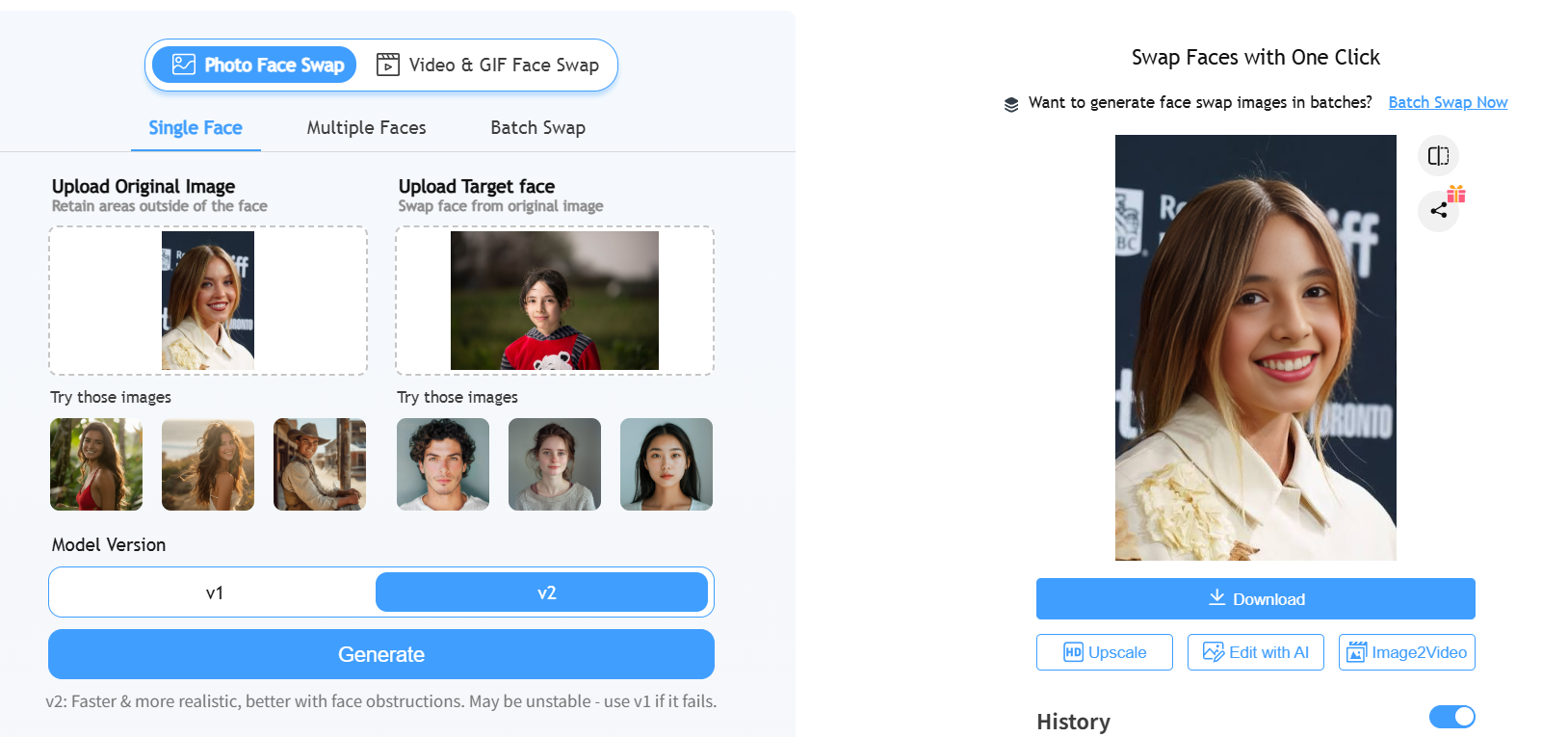
This is where Remaker AI does great work. We uploaded a base photo and a source face, and the tool handled the rest on its own: finding the face, lining it up, matching skin tone, and blending the edges. On simple, front-facing photos, it was fast — usually done in a couple of clicks and a short wait — and it kept the background and lighting looking natural.
Remaker AI Video Face Swap
This is where things got shakier for us. The swap tracked well when the person was looking straight at the camera. But the moment they turned their head, even a little, we saw the face warp or stretch. In a couple of clips, the jawline looked like it briefly separated from the neck. That’s fine for a quick joke video, but it’s not something we’d send to a client. Processing also took longer than photo swaps, and during busier hours, our clips sat in a queue for a couple of minutes, even for short footage.
Remaker AI GIF Face Swap
GIF swaps run on the same engine as photo and video swaps, just applied to each frame. It’s fun for short, looping clips and reaction GIFs. But the same head-turn glitches we saw in video showed up here too, especially in GIFs with a lot of motion.
Remaker AI Pricing
Remaker AI primarily uses a credit-based pricing model for its AI features.
| Package | Credits | Price | Discount | Cost per Credit |
|---|---|---|---|---|
| Free Trial | 30 initial credits + 5 credits/day | — | — | — |
| Starter | 200 | $5.99 | No discount | $0.03 |
| Most Popular | 530 | $9.99 | 38% off | $0.02 |
| Plus | 1,100 | $19.99 | 40% off | $0.02 |
| Pro | 3,000 | $49.99 | 45% off | $0.02 |
| Bulk | 20,000 | $299.00 | 50% off | $0.02 |
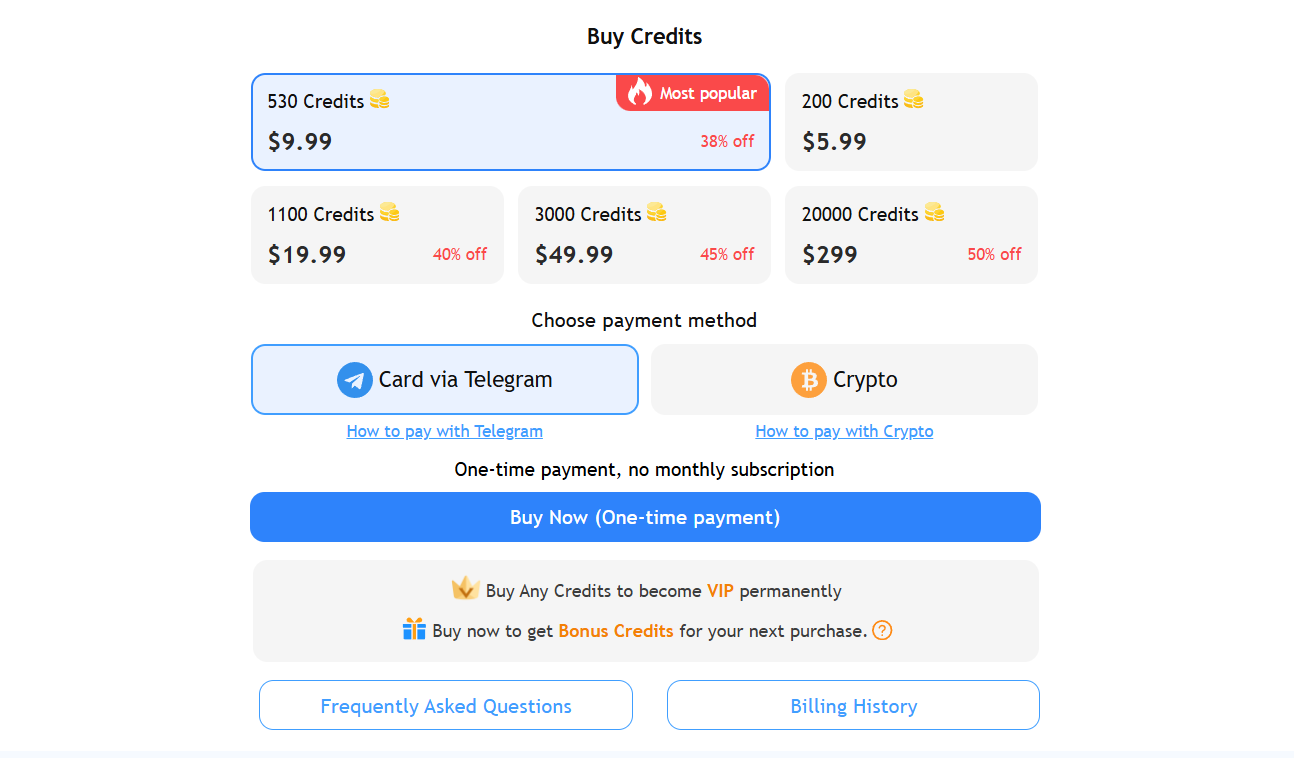
Instead of paying a separate subscription for every individual tool, users purchase credits that can be used across different AI functions. The number of credits consumed depends on the specific operation.
Since pricing pages update often, it’s worth double-checking the current rate on Remaker AI’s current pricing page before purchasing credits or choosing a plan.
Is Remaker AI Face Swap Free?
Yes, and it’s not just a token free trial. New accounts get free daily credits to spend on face swaps and other tools. The catch: every free result has a visible watermark and is capped at standard resolution. It’s fine for testing the tool, but not for anything you’d post as finished work.
Remaker AI Alternatives
Remaker AI is a strong option if you want other AI creation tools beyond face swapping. But if face swapping is the main reason you’re using an AI platform, it is worth comparing Remaker with other great alternatives.
Remaker vs Other Face Swap Tools
| Face Swap Tool | Best For | Free Plan | Upload Limit | Watermark (Free Plan) | Commercial Use | Starter Pricing |
|---|---|---|---|---|---|---|
| Remaker | Casual creators | 30 initial credits + 5 credits/day | 500MB / 10s (video) | Yes | Paid plan only | $5.99 (200 credits) |
| EasyFaceSwap | High-quality, affordable video swaps | Unlimited | 30s/clip | None | Yes (Free tier) | No paid tier, fully free |
| Akool | Marketing teams | 100 credits (no expire) | 150MB / 30s | Yes | Paid plan only | $12/seat/mo (annual) |
| Vidnoz | All-in-one AI video creation | 30 credits/day (~60s) | 100MB | Yes | Paid plan only | $26.99/mo |
| Magic Hour | Multi-format face swap & creative campaigns | 3 videos/day, 5 photos/day | 10s/clip | Yes | Creator plan+ | $19/mo (Creator, annual) |
Remaker AI is an all-in-one AI creation platform, whereas EasyFaceSwap specialises in face swapping. This distinction is important if you don’t require image generation, AI editing or other creative tools, as these additional features may incur extra costs. A dedicated platform like EasyFaceSwap can streamline your workflow when your goal is simply to create a face swap. Not to mention that it offers free, unlimited usage without compromising on quality.
If you want to swap photos or videos quickly, you may prefer a tool built around that workflow rather than a broader AI suite.
How to Use Remaker AI Face Swap
The basic Remaker Face Swap process is designed to be beginner-friendly.
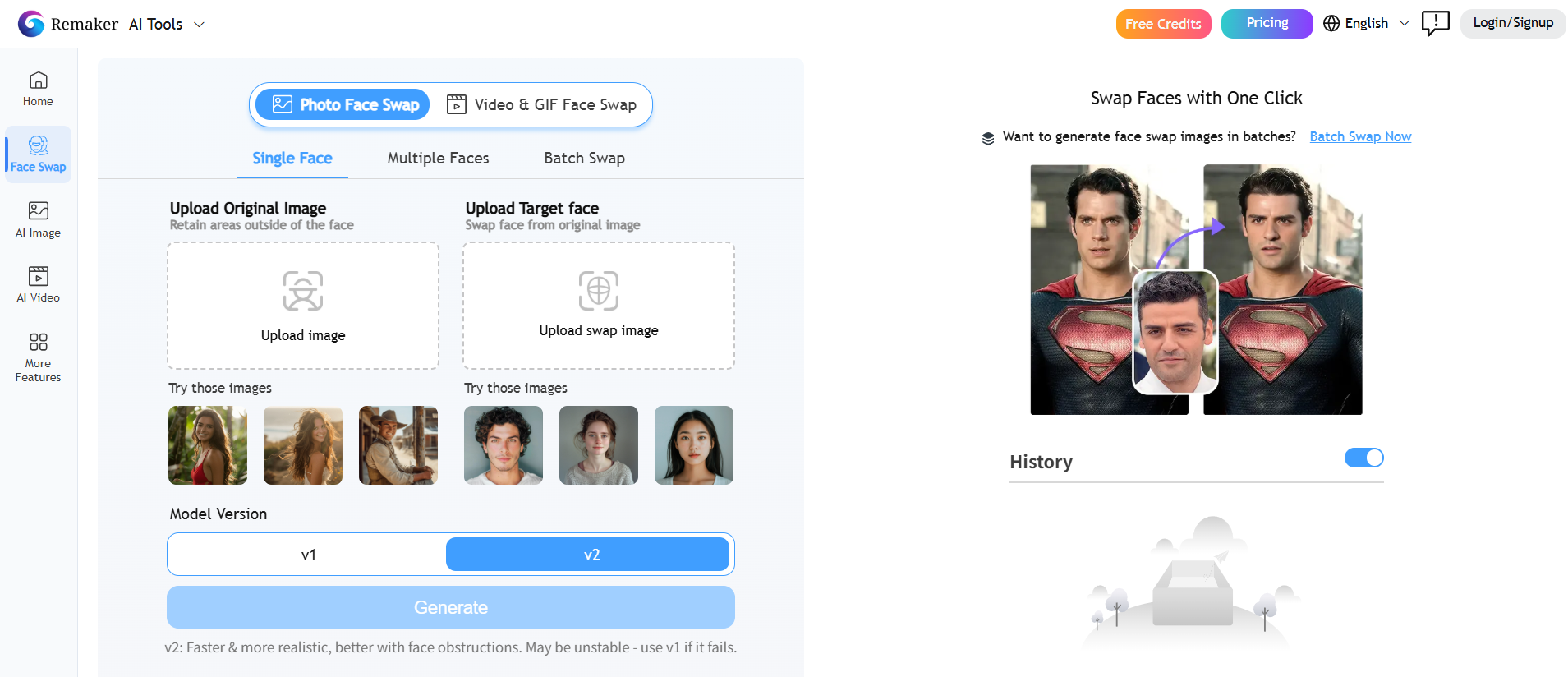
Step 1: Upload the source image or video
Start by uploading the image or video containing the face you want to use.
Choose a clear source image whenever possible. A well-lit, front-facing face usually provides more usable facial information.
Step 2: Upload the face you want to use
Select the face image that will replace the target face.
For better blending, try to choose a source image with a similar angle and expression.
Step 3: Select the Face Swap mode
Choose the appropriate face swap option depending on your content.
Remaker provides different workflows for photo, video, GIF, and multiple-face swapping.
Step 4: Generate the result
Start the AI processing and wait for the face-swapped content to be generated.
Processing time can vary depending on the type and complexity of the content.
Step 5: Download and review the output
Before using the result, check the face and surrounding areas carefully.
If the result does not look natural, try using a different source image rather than simply repeating the same input.
Final Verdict: Is Remaker AI Worth It in 2026?
Based on our testing, Remaker AI earns its reputation with photo face swap. It’s fast, and handles group photos well. Video face swap is the weak spot: head-turn glitches and slow queues during busy hours are real problems we ran into more than once. And since every tool shares one credit pool, your face-swap budget is always splitting attention with six other features on the same platform.
If you want a wide AI toolkit and face swap is just one of several things you’ll use often, Remaker AI is a reasonable deal. But if face swap is the only reason you’re here, it’s worth comparing it to a tool built just for that job, including a free, no-login option like EasyFaceSwap, before spending your credits on a platform where face swap has to share the spotlight.
Frequently Asked Questions
Is Remaker Face Swap Safe and Secure?
Remaker AI has policies governing the use of its AI services, but users should still be careful about the content they upload. Avoid uploading highly sensitive or confidential images without first reviewing the platform’s current privacy policy and terms. You should also have permission to use another person’s likeness.
How Does Remaker AI Multiple Face Swap Work?
Remaker AI Multiple Face Swap is designed to replace several faces within supported content.
The system identifies the faces in the target image and applies the selected source faces. The final quality depends on factors such as face visibility, angle, image resolution, and the number of people in the image.
How Realistic Are the Results From Remaker Face Swap?
Remaker Face Swap can produce realistic results when the source and target images are clear and reasonably compatible.
For better results, use high-resolution images with similar lighting and face angles. Difficult side profiles, heavy shadows, occlusion, and fast movement can make the result less natural.
Can Remaker AI Be Used for Commercial and Business Purposes?
Remaker AI can be used for various commercial and business applications, but the specific rights and restrictions depend on its current terms.
More importantly, commercial permission from an AI platform does not automatically give you permission to use another person’s face, copyrighted images, trademarks, or other protected content.
Make sure your source materials are properly authorized before using generated content commercially.
Remaker AI vs EasyFaceSwap — Which Face Swap Tool Should I Choose?
Choose Remaker AI if you want face swapping together with other AI image and video creation tools.
Choose EasyFaceSwap if face swapping is your primary goal and you prefer a more specialized workflow for creating photo, video, and GIF face swaps.
For users who do not need Remaker’s broader AI creation features, a dedicated face swap platform may be the simpler option.
What Are the Main Limitations of Remaker AI’s Free Version?
The main limitation of free access is usage availability and credit restrictions.
Free users generally have fewer credits or limited access compared with paid users, making the free option more suitable for testing rather than high-volume face swap production.
If you plan to create many face swaps, compare the credit cost and output limits of different tools before deciding which platform offers the best value.