How to Pay with Local Payment Methods
Last Updated: November 3, 2026
Besides crypto, you can pay with popular local wallets, bank transfers and cash vouchers in many countries and regions. Choose Crypto & local payment at checkout, then switch the payment page to your country or region to see them.
Prices in your currency: when you switch the region, the total is converted into the local currency at the current rate. Some countries add a local tax, such as IOF in Brazil.
1. Choose “Crypto & local payment” at checkout
- Sign in, open Pricing, choose a credit pack and click Buy Now.
- Checkout opens in a new tab. Select Crypto & local payment and click Pay.
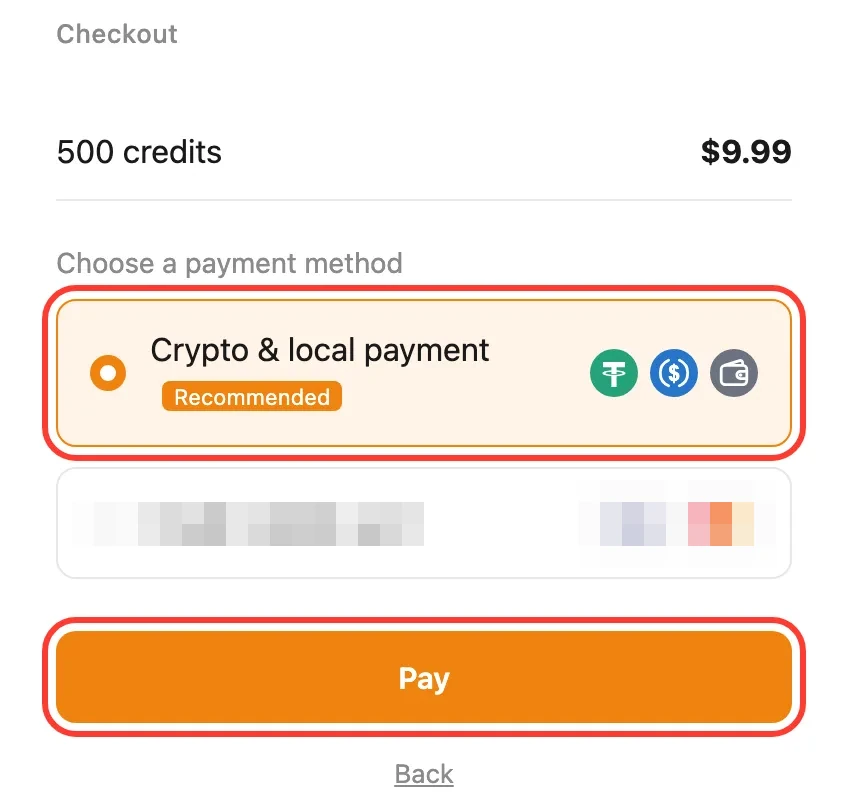
Don’t see this page? If Crypto & local payment is the only option available to you, checkout skips this page and goes straight to the payment page. Just continue with step 2.
2. Switch to your country or region
- Next to your order at the top of the payment page, click the region button. It shows Global at first.
- In Select country/region, choose your country or region.
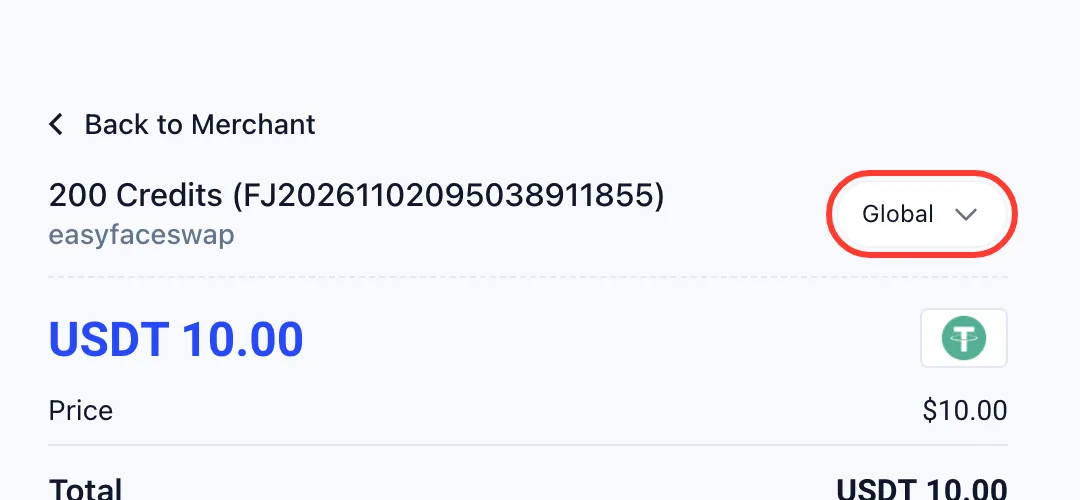
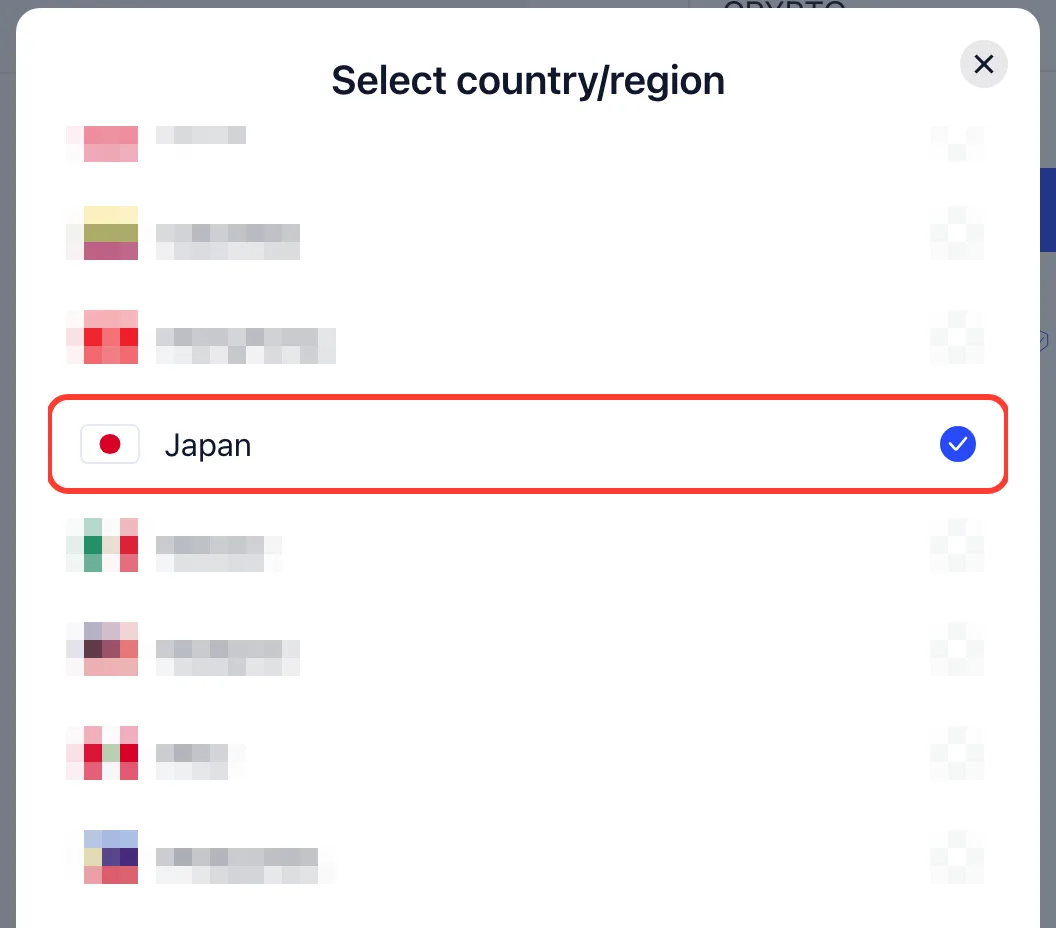
Global offers crypto only (USDT and USDC). Every other country or region adds its own local methods, and crypto stays available there too. See the crypto payment guide for paying with USDT or USDC.
3. Pick a local payment method
The total now shows in your local currency, and the list shows the methods for that country or region. The example below is Japan.
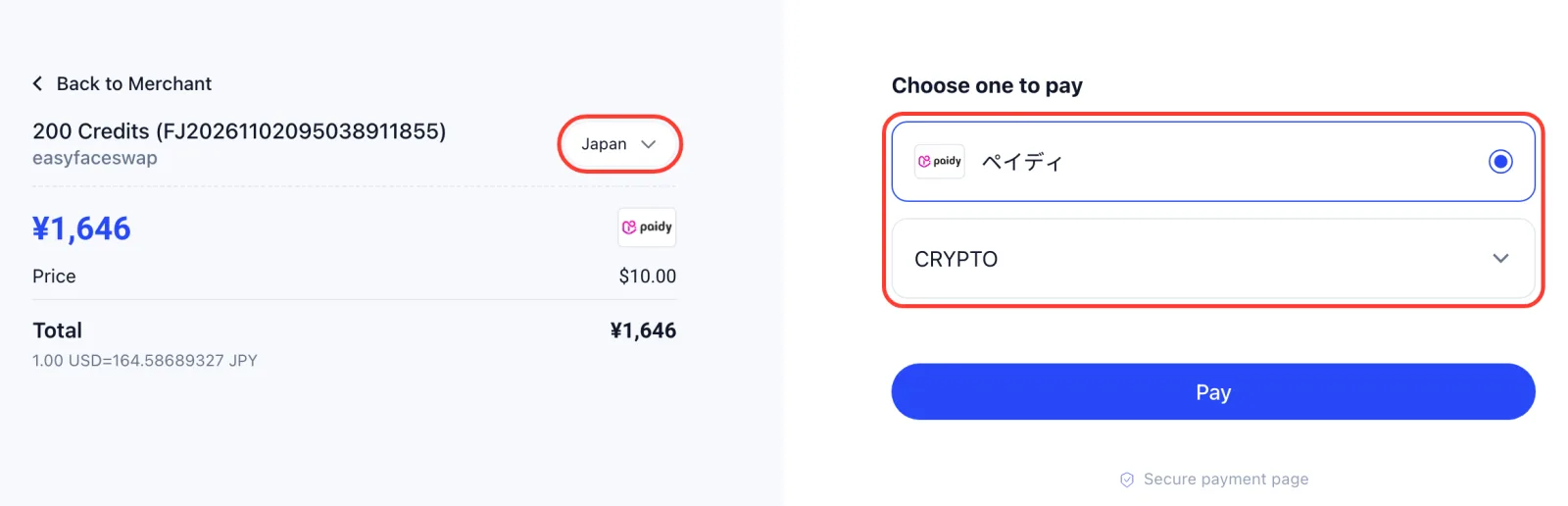
- Select a payment method.
- If it asks for details such as your name, ID number, phone number or email, fill them in. The payment method needs them.
- Click Pay and follow the steps on screen: depending on the method, you scan a QR code, approve the payment in your wallet or bank app, or pay a voucher at a store or bank.
Your credits are added automatically once the payment is confirmed, and the EasyFaceSwap tab you bought from updates on its own. Cash vouchers such as OXXO, Boleto, Efecty and PagoEfectivo can take longer to confirm than wallets.
4. Methods by country or region
These are the methods the payment page offered on November 1, 2026:
| Country / region | Local payment methods | Currency |
|---|---|---|
| Global | USDT, USDC | USDT / USDC |
| Brazil | PIX, PicPay, Mercado Pago, Boleto | BRL |
| Chile | Mercado Pago, Webpay | CLP |
| Colombia | Nequi, PSE, Efecty | COP |
| Japan | Paidy | JPY |
| Mexico | Mercado Pago, SPEI, OXXO | MXN |
| Malaysia | Touch ’n Go, Boost, GrabPay, … | MYR |
| Peru | BCP, PagoEfectivo, Payvalida | PEN |
| Philippines | GCash | PHP |
| Mainland China | WeChat Pay, Alipay | CNY |
| Hong Kong | WeChat Pay HK, AlipayHK, FPS | HKD |
| Taiwan | JKOPay | TWD |
Crypto (USDT and USDC) is available in every region. Methods can change, so the payment page always shows the current list for your order.
5. Need help?
- Your country isn’t listed? Keep the region on Global and pay with USDT or USDC, or choose Credit / debit card at checkout.
- No credits 30 minutes after paying? Email [email protected] with your order number (shown on the payment page, it starts with FJ) and the payment reference from your wallet, bank or voucher.
- A payment failed or was declined? Your order stays unpaid, so you can try again with another method, or check the limits and balance in your wallet or bank app.