How to Pay with Telegram Stars
Last Updated: November 4, 2026
You can buy EasyFaceSwap credit packs with Telegram Stars, the currency used for payments inside Telegram. You confirm the payment in the Telegram app, and your credits are added automatically. Subscriptions can’t be paid with Stars.
Before you start: you need a Telegram account and the Telegram app. If you don’t have enough Stars, Telegram lets you buy them during the payment with a card, Apple Pay or Google Pay.
1. Choose Telegram Stars at checkout
- Sign in, open Pricing, choose a credit pack and click Buy Now.
- Checkout opens in a new tab. Select Telegram Stars and click Pay.
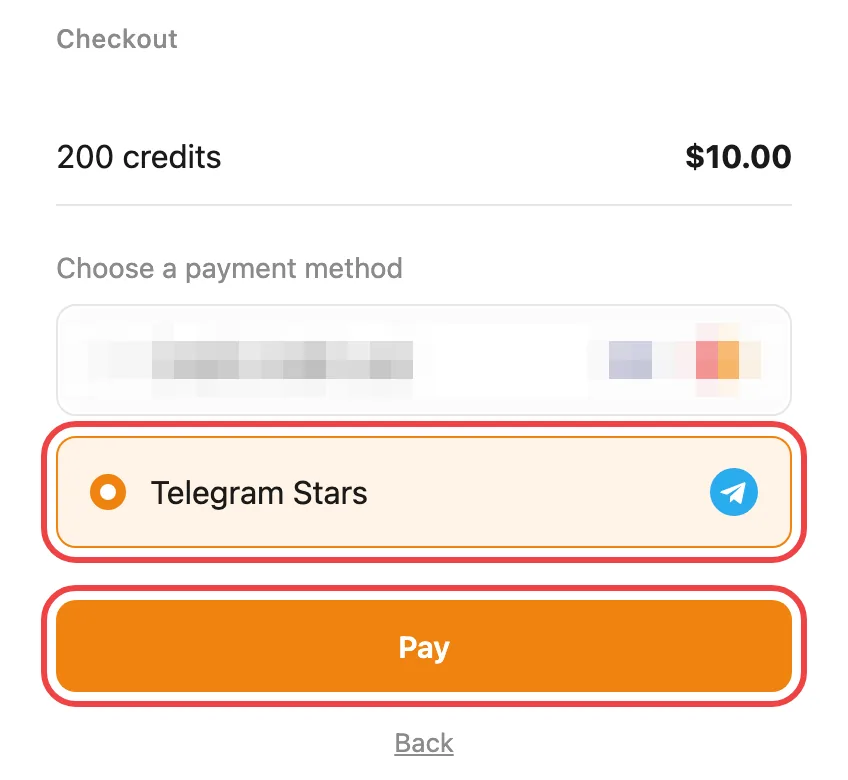
Don’t see this page? If Telegram Stars is the only option available to you, checkout skips this page and goes straight to the Telegram page. Just continue with step 2. Telegram Stars may not be offered in every country.
2. Open the invoice in Telegram
- On the Telegram page that opens, click Open Invoice.
- The payment opens in the Telegram app on your computer or phone.
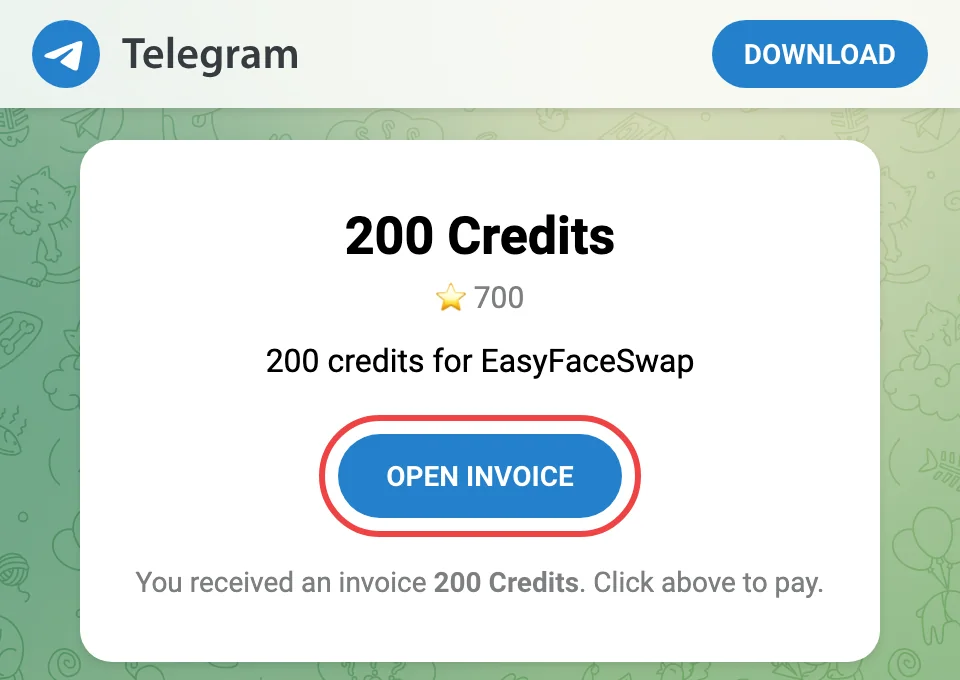
Telegram not installed? Download it from telegram.org, create an account and sign in, then click Open Invoice again.
3. Confirm the payment
Telegram shows a Confirm Your Purchase window with your credit pack and the number of Stars it costs. It names our payment bot, EasyFaceSwap Payment Assistant.
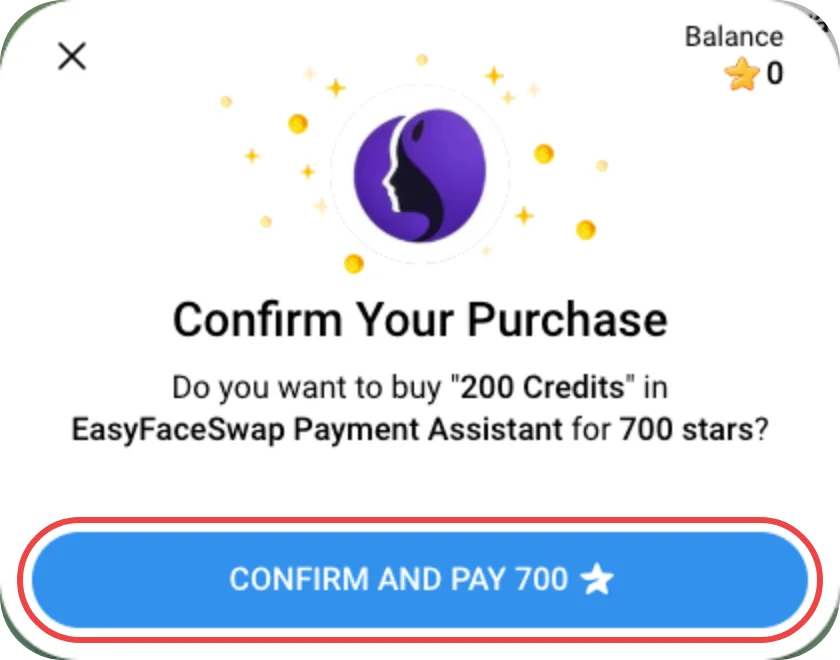
- Check the credits and the number of Stars.
- Click Confirm and Pay.
Which account gets the credits? The EasyFaceSwap account you were signed in to when you started checkout, whichever Telegram account pays.
4. If you don’t have enough Stars
Telegram automatically opens a window for buying Stars. You can pay with:
- Apple Pay
- Google Pay
- Credit or debit card
- Other payment methods Telegram supports
Tip: if you can, buy Stars on Telegram Desktop or Telegram Web. On a phone, the price may include App Store or Google Play fees.
After buying Stars, go back to the payment window and click Confirm and Pay.
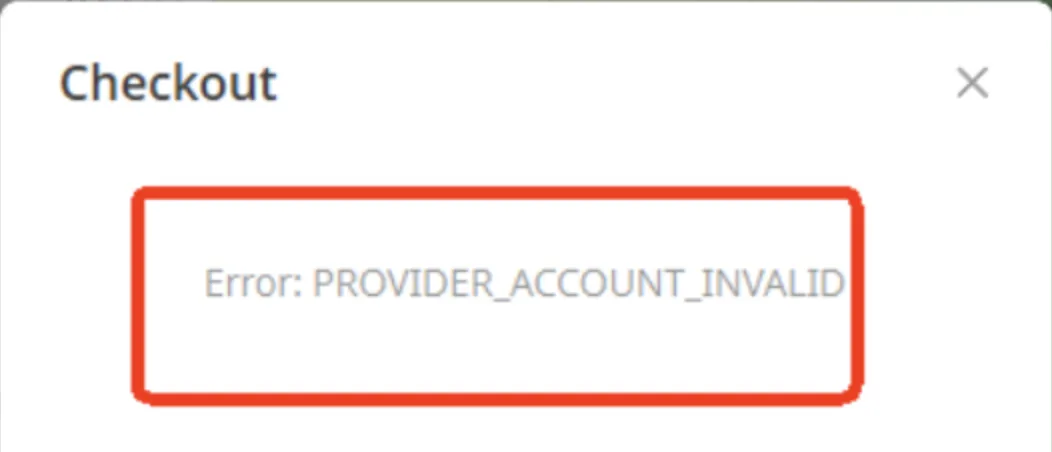
If you see “Error: PROVIDER_ACCOUNT_INVALID”
Sometimes buying Stars this way doesn’t work and Telegram’s checkout shows this error. Close that window and buy the Stars yourself in Telegram:
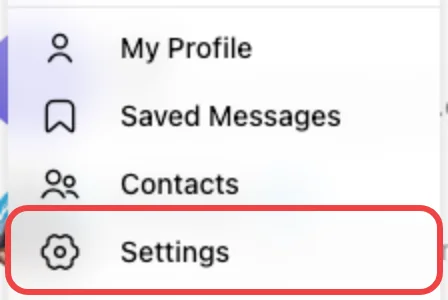
Step 1: Open the menu and click Settings.
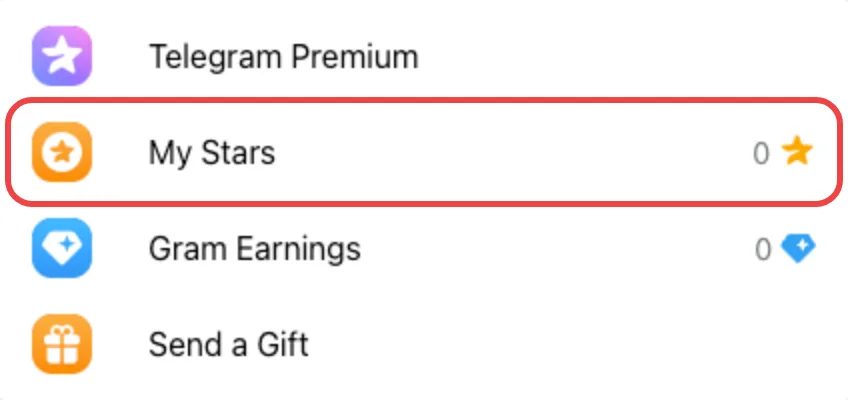
Step 2: Click My Stars.
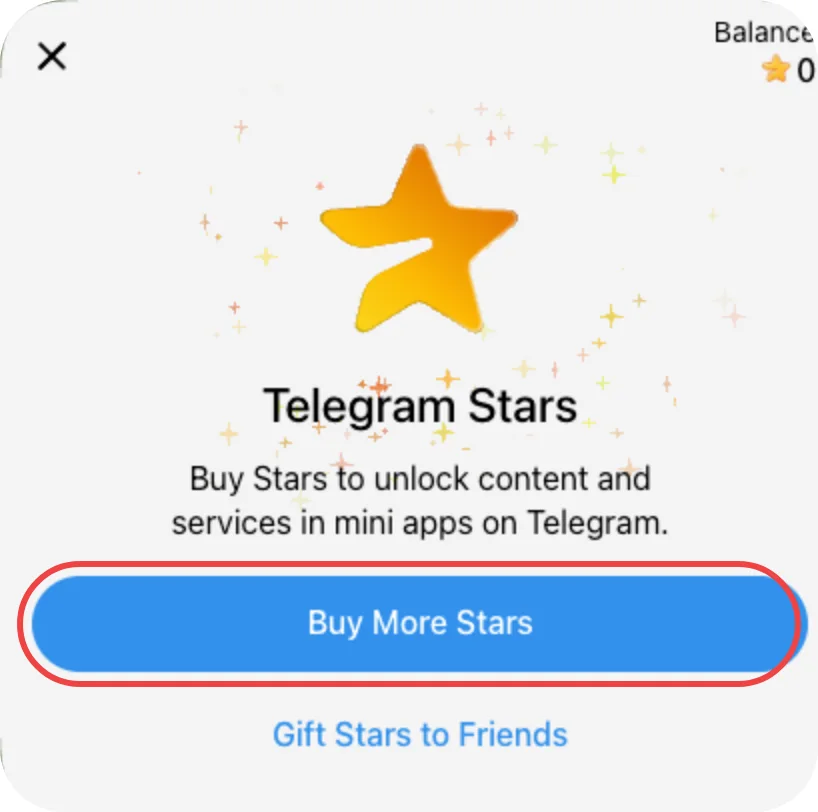
Step 3: Click Top Up Balance or Buy More Stars.
Step 4: Choose how many Stars to buy.
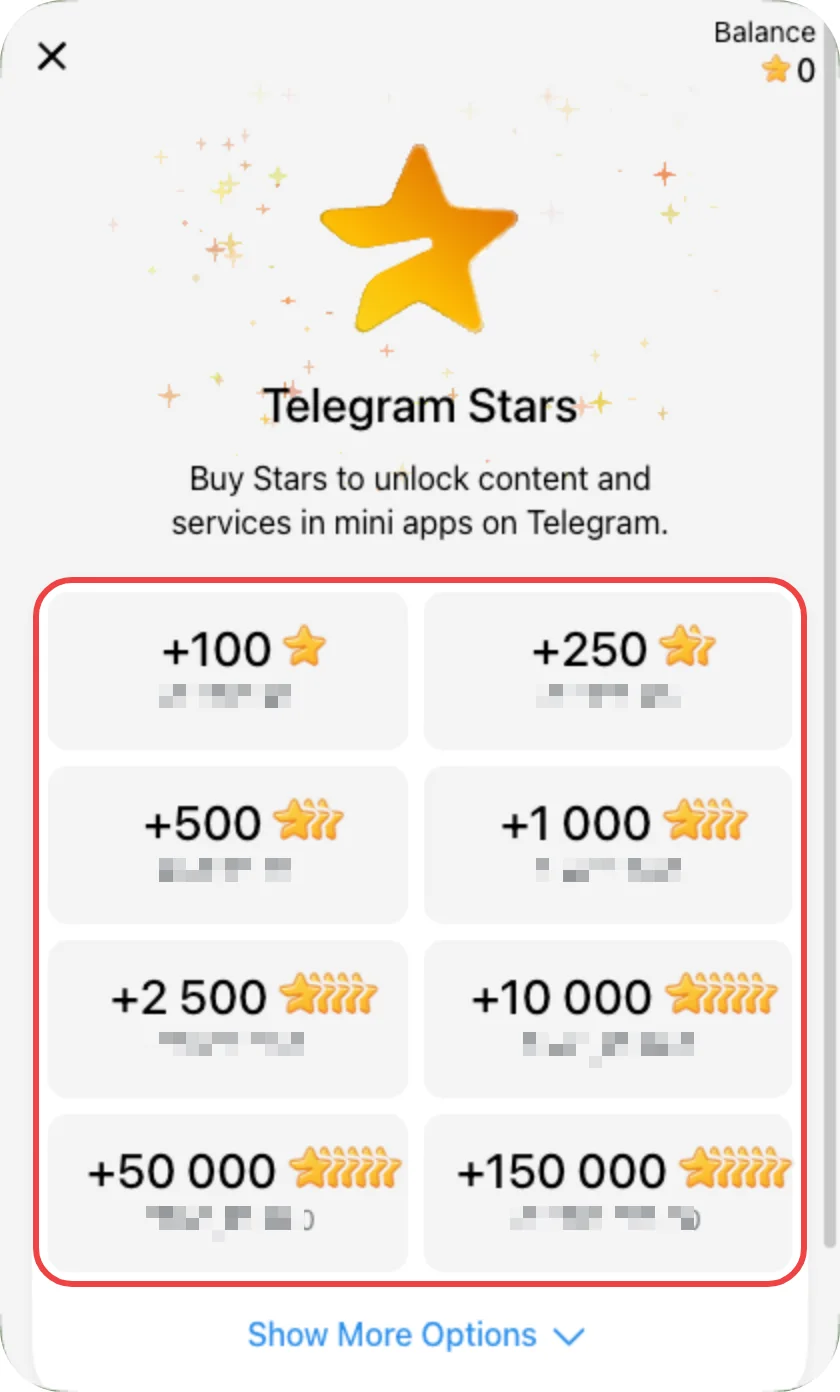
Step 5: Complete the purchase.
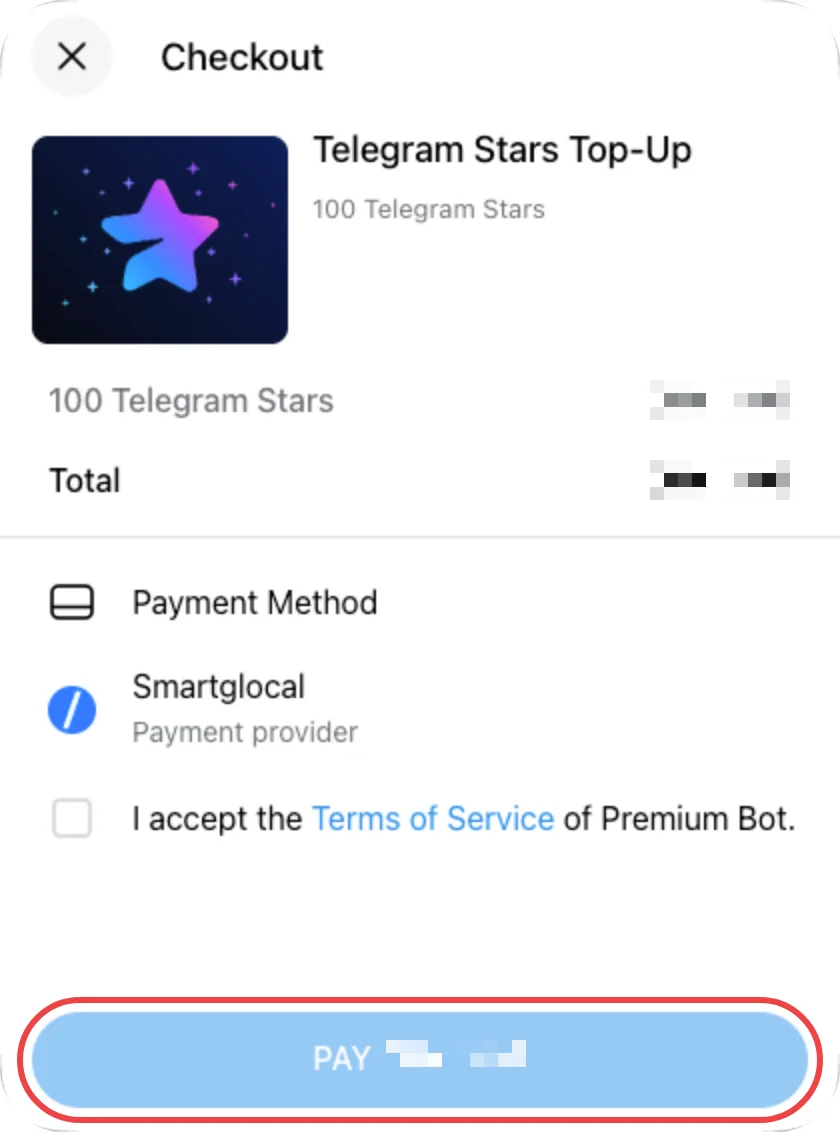
Important: buying Stars only adds them to your Telegram balance. It doesn’t pay for your order. Go back to the Telegram page, click Open Invoice again and confirm the payment.
5. Get your credits
Once the payment succeeds:
- Telegram takes the Stars from your balance.
- Your credits are added to your EasyFaceSwap account automatically, and you can use them right away.
- The EasyFaceSwap tab you bought from shows that the payment succeeded and updates your balance. You can close the Telegram page.
- Our payment bot may also send you a message in Telegram with your order number.
6. Need help?
- Bought Stars but got no credits? Buying Stars is only the first step. Go back to the Telegram page, click Open Invoice and confirm the payment.
- Invoice no longer works? Unpaid orders close after 2 hours. Your Stars stay in your Telegram balance, so just start again from Pricing.
- Credits not added 30 minutes after paying? Email [email protected] with your EasyFaceSwap account email and, if you received it, the order number from our payment bot’s message (it starts with FJ).